
Last Updated on September 14, 2026 by Jawad
Introduction
65% mechanical keyboards are a popular choice for people who want a clean, compact setup without giving up important keys. They are smaller than full-size and tenkeyless keyboards, but they still keep useful keys like the arrow keys and a few navigation buttons. This makes them a great balance between size and function. Because they take up less desk space, they are perfect for small desks, minimalist setups, and gaming stations where mouse movement space really matters.
We also have a recommendation for the Best Mechanical Keyboards for Programming, so make sure to check that out too!
How We Choose Products
- We evaluate products based on the factors that matter most to shoppers, including specifications, features, design, materials, performance, functionality, ease of use, intended use, durability, and overall value.
- Our recommendations are based on information available from manufacturers, retailers, product listings, customer feedback, and other publicly available sources, combined with our own independent editorial analysis.
- We aim to provide accurate, useful, and easy-to-understand product information. We distinguish manufacturer or retailer claims from our own assessment and avoid presenting marketing claims as independently verified facts.
- We do not claim to have personally tested a product unless we have hands-on experience with it. When we have not personally tested a product, our evaluation is based on available product information and careful editorial research.
- Our goal is to help readers compare their options and make more informed purchasing decisions based on their needs, preferences, and budget.
Top 65% Mechanical Keyboards


Comparison
| Keyboard | Image | Rating | Layout | Switches | Connectivity | Features | Use | Buy |
|---|---|---|---|---|---|---|---|---|
|
RK ROYAL KLUDGE RK68 🏆 Best Overall 🔥 Top Pick |
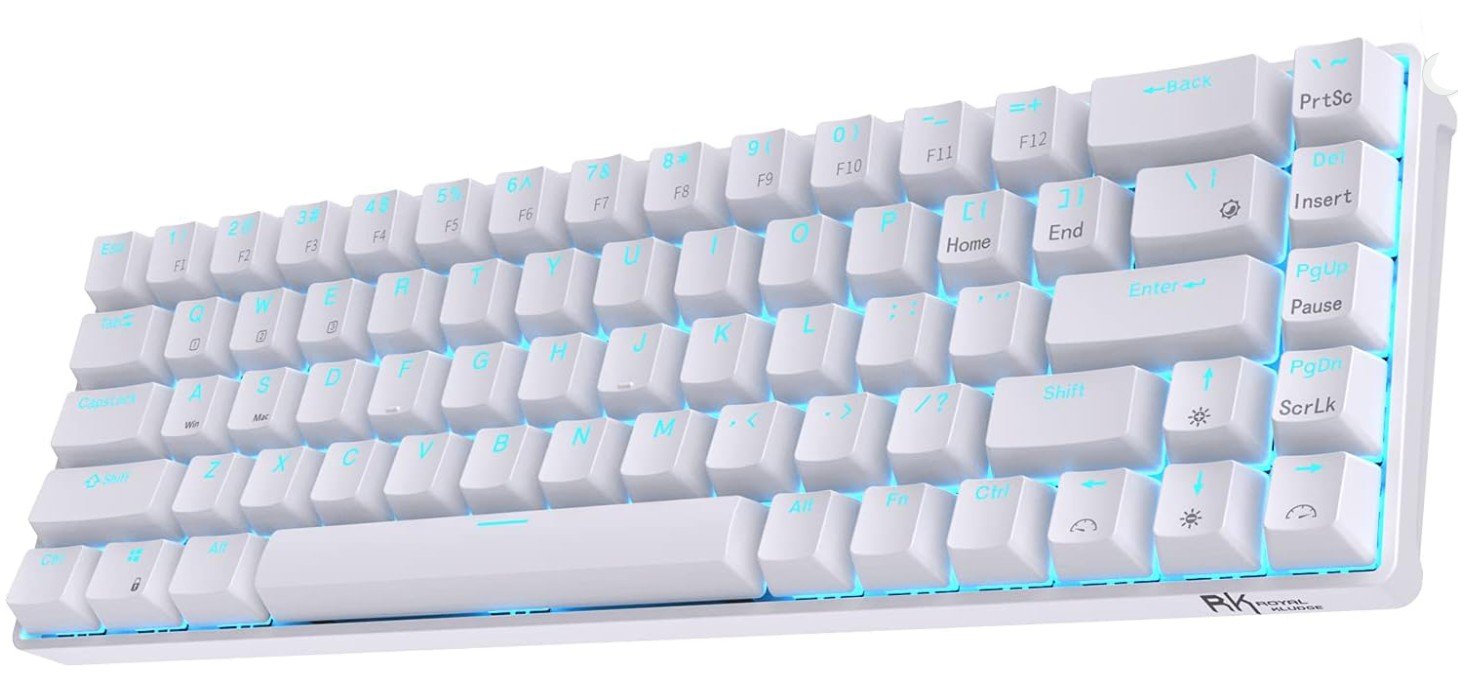 | ★★★★★ | 65% (68 keys) | Tactile Brown (Hot-Swappable) | Bluetooth 5.0 / Wired | RGB Backlight + Hot-Swappable | Gaming & Typing | Check Price |
|
EPOMAKER x AULA F65 💰 Best Value |
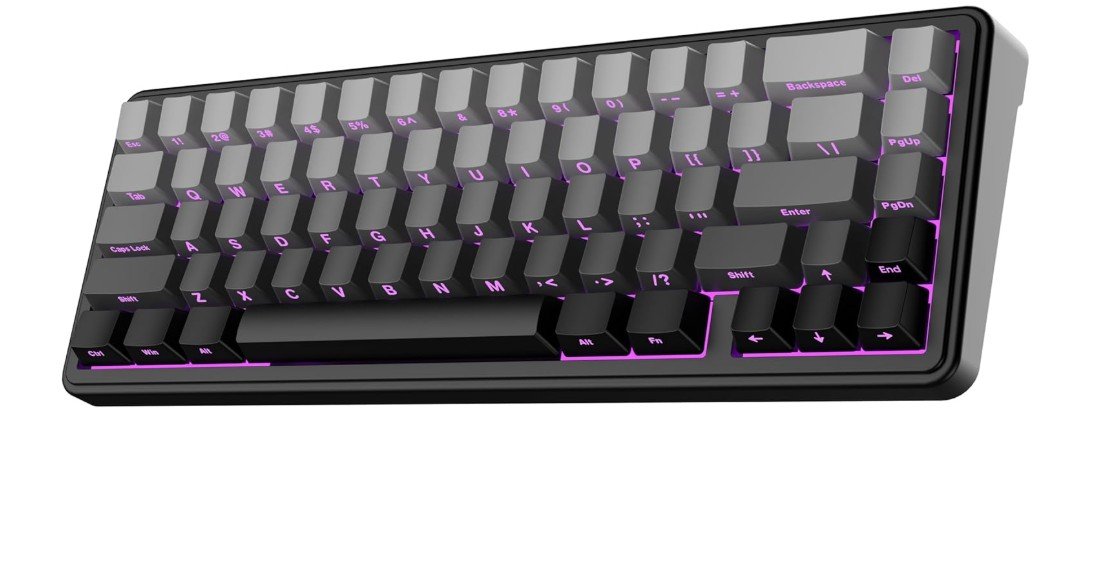 | ★★★★☆ | 65% Compact | Reaper Mechanical | Bluetooth / 2.4GHz / USB-C | Gasket Mount + RGB + Hot-Swappable | Gaming & Compact Setup | Check Price |
| Redragon K631 Gery |
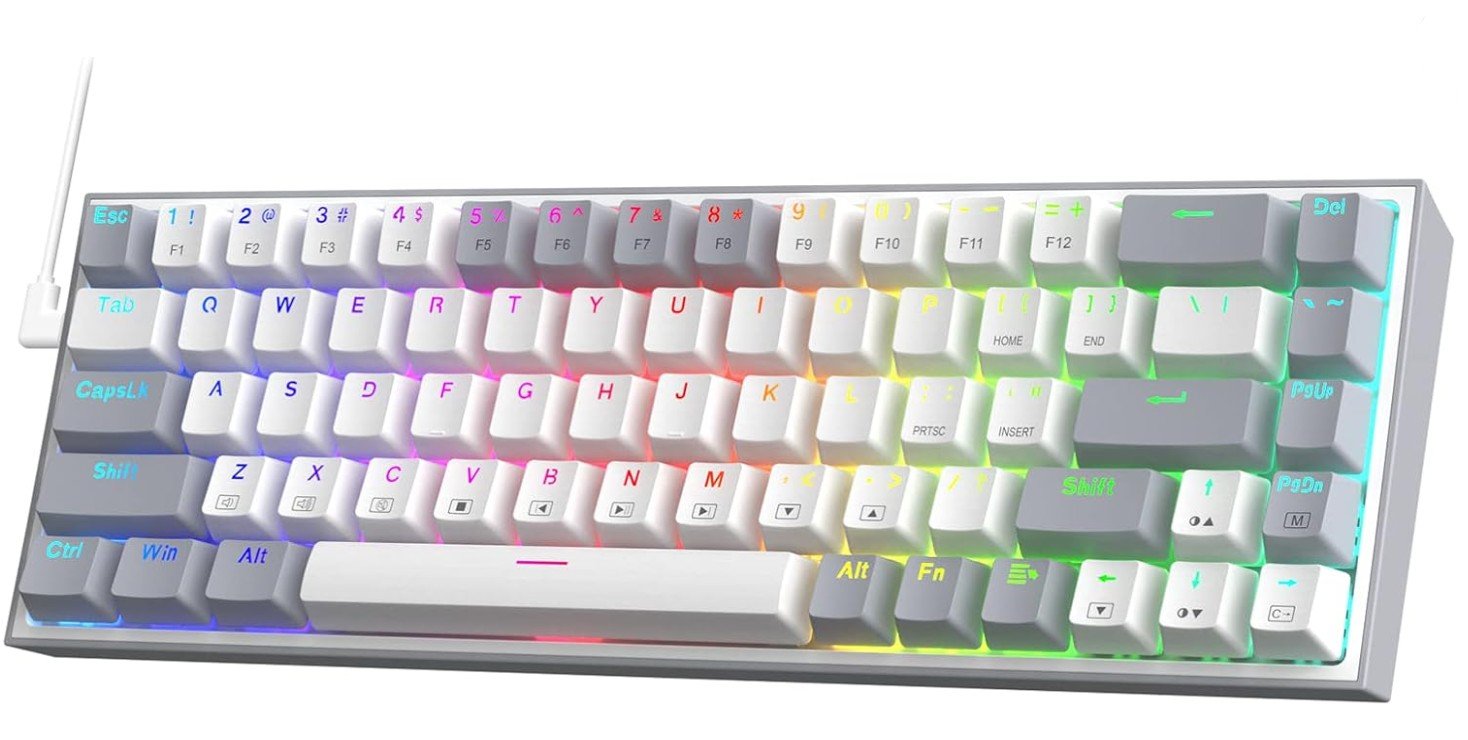 | ★★★★☆ | 65% (68 keys) | Quiet Red Mechanical | Wired USB-C | 100% Hot-Swap + RGB | Gaming & Programming | Check Price |
| Razer BlackWidow V3 Mini HyperSpeed |
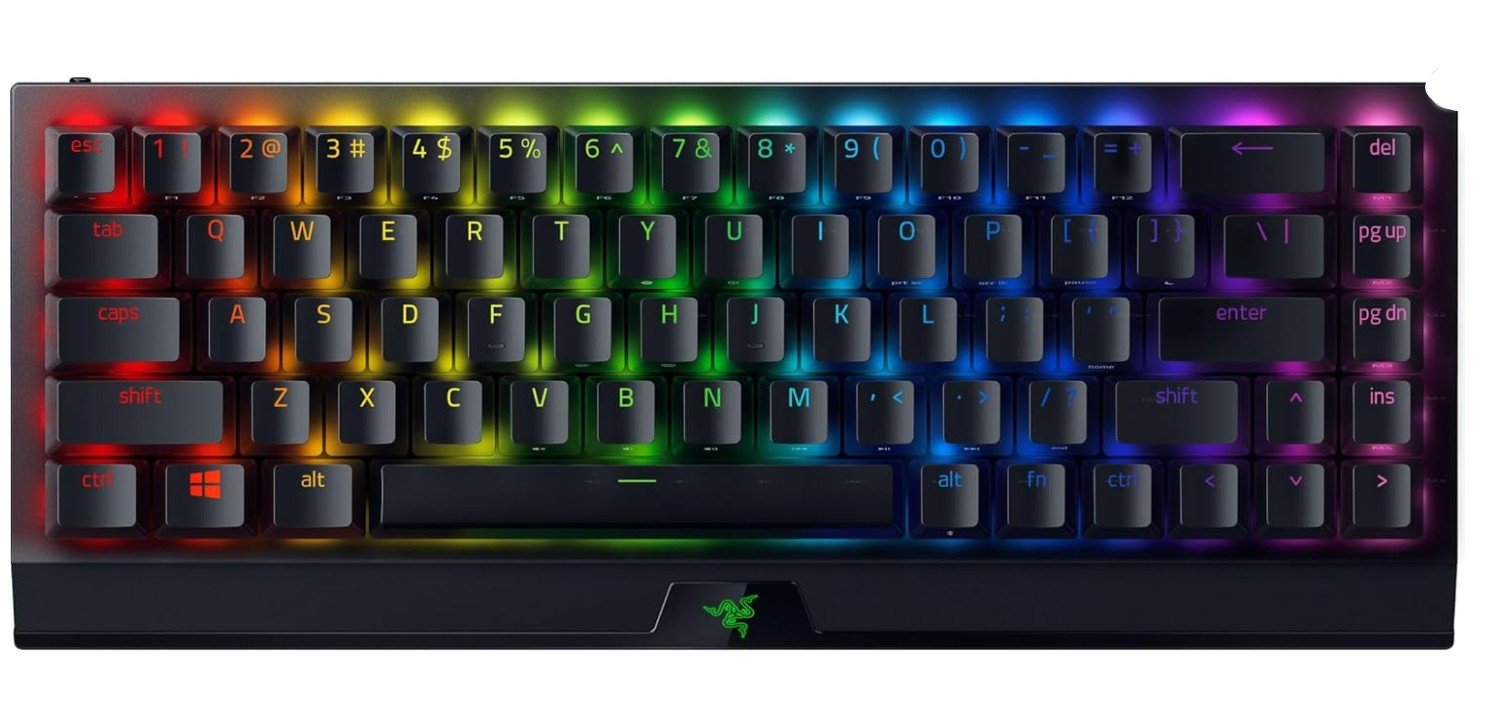 | ★★★★☆ | 65% Compact | Razer Yellow Linear | 2.4GHz / Bluetooth / USB-C | Chroma RGB + Low-Latency Wireless | Gaming & Portable Use | Check Price |
| Geeky GK65 65% |
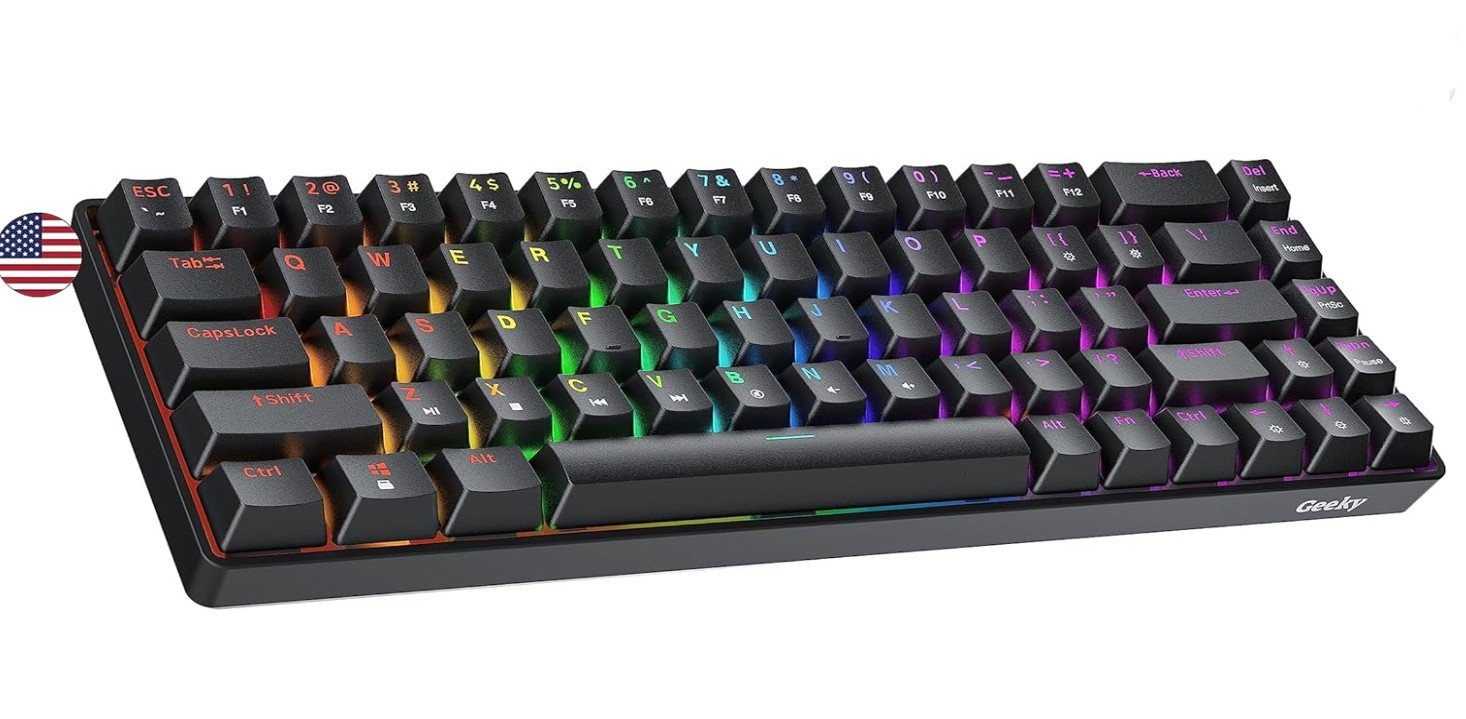 | ★★★★☆ | 65% (68 keys) | Tactile Brown | Wired | Hot-Swappable + RGB | Everyday Use & Gaming | Check Price |
The RK ROYAL KLUDGE RK68 is an excellent compact mechanical keyboard for programming, gaming, and everyday productivity. Its 65% layout saves desk space while still keeping dedicated arrow keys, making coding and navigation more convenient than smaller 60% keyboards. The tactile brown switches feel responsive and comfortable for long typing sessions with a satisfying bump that improves typing accuracy.
Bluetooth 5.0 and wired connectivity allow easy switching between multiple devices, while the hot-swappable design makes future customization simple. Despite its budget price, the keyboard feels sturdy and reliable for daily use.
Overall, it offers great value, portability, and a comfortable typing experience for programmers and beginners alike.
The EPOMAKER x Aula F65 is an excellent compact mechanical keyboard for programming, productivity, and everyday use. Its 65% layout saves desk space while still keeping essential keys for coding and navigation. The gasket-mounted structure and five-layer sound dampening create a soft, creamy, and “thocky” typing experience that feels premium for the price.
The Graywood V3 switches are smooth, light, and comfortable during long coding sessions with minimal finger fatigue. Tri-mode connectivity with Bluetooth, 2.4GHz wireless, and USB-C makes switching between devices seamless. Hot-swappable support also allows easy customization later.
Overall, it offers impressive typing comfort, wireless flexibility, and excellent value for programmers and keyboard enthusiasts.
The Redragon K631 Gery is a compact 65% mechanical keyboard designed for gamers and users who want to save desk space without losing essential navigation keys. Its 68-key layout includes dedicated arrow keys, making it practical for gaming and everyday typing. The quiet Red switches provide a smooth and relatively quiet typing experience, while the 100% hot-swappable sockets allow easy switch replacement and customization. RGB backlighting adds a gaming-focused appearance, and the free-mod plate-mounted PCB provides additional flexibility for customization.
Its wired connection keeps latency low and ensures reliable performance. Overall, the K631 Gery is a versatile compact keyboard for gaming, programming, and everyday productivity.
The Razer BlackWidow V3 Mini HyperSpeed is a premium 65% wireless gaming keyboard that also works great for programming and everyday productivity. Its compact layout saves desk space while still keeping dedicated arrow keys for easier coding and navigation. The linear Yellow switches feel smooth, fast, and quiet, making long typing sessions comfortable with minimal noise.
HyperSpeed wireless delivers extremely low latency for gaming, while Bluetooth support allows easy multi-device switching. The Phantom pudding keycaps enhance the vibrant Chroma RGB lighting for a stylish setup. Battery life is impressive, especially with RGB disabled.
Overall, it offers excellent wireless performance, portability, and responsive typing for gamers and programmers alike.
The Geeky GK65 is a solid compact mechanical keyboard for programming, gaming, and everyday productivity. Its 65% layout saves desk space while still including dedicated arrow keys for easier coding and navigation. The mechanical brown switches provide tactile feedback without being too loud, making long typing sessions comfortable and accurate.
RGB backlighting looks vibrant and customizable, adding a stylish touch to any setup. The hot-swappable design also allows users to replace switches easily without soldering, which is great for beginners interested in customization. Despite its affordable price, the keyboard feels sturdy and responsive during daily use.
Overall, it offers excellent value, compact convenience, and a satisfying typing experience for programmers and casual gamers alike.
65% Mechanical Keyboards — complete buying guide
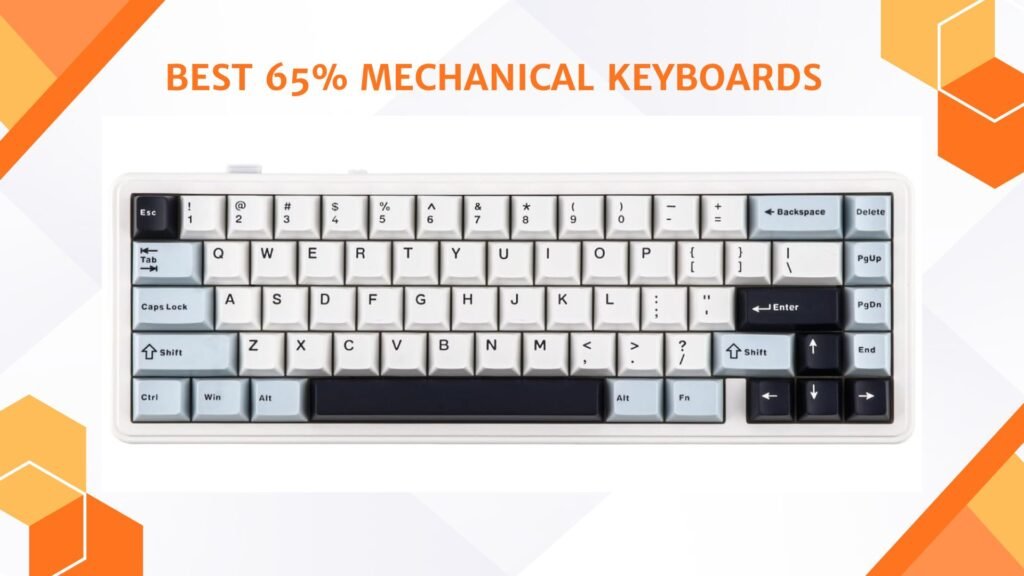
A 65% mechanical keyboard is a compact keyboard layout that removes the number pad and the full function row but keeps important keys like the arrow keys and a few navigation keys. Compared to a full-size or tenkeyless keyboard, it takes up much less desk space while still being easy to use for daily tasks. This layout is very popular because it offers a good balance between size and usability.
Who Should Buy a 65% Keyboard?
A 65% keyboard is ideal for users who want a clean and minimal desk setup. Gamers like it because it leaves more room for mouse movement. Students and office users enjoy it because it is easier to carry and fits well on small desks. It is also a good choice for people upgrading from a 60% keyboard, since the dedicated arrow keys make everyday work more comfortable. However, if you use a number pad a lot for data entry or accounting, a 65% keyboard may not be the best option.
Key Advantages of 65% Mechanical Keyboards
One of the biggest benefits is space saving. The compact size makes your desk look cleaner and more organized. Another advantage is comfort. Because your hands move less across the keyboard, typing and gaming can feel faster and more natural. Mechanical switches also last longer and feel better than regular membrane keyboards. Many 65% keyboards offer premium features like RGB lighting, wireless connectivity, and hot-swappable switches.
Understanding Keyboard Switch Types
Mechanical keyboards use different types of switches, and choosing the right one is very important.
Linear switches feel smooth from top to bottom and are usually quiet. They are popular with gamers because they allow fast key presses.
Tactile switches have a small bump when the key is pressed. This helps you feel when the key is registered and is great for typing. Brown switches are the most common tactile option.
Clicky switches make a loud click sound and have a strong tactile feel. They are fun to type on but may be too noisy for shared spaces.
Hot-Swappable vs Soldered Keyboards
Hot-swappable keyboards allow you to remove and replace switches without soldering. This is perfect for beginners and users who want to experiment with different switch types later. Soldered keyboards are usually cheaper, but changing switches requires tools and experience. For most users, hot-swappable boards are the better and more flexible choice.
Build Quality and Mounting Styles
The way a keyboard is built affects how it feels and sounds. Tray-mount keyboards are common and feel firm. Gasket-mounted keyboards use soft materials between the plate and case, making typing quieter and more comfortable. Many modern 65% keyboards also include foam or padding to reduce noise and improve typing feel.
Keycaps and Materials
Keycaps play a big role in durability and comfort. PBT keycaps are more durable and resist shine over time. ABS keycaps feel smoother but may wear out faster. You should also check the keycap profile, as different shapes affect typing comfort. Because 65% keyboards sometimes use non-standard key sizes, make sure replacement keycaps are compatible.
Wired vs Wireless Connectivity
Wired keyboards offer the lowest latency and are best for competitive gaming. Wireless keyboards are more flexible and keep your desk free of cables. Many 65% keyboards support Bluetooth, 2.4GHz wireless, or both. If you use multiple devices, wireless keyboards with easy switching are very useful. Battery life is also important, especially if you use RGB lighting.
Software and Customization
Some keyboards come with software that lets you remap keys, set macros, and customize lighting. Advanced users may prefer keyboards that support open-source firmware like QMK or VIA. This allows deeper customization and long-term support. If customization matters to you, check software support before buying.
Price Range and What to Expect
Budget 65% keyboards offer basic features like RGB and mechanical switches at a low cost. Mid-range options usually include hot-swapping, wireless modes, and better build quality. Premium models focus on typing feel, sound quality, and materials. Decide your budget first and choose the best balance of features for your needs.
Final Buying Tips
Always check the keyboard layout image before buying. Decide whether you want linear, tactile, or clicky switches. Choose hot-swappable if you want future flexibility. Think about whether you need wireless connectivity. Read user reviews to learn about typing sound and long-term quality.
FAQs
A 65% mechanical keyboard is a compact keyboard that keeps the most used keys like letters, number row, arrow keys, and a few navigation keys, while removing the numpad and most of the function row. It saves space and still stays very usable.
A 60% keyboard does not have arrow keys or extra navigation keys, so you need to use Fn combinations for them. A 65% keyboard keeps the arrow keys and often a few extra keys, so it feels easier to use for everyday tasks.
Yes. Many gamers prefer 65% keyboards because they free up desk space for mouse movement and still have arrow keys. Wireless and low-latency options also make them great for gaming.
Yes. They are comfortable for typing, especially if you choose good tactile or linear switches. They may take a short time to get used to, but most people find them efficient for everyday typing.
Some are wireless and support Bluetooth or 2.4 GHz connections. Others are wired. Wireless is good for flexibility, while wired gives lower latency for competitive gaming.
Many do. Some offer software or firmware (like VIA or QMK) that lets you remap keys, make macros, and change RGB lighting.
Prices vary. Budget models are affordable, while premium custom boards can be more expensive due to better materials, switches, and build quality.
Final Thoughts
A 65% mechanical keyboard is a great choice for most users. It saves space, looks clean, and still keeps essential keys. Whether you are a gamer, student, or office worker, this layout offers comfort, performance, and style. By focusing on layout, switch type, build quality, and connectivity, you can easily find the right 65% keyboard that fits your needs and budget.