
Last Updated on September 14, 2026 by Jawad
Introduction
Mechanical keyboards are very popular among programmers because they offer a better typing experience than regular membrane keyboards. When you spend many hours writing code, comfort and accuracy become very important, and this is where mechanical keyboards really shine. Each key on a mechanical keyboard has its own individual switch underneath, which makes every key press more precise and consistent. This helps reduce typing mistakes and makes long coding sessions feel less tiring.
We also have a recommendation of the Best Keyboards for Typing Fast, so make sure to check that out too!
How We Choose Products
- We evaluate products based on the factors that matter most to shoppers, including specifications, features, design, materials, performance, functionality, ease of use, intended use, durability, and overall value.
- Our recommendations are based on information available from manufacturers, retailers, product listings, customer feedback, and other publicly available sources, combined with our own independent editorial analysis.
- We aim to provide accurate, useful, and easy-to-understand product information. We distinguish manufacturer or retailer claims from our own assessment and avoid presenting marketing claims as independently verified facts.
- We do not claim to have personally tested a product unless we have hands-on experience with it. When we have not personally tested a product, our evaluation is based on available product information and careful editorial research.
- Our goal is to help readers compare their options and make more informed purchasing decisions based on their needs, preferences, and budget.
Top Mechanical Keyboards for Programming


Comparison
| Mechanical Keyboard | Image | Rating | Layout | Connectivity | Key Feature | Buy |
|---|---|---|---|---|---|---|
|
AULA F99 Wireless Mechanical Keyboard 🏆 Best Overall |
 | ★★★★☆ | 96% Compact | Bluetooth / 2.4 GHz / USB-C | Hot-Swappable Switches | Check Price |
| RK ROYAL KLUDGE S98 Wireless Mechanical Keyboard |
 | ★★★★☆ | 96% Layout | Bluetooth / 2.4 GHz / USB-C | Smart Display & Knob | Check Price |
| HUO JI E-Yooso Creamy Mechanical Keyboard |
 | ★★★★☆ | 99-Key Compact | Wired USB-C | Gasket Mount + Quiet Typing | Check Price |
| EPOMAKER TH99 PRO 96% Mechanical Keyboard |
 | ★★★★☆ | 96% / 99-Key | Bluetooth / 2.4 GHz / USB-C | Screen, Knob & 10,000mAh Battery | Check Price |
| YUNZII B75 PRO Wireless Mechanical Keyboard |
 | ★★★★☆ | 75% Layout | Bluetooth / 2.4 GHz / USB-C | Programmable Knob + Gasket Mount | Check Price |
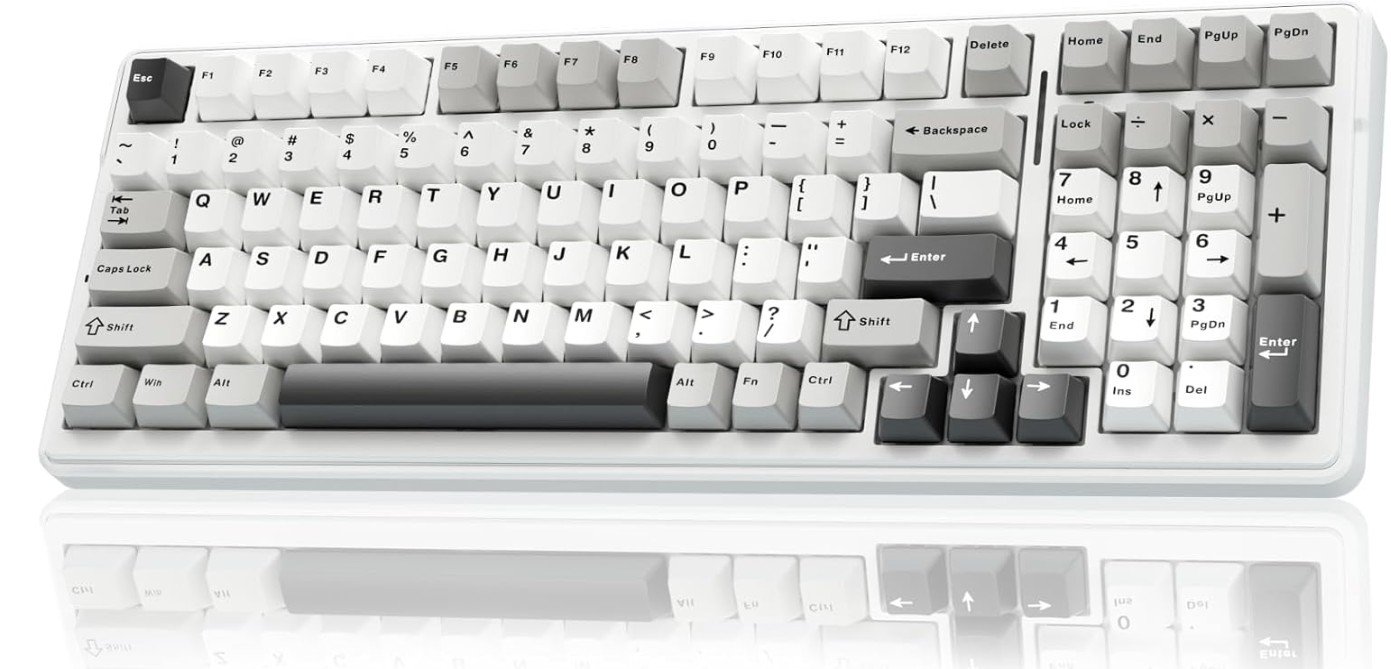
The AULA F99 Wireless Mechanical Keyboard is a great choice for programming, coding, and productivity work. Its pre-lubed linear switches feel smooth and consistent, making long coding sessions comfortable with less finger fatigue. The gasket-mounted structure and sound-dampening layers create a soft, creamy typing sound that feels more premium than many budget keyboards.
The compact 96% layout keeps important keys and the numpad while saving desk space for a cleaner setup. Tri-mode connectivity with Bluetooth, 2.4GHz, and USB-C allows easy switching between multiple devices. Hot-swappable support also makes future customization simple.
Overall, it offers excellent comfort, wireless flexibility, and value for programmers and everyday users alike.
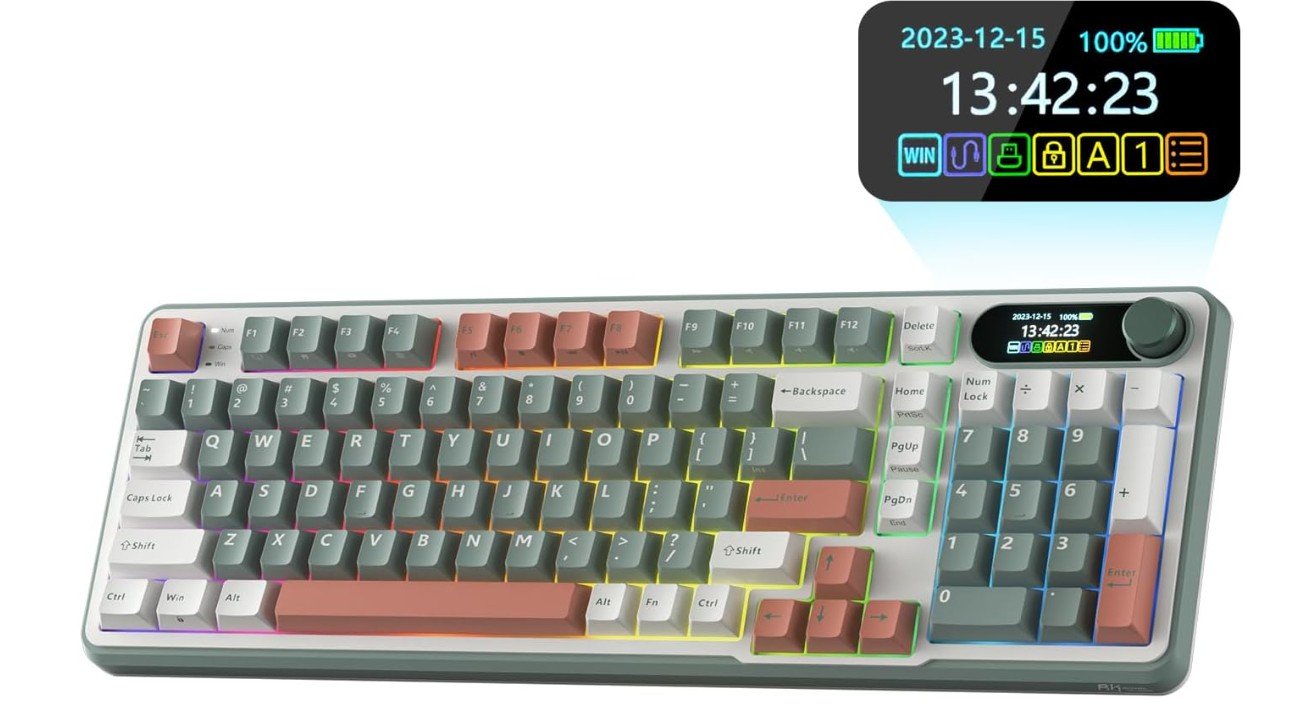
The RK ROYAL KLUDGE S98 is an excellent mechanical keyboard for programming, productivity, and multitasking. Its smooth pre-lubed switches and creamy typing sound make long coding sessions comfortable with less typing fatigue. The compact 96% layout keeps the numpad while saving desk space, making it practical for developers and office setups.
The smart display and multifunction knob add useful controls for media, battery status, and customization. Tri-mode connectivity with Bluetooth, 2.4GHz, and USB-C allows seamless switching between multiple devices. Hot-swappable support also makes future switch upgrades easy.
Overall, it delivers impressive comfort, wireless flexibility, premium features, and strong value for programmers and enthusiasts alike.
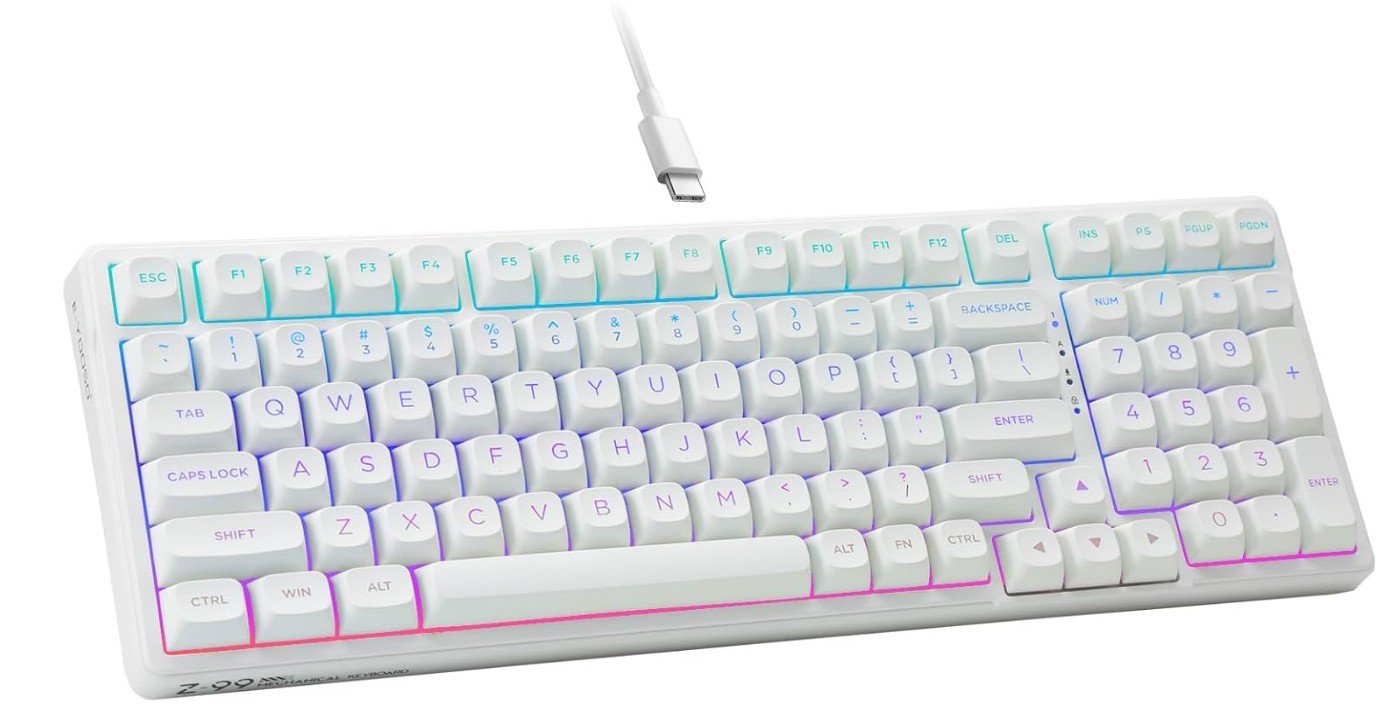
The HUO JI E-Yooso Creamy Mechanical Keyboard is a great keyboard for programming, coding, and long productivity sessions. Its pre-lubed linear switches feel smooth, light, and consistent, helping reduce finger fatigue during extended typing. The gasket-mounted structure with sound-dampening foam creates a soft and creamy typing sound that feels much more premium than typical budget keyboards.
The compact 99-key layout saves desk space while still keeping essential keys for programming and multitasking. RGB backlighting adds a modern touch, and the hot-swappable design makes switch customization easy for beginners and enthusiasts.
Overall, it offers excellent typing comfort, solid build quality, and strong value for programmers and everyday users.
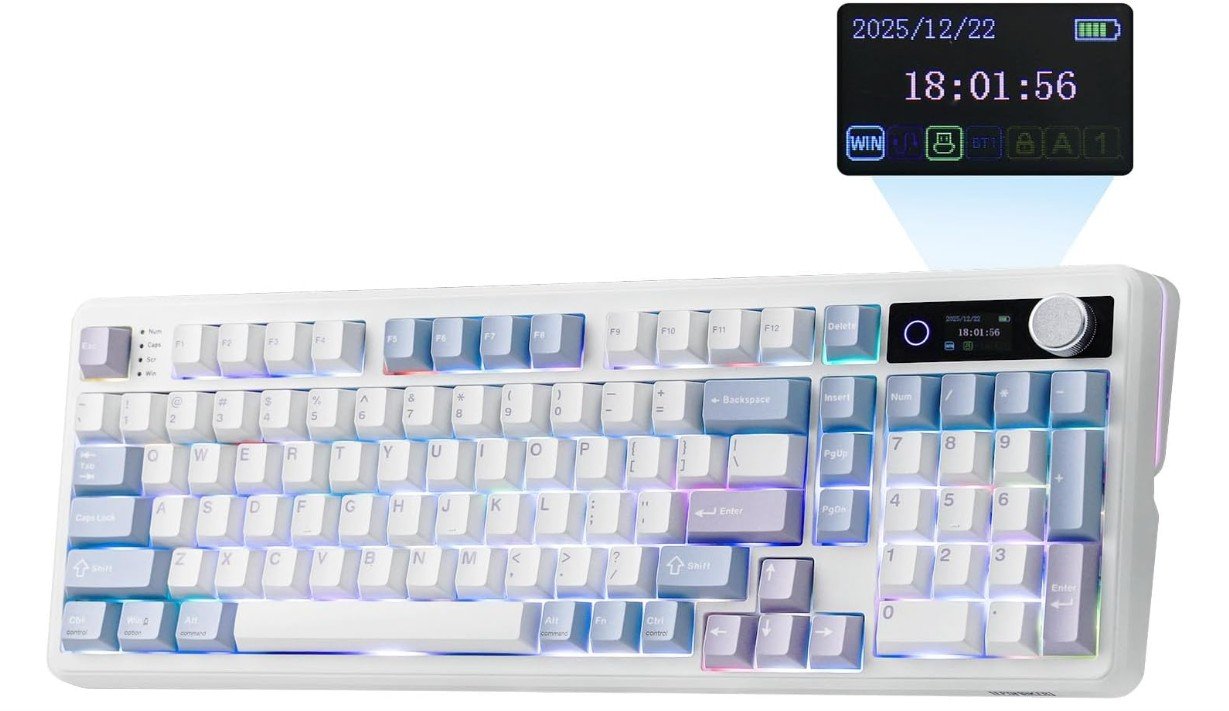
The EPOMAKER TH99 PRO is a versatile mechanical keyboard that works well for programming, especially for users who want a compact layout without sacrificing important keys. Its 96% design keeps the function row, arrow keys, and navigation controls while saving desk space. The mechanical switches provide a responsive typing experience, making long coding sessions more comfortable. Its hot-swappable design allows users to change switches without soldering, offering plenty of customization. The multifunctional knob is useful for controlling volume and other tasks, while the built-in screen adds a modern touch.
With its large 10,000mAh battery, wireless connectivity, and Mac/Windows support, the TH99 PRO is a strong choice for programmers.
Mechanical Keyboards for Programming — A Practical Buying Guide
Mechanical keyboards have become the top choice for programmers, developers, and software engineers who spend many hours typing every day. The right keyboard can improve comfort, reduce fatigue, and even boost productivity. This detailed buying guide explains everything you need to know before choosing a mechanical keyboard for programming, using simple and clear language.
Why Mechanical Keyboards Are Better for Programming
Mechanical keyboards use individual switches under each key instead of a rubber membrane. This design provides better feedback, more consistent key presses, and much longer lifespan. For programmers, this means fewer typing errors, better accuracy, and a more satisfying typing experience during long coding sessions. Many mechanical switches are rated for 50 million or more key presses, making them a long-term investment.
Understanding Mechanical Switch Types
The switch type is the most important part of any mechanical keyboard because it defines how typing feels.
Linear Switches
Linear switches move smoothly from top to bottom with no bump or click. They are quiet and easy to press, making them good for long programming sessions where you want minimal finger strain. Some programmers like them for fast typing, but they can lead to accidental key presses if you type heavily.
Tactile Switches
Tactile switches have a small bump that you can feel when the key activates. This feedback helps you know a key press has registered without needing to bottom out the key. Many programmers prefer tactile switches because they balance accuracy, comfort, and noise.
Clicky Switches
Clicky switches provide both a tactile bump and a loud click sound. They are satisfying to type on, but the noise can be distracting in shared offices or quiet rooms. These are usually better for personal spaces.
Keyboard Layouts and Sizes
Choosing the right layout depends on your desk space and workflow.
- Full-size (100%) keyboards include all keys and a number pad. They are useful if you work with numbers often.
- Tenkeyless (TKL) keyboards remove the number pad to save space and improve mouse positioning.
- 75% and 65% layouts keep essential keys like arrows and function keys in a compact form.
- 60% layouts are very compact and portable but rely heavily on key combinations, which may slow down beginners.
For programming, TKL and 75% layouts are often the most balanced choices.
Mounting Style and Typing Feel
The way a keyboard is built internally affects typing comfort and sound.
- Tray mount is common and firm but can feel stiff.
- Top mount provides a balanced and solid feel.
- Gasket mount uses soft materials to reduce vibration, creating a softer and quieter typing experience. Many programmers prefer this for long sessions.
Hot-Swappable vs Soldered Keyboards
Hot-swappable keyboards allow you to replace switches without soldering. This is ideal if you want to experiment with different switch types or replace worn switches easily. Soldered keyboards are more permanent but sometimes offer better stability. For most programmers, hot-swappable keyboards offer more flexibility.
Keycaps: Material and Profile
Keycaps affect comfort and durability.
- ABS keycaps feel smooth but can shine over time.
- PBT keycaps are thicker, more durable, and resist wear, making them better for heavy typing.
Keycap profiles like OEM, Cherry, or SA change the height and angle of keys. Cherry and OEM profiles are popular for programming because they feel natural and comfortable.
Wired vs Wireless Connectivity
- Wired keyboards provide stable, lag-free performance and are ideal for fixed desk setups.
- Wireless keyboards (Bluetooth or 2.4 GHz) are great if you switch between devices or want a clean desk. Check battery life and charging options before buying.
Software, Programmability, and Macros
Programmable keyboards allow you to remap keys, create macros, and set layers for shortcuts. This is very useful for programmers who rely on keyboard shortcuts. Look for keyboards with strong software support or open-source firmware like QMK or VIA.
Ergonomics and Comfort
Long coding sessions require good ergonomics. Adjustable feet, wrist rests, and proper key spacing can reduce wrist and finger strain. Some programmers also consider split or ergonomic mechanical keyboards to reduce long-term stress on hands.
Sound and Noise Considerations
If you work in a shared space, choose quieter switches and keyboards with sound-dampening foam. Pre-lubed switches and well-tuned stabilizers reduce rattling and make typing more pleasant.
Budget Levels and What to Expect
- Budget ($40–$80): Basic mechanical feel, fewer customization options.
- Mid-range ($80–$150): Better build quality, hot-swap support, improved sound and comfort.
- Premium ($150+): High-end materials, excellent acoustics, and advanced customization.
Final Buying Tips
- Choose switch type based on comfort and noise preference.
- Pick a layout that matches your daily workflow.
- Prefer hot-swappable keyboards and PBT keycaps for long-term use.
- Focus on typing comfort and build quality over flashy RGB.
FAQs
Mechanical keyboards give better typing feedback, more precise key presses, and longer durability. They reduce finger fatigue during long coding sessions and help improve accuracy and speed.
Many programmers prefer tactile switches because they give a slight bump when a key registers, which helps reduce mistakes. Linear switches are smooth and quiet, which is good if you type lightly. Clicky switches are louder and may disturb others.
Yes, wireless keyboards (Bluetooth or 2.4 GHz) are convenient for working on multiple devices. Just make sure they have good battery life and stable connectivity.
RGB lighting is not required for programming, but it can help you see keys in dim light and make your desk setup look nicer.
PBT keycaps are thicker and more durable than ABS keycaps. They resist shine and last longer, which is helpful for heavy typing.
Yes. Custom key mapping and macros help you set shortcuts and speed up repetitive coding tasks.
Conclusion
A mechanical keyboard is one of the most important tools for programming. By choosing the right switches, layout, and features, you can create a typing setup that improves comfort, accuracy, and productivity. Investing time in selecting the right keyboard will pay off every time you sit down to write code.