
Last Updated on October 6, 2026 by Jawad
Introduction
Gaming keyboards under $50 are an excellent choice for gamers who want responsive controls, comfortable layouts, and useful gaming features without spending a lot. At this price, you can find mechanical and membrane keyboards with features such as anti-ghosting, RGB backlighting, programmable keys, and dedicated media controls. Many budget models also offer compact layouts that save desk space while keeping essential gaming functions accessible.
When choosing a gaming keyboard, consider the switch type, key rollover, build quality, connectivity, and overall typing comfort. Mechanical switches generally provide a more tactile and responsive experience, while membrane keyboards can be quieter and more affordable. Features such as customizable lighting, detachable cables, wrist rests, and software support can also improve usability.
In this guide, we’ll explore some of the best gaming keyboards under $50 and compare their key features, performance, and value to help you choose the right keyboard for gaming and everyday use.
We also have a recommendation for the Best Gaming Keyboard Under $100, so make sure to check that out too!
How We Choose Products
- We evaluate products based on the factors that matter most to shoppers, including specifications, features, design, materials, performance, functionality, ease of use, intended use, durability, and overall value.
- Our recommendations are based on information available from manufacturers, retailers, product listings, customer feedback, and other publicly available sources, combined with our own independent editorial analysis.
- We aim to provide accurate, useful, and easy-to-understand product information. We distinguish manufacturer or retailer claims from our own assessment and avoid presenting marketing claims as independently verified facts.
- We do not claim to have personally tested a product unless we have hands-on experience with it. When we have not personally tested a product, our evaluation is based on available product information and careful editorial research.
- Our goal is to help readers compare their options and make more informed purchasing decisions based on their needs, preferences, and budget.
Top Gaming Keyboards Under $50


Comparison
| Keyboard | Image | Rating | Switch Type | Layout | Keycaps | Anti-Ghosting | Weight | Backlighting | Durability | Buy |
|---|---|---|---|---|---|---|---|---|---|---|
|
Redragon K552 🏆 Best Overall 🔥 Top Pick |
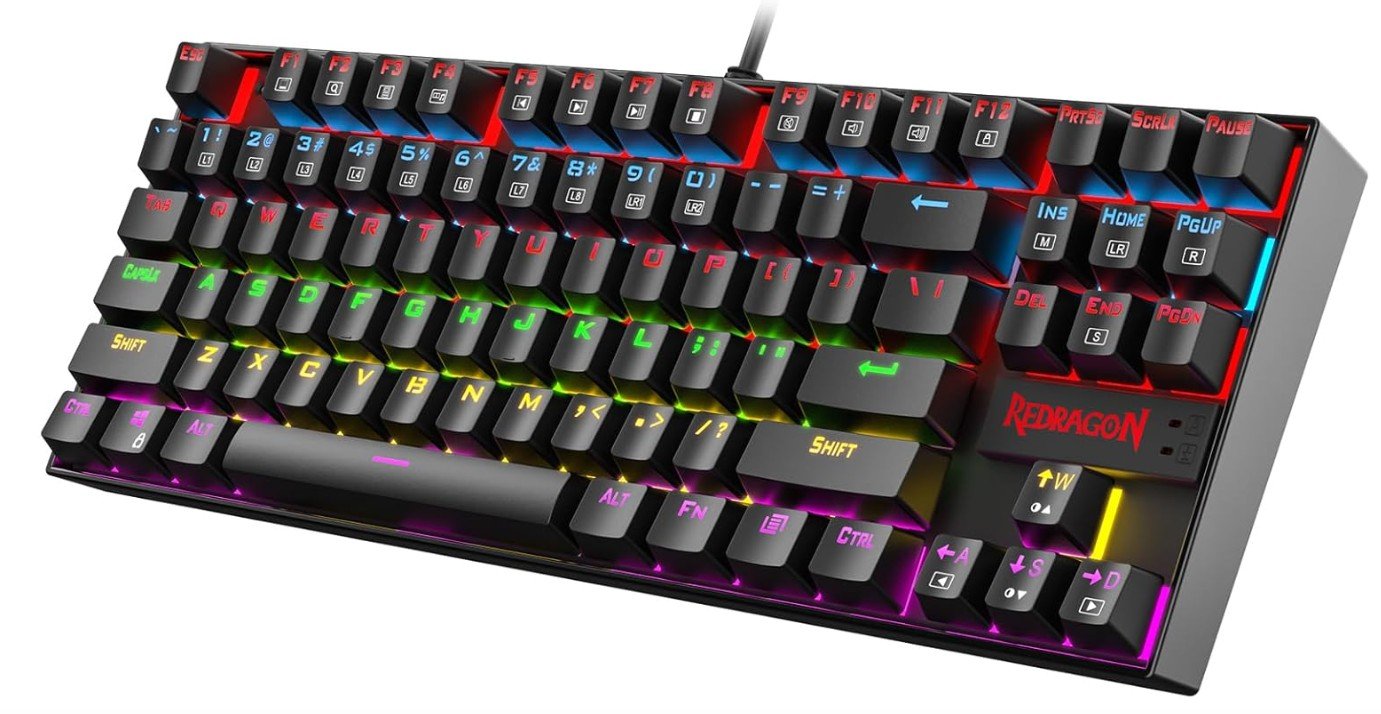 | ★★★★★ | Outemu Red | TKL (87-Key) | Double-Shot ABS | N-Key Rollover | ≈ 0.87 kg | LED | 50M Keystrokes | Check Price |
|
RisoPhy Mechanical Keyboard 💰 Best Budget |
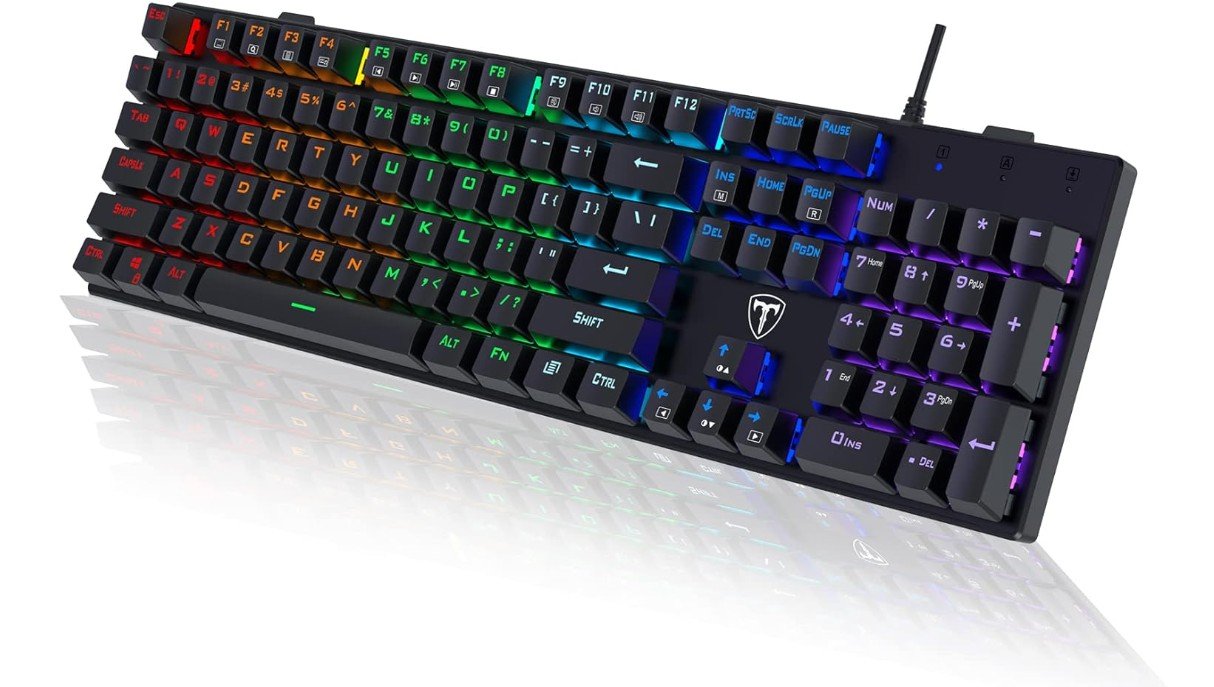 | ★★★★☆ | Blue Switch | Full Size (104-Key) | ABS | Anti-Ghosting | ≈ 0.95 kg | RGB | Spill-Resistant | Check Price |
|
TECWARE Phantom 87 ⭐ Best Value |
 | ★★★★★ | Outemu Brown | TKL (87-Key) | Double-Shot ABS | N-Key Rollover | ≈ 0.95 kg | 16.8M RGB | 50M Keystrokes | Check Price |
| AULA F2088 |
 | ★★★★☆ | Blue Switch | Full Size | Retro Round ABS | Anti-Ghosting | ≈ 1.15 kg | Rainbow LED | 50M Keystrokes | Check Price |
| RK Royal Kludge RK87 |
 | ★★★★★ | Brown Switch | TKL (87-Key) | Double-Shot ABS | N-Key Rollover | ≈ 0.85 kg | RGB | 50M Keystrokes | Check Price |
The Redragon K552 Mechanical Gaming Keyboard is a great budget-friendly option for gamers and beginners who want a solid mechanical keyboard without spending too much. Its compact 87-key design saves desk space while still feeling comfortable for gaming and typing. The red switches provide smooth and fast keystrokes with less noise compared to blue switches, making it suitable for long sessions.
The sturdy metal frame gives the keyboard a premium and durable feel, while the LED lighting adds a stylish gaming look. Anti-ghosting support ensures accurate key registration during gameplay.
Overall, the K552 offers impressive performance, durability, and value for everyday gaming and productivity.
The RisoPhy Mechanical Gaming Keyboard is an excellent budget-friendly option for gamers and typists who enjoy the tactile feel of clicky Blue switches. Its full-size 104-key layout includes a numeric keypad, making it suitable for both gaming and productivity. The RGB LED backlighting adds a vibrant look, while the durable ABS keycaps and spill-resistant construction improve long-term reliability. Anti-ghosting ensures accurate key registration during fast-paced gameplay, and the ultra-slim design offers a comfortable typing experience.
Although it lacks premium features like dedicated media controls or wireless connectivity, it delivers solid performance, durability, and value for users seeking an affordable mechanical keyboard.
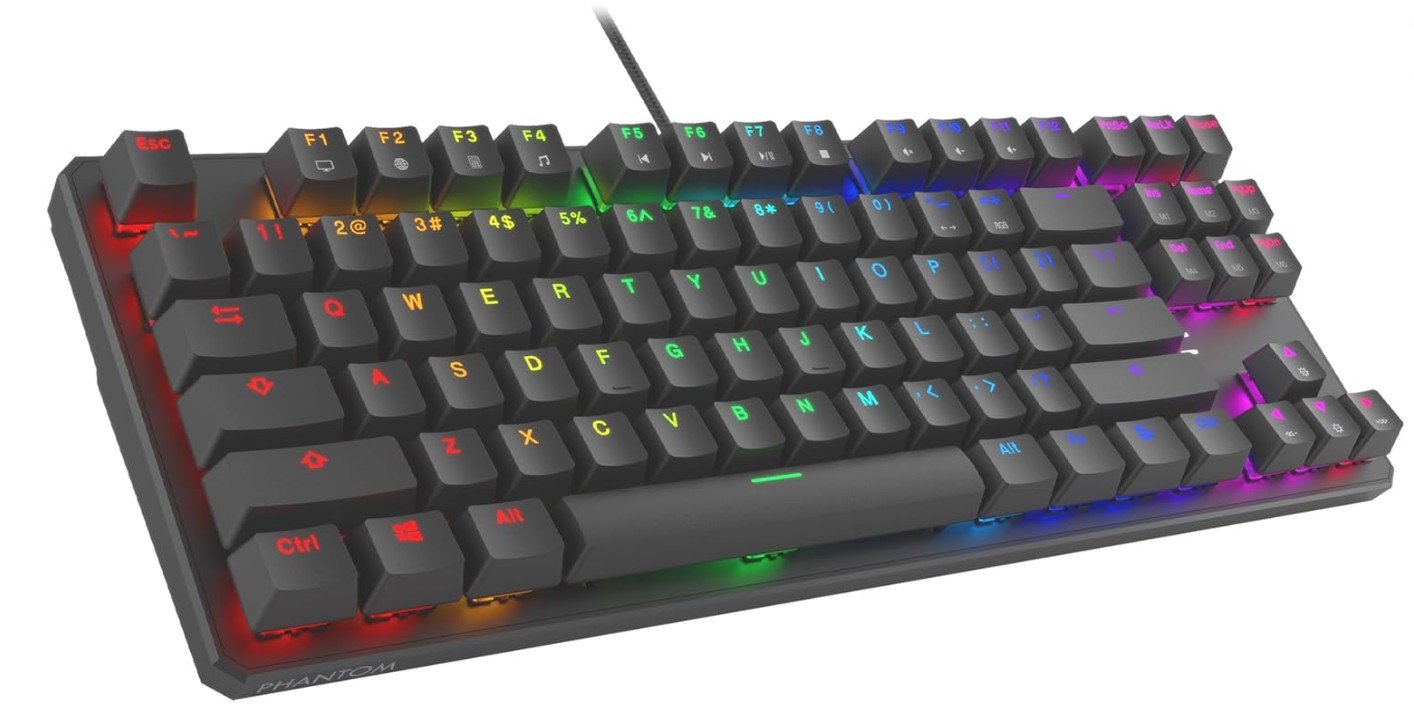
The TECWARE Phantom 87 is an excellent budget mechanical keyboard that delivers impressive performance for gaming and typing. Its Outemu Brown switches provide a balanced tactile feel that is comfortable for long typing sessions while still responsive enough for gaming. The compact 87-key design saves desk space without sacrificing essential keys.
RGB lighting looks vibrant with multiple preset effects and software customization options for a personalized setup. Features like N-key rollover, low latency, and anti-ghosting help ensure accurate input during intense gameplay. The keyboard also feels durable thanks to its solid construction and double-shot keycaps.
Overall, it offers fantastic value for beginners and budget-conscious gamers.
Granvela OUTEMU Tactile Brown Switches Mechanical Keyboard
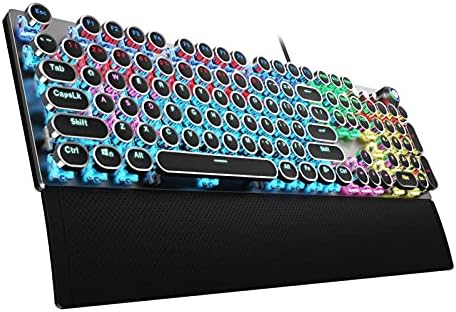
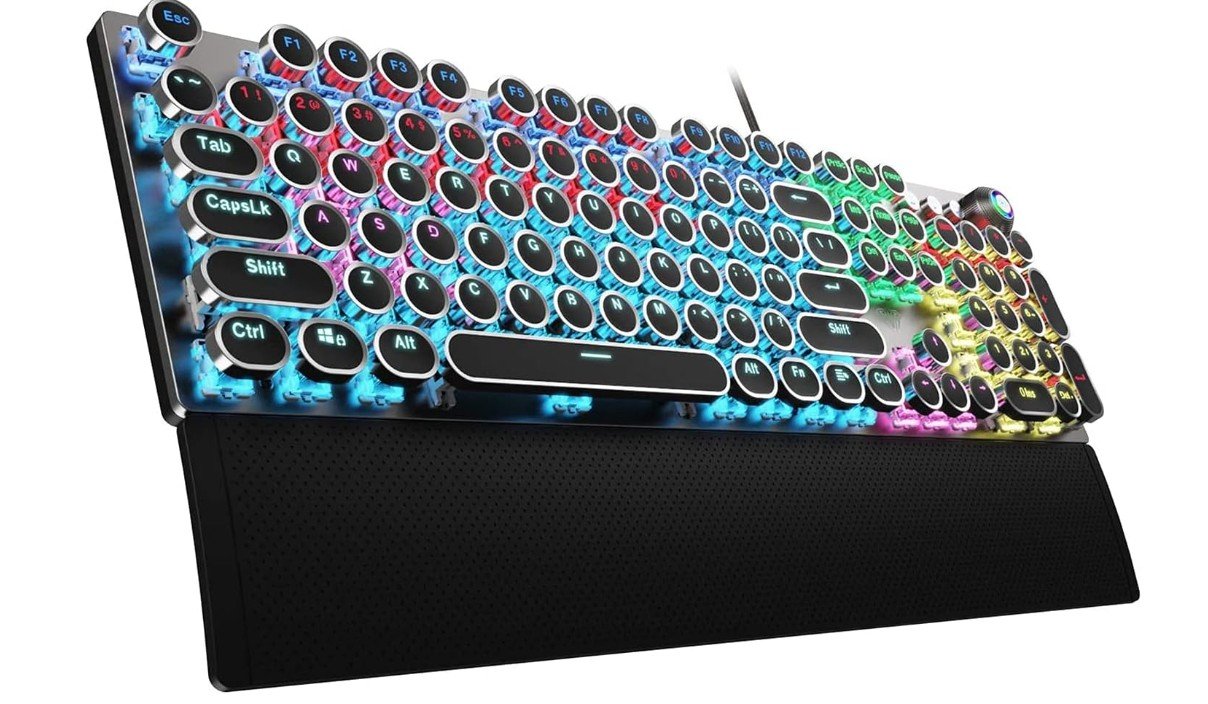
The AULA F2088 Typewriter Style Mechanical Gaming Keyboard blends retro aesthetics with modern gaming functionality. Its clicky Blue mechanical switches provide satisfying tactile feedback, making it ideal for both gaming and typing. The vintage round keycaps and rainbow LED backlighting create a distinctive look that stands out on any desk. A removable wrist rest and convenient media control knob improve comfort and usability during long sessions. The sturdy wired USB connection ensures reliable performance with no input lag.
While it lacks per-key RGB customization and quieter switch options, the AULA F2088 offers excellent value, durability, and a unique design for users who enjoy classic typewriter-inspired keyboards.
RK ROYAL KLUDGE RK87 Sink87G Mechanical Gaming Keyboard
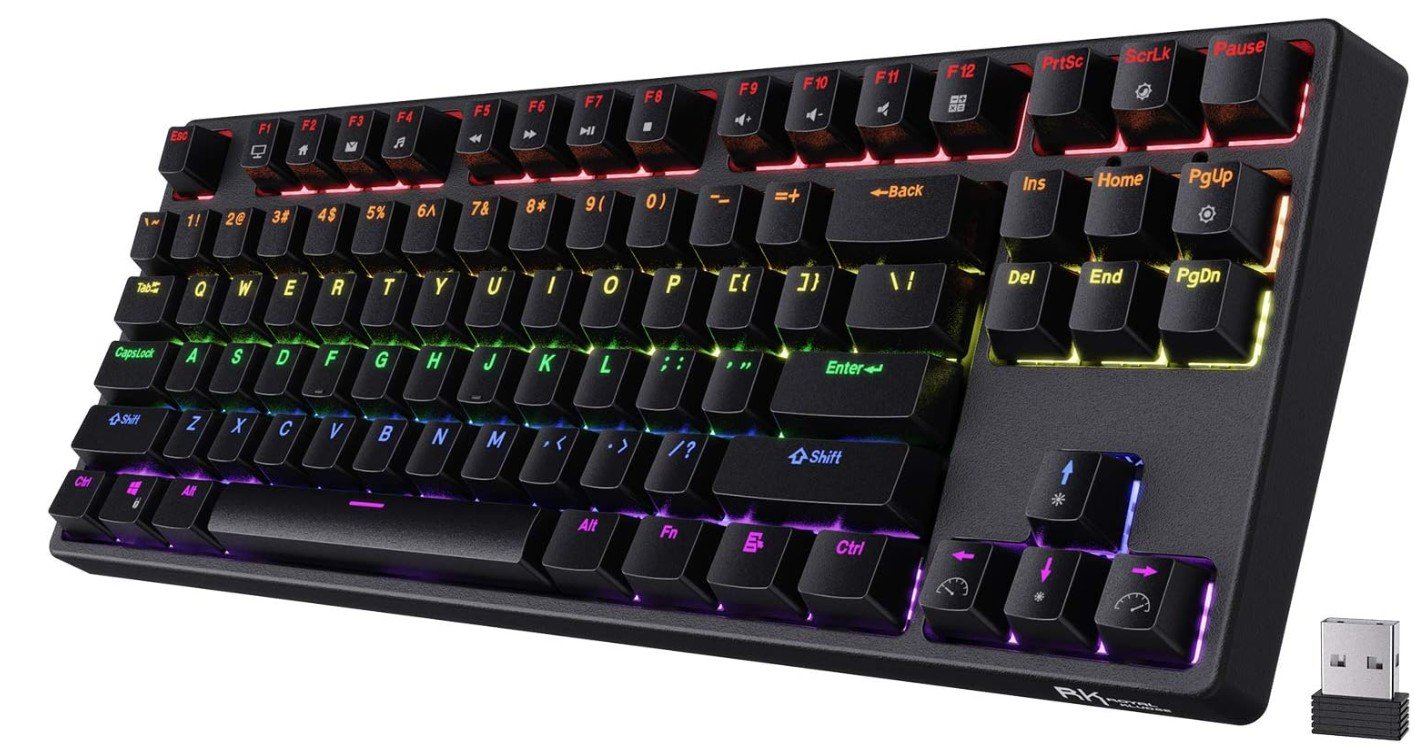
The RK ROYAL KLUDGE RK87 Sink87G is an excellent budget wireless mechanical keyboard that offers strong performance for both gaming and typing. Its compact 80% tenkeyless layout saves desk space while still feeling comfortable for everyday use. The tactile brown switches provide satisfying feedback without being overly loud, making the keyboard suitable for work and gaming sessions.
RGB lighting looks vibrant with multiple customizable effects, and the programmable software adds useful personalization features. Wireless 2.4G connectivity works reliably with low latency, while the sturdy build quality feels premium for the price.
Overall, the RK87 delivers impressive value, comfort, and functionality for beginner and casual mechanical keyboard users.
Gaming Keyboards Under $50 Buying Guide
A good gaming keyboard under $50 can offer responsive controls, comfortable typing, and useful gaming features without requiring a large investment. Before choosing one, focus on the features that matter most for your gaming style, desk setup, and everyday use.
1. Switch Type
The switch type has a major impact on how a keyboard feels and sounds. Mechanical switches typically provide more responsive and tactile keystrokes and are popular among gamers. Linear switches offer smooth presses, tactile switches provide noticeable feedback, while clicky switches produce a louder click. Membrane keyboards are usually quieter and more affordable, making them suitable for casual gaming and general use.
2. Keyboard Size and Layout
Consider how much desk space you have and which keys you regularly use. Full-size keyboards include a dedicated number pad, while tenkeyless (TKL) models remove it for a more compact design. 60%, 65%, and 75% keyboards save even more space but may sacrifice dedicated keys or require function-layer shortcuts. Choose a layout that matches your gaming and productivity needs.
3. Anti-Ghosting and Key Rollover
Gaming keyboards should register multiple keys pressed at the same time accurately. Anti-ghosting helps prevent unintended keystrokes, while N-key rollover allows numerous simultaneous inputs to be detected. These features are particularly useful for fast-paced games where several movement and action keys may need to be pressed together.
4. RGB Backlighting
RGB lighting is common on gaming keyboards in this price range. Look for models with adjustable brightness and multiple lighting effects if customization is important to you. Single-color backlighting can also provide useful visibility in low-light environments without adding unnecessary cost.
5. Build Quality
A keyboard should be sturdy enough to handle regular gaming sessions. Check the quality of the frame, keycaps, stabilizers, and cable. Reinforced construction and textured or double-shot keycaps can improve durability. A keyboard with a solid base and rubber feet is also less likely to move around during intense gameplay.
6. Connectivity
Most keyboards under $50 use USB connections, which provide a simple and reliable setup for gaming PCs. Some budget models may offer wireless connectivity, but wired keyboards are generally preferable when minimizing connection issues and avoiding battery maintenance are priorities.
7. Comfort and Ergonomics
Gaming sessions can last for hours, so comfort matters. Look for an appropriate key spacing, comfortable key profile, adjustable feet, and a wrist rest when available. A keyboard that feels natural during both gaming and typing can be a better long-term choice than one focused solely on appearance.
8. Software and Customization
Some keyboards include companion software for remapping keys, creating macros, adjusting lighting, and saving profiles. This can be valuable for gamers who want personalized controls. However, software quality varies between brands, so a keyboard with useful onboard controls can be preferable when software support is limited.
Bottom Line
The best gaming keyboard under $50 should balance responsiveness, durability, comfort, and useful features rather than simply offering the most RGB lighting. Mechanical switches, reliable anti-ghosting, a suitable layout, and solid construction are usually the most important factors. Choose the features that fit your games and daily use to get the best value from your budget.
FAQs
Yes — there are mechanical keyboards available under $50, though choices are limited and you’ll often find compact layouts (like 60 % or 65 %) or models with more basic features compared to premium options.
60 %: Minimal, no arrow pad or numpad — great for small desks and esports gaming.
65 % / TKL: Compact but keeps arrow keys — a good balance for gaming + typing.
Full-size: Rare under $50, usually only with simpler switches and basic features.
RGB lighting doesn’t improve performance, but it:
1. Makes the keyboard look more premium
2. Helps you game in low-light setups
3. Can be fun for customization if the keyboard supports profiles
Many under-$50 boards include RGB or single-color backlight options.
Hot-swappable means you can replace the mechanical switches yourself.
Good news: a few budget models offer it, though it’s less common under $50 than on more expensive boards — so check specs before buying.
Wired USB is typical at this price and great for gaming because it avoids latency or battery issues.
Wireless mechanical gaming keyboards tend to cost more than $50.
At this price, keyboards often have ABS keycaps (standard plastic) rather than higher-end PBT keycaps. ABS can shine or wear faster over time, but functionally, they still work fine for gaming.
Final Thoughts
Mechanical keyboards under $50 have improved significantly in recent years. Many affordable models now include features that were once available only on expensive gaming keyboards. With mechanical switches, anti-ghosting technology, RGB lighting, and durable builds, budget mechanical keyboards can deliver excellent performance for gamers.
When choosing a keyboard, focus on important features such as switch type, layout, build quality, and gaming features like N-key rollover. These factors will have the biggest impact on your gaming experience.
If you choose carefully, a mechanical keyboard under $50 can provide great performance, comfort, and durability without exceeding your budget. It is a smart investment for beginners, casual gamers, and anyone looking to upgrade their gaming setup without spending too much money.