
Last Updated on September 14, 2026 by Jawad
Introduction
In fast-paced FPS games, having the right gaming mouse can make a real difference in your aim accuracy and overall performance. Best FPS gaming mice are designed to offer precise tracking, quick response, and consistent control, which are all important when every shot matters. Whether you are playing competitive titles like CS2, Valorant, Call of Duty, or Apex Legends, a good mouse helps you react faster, track enemies smoothly, and land more accurate shots.
We also have a recommendation for the Best Lightweight Gaming Mice, so make sure to check that out too!
How We Choose Products
- We evaluate products based on the factors that matter most to shoppers, including specifications, features, design, materials, performance, functionality, ease of use, intended use, durability, and overall value.
- Our recommendations are based on information available from manufacturers, retailers, product listings, customer feedback, and other publicly available sources, combined with our own independent editorial analysis.
- We aim to provide accurate, useful, and easy-to-understand product information. We distinguish manufacturer or retailer claims from our own assessment and avoid presenting marketing claims as independently verified facts.
- We do not claim to have personally tested a product unless we have hands-on experience with it. When we have not personally tested a product, our evaluation is based on available product information and careful editorial research.
- Our goal is to help readers compare their options and make more informed purchasing decisions based on their needs, preferences, and budget.
Top FPS Gaming Mice for Aim Accuracy




Comparison
| Product | Image | Rating | Sensor / DPI | Weight | Buttons | Connectivity | Best For | Buy |
|---|---|---|---|---|---|---|---|---|
|
Razer Viper V4 Pro Wireless Esports Gaming Mouse 🔥 Top Pick |
 | ★★★★★ | Focus Pro 50K Gen-3 / 50,000 DPI | 50g | 6 Programmable | HyperSpeed Wireless Gen-2 & USB-C | Competitive FPS & Esports | Check Price |
| Logitech G502 HERO Wired Gaming Mouse |  | ★★★★☆ | HERO 25K / Up to 25,600 DPI | ~121 g | 11 programmable | Wired USB | Precision + customization | Check Price |
| Corsair NIGHTSWORD RGB Gaming Mouse | 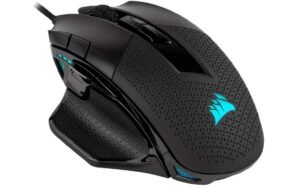 | ★★★★☆ | Optical / 18,000 DPI | Customizable | 10 programmable | Wired USB | FPS & MOBA | Check Price |
| ASUS ROG Spatha X Wireless Gaming Mouse | 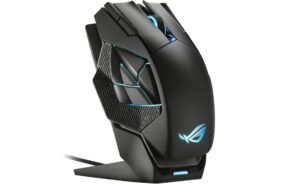 | ★★★★☆ | Optical / Up to 19,000 DPI | ~168 g | 12 programmable | Dual Wired / 2.4 GHz Wireless | Versatile use | Check Price |
| SteelSeries Rival 5 Gaming Mouse | 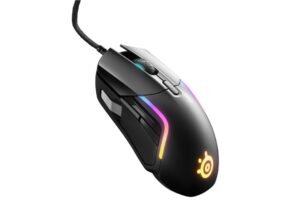 | ★★★★☆ | TrueMove Air / Up to 18,000 CPI | Medium | 9 programmable | Wired USB | All‑round gaming | Check Price |
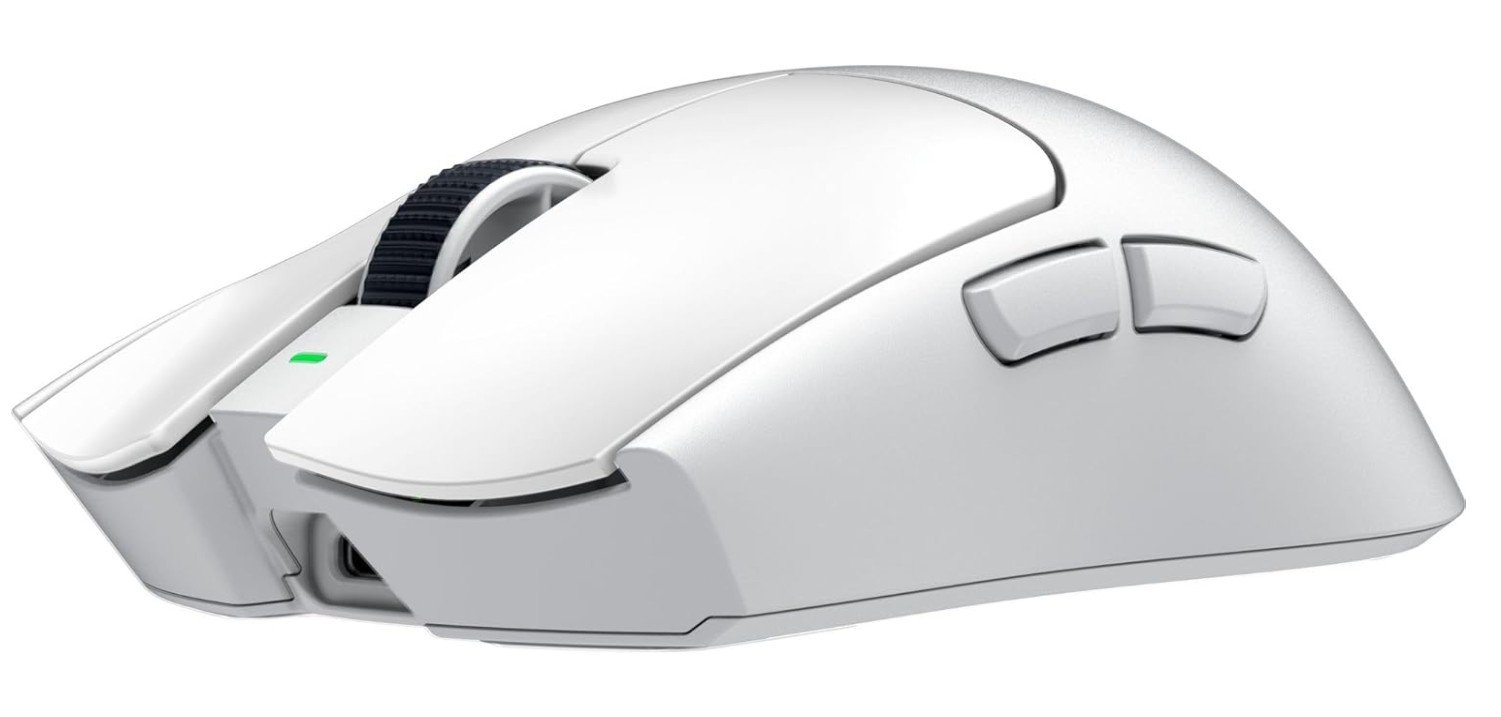
The Razer Viper V4 Pro is an outstanding choice for players who prioritize aim accuracy and competitive performance. Its ultra-lightweight 50g design allows for effortless mouse movements, helping gamers make quick flicks and precise adjustments with minimal fatigue. The advanced 50K DPI optical sensor delivers exceptional tracking accuracy, while the 8,000Hz polling rate ensures near-instant responsiveness. Razer’s Gen-4 optical switches provide crisp, reliable clicks that register every action with precision.
Whether you’re playing fast-paced FPS titles like Valorant, CS2, or Apex Legends, the Viper V4 Pro offers the speed, control, and consistency needed to improve aiming performance.
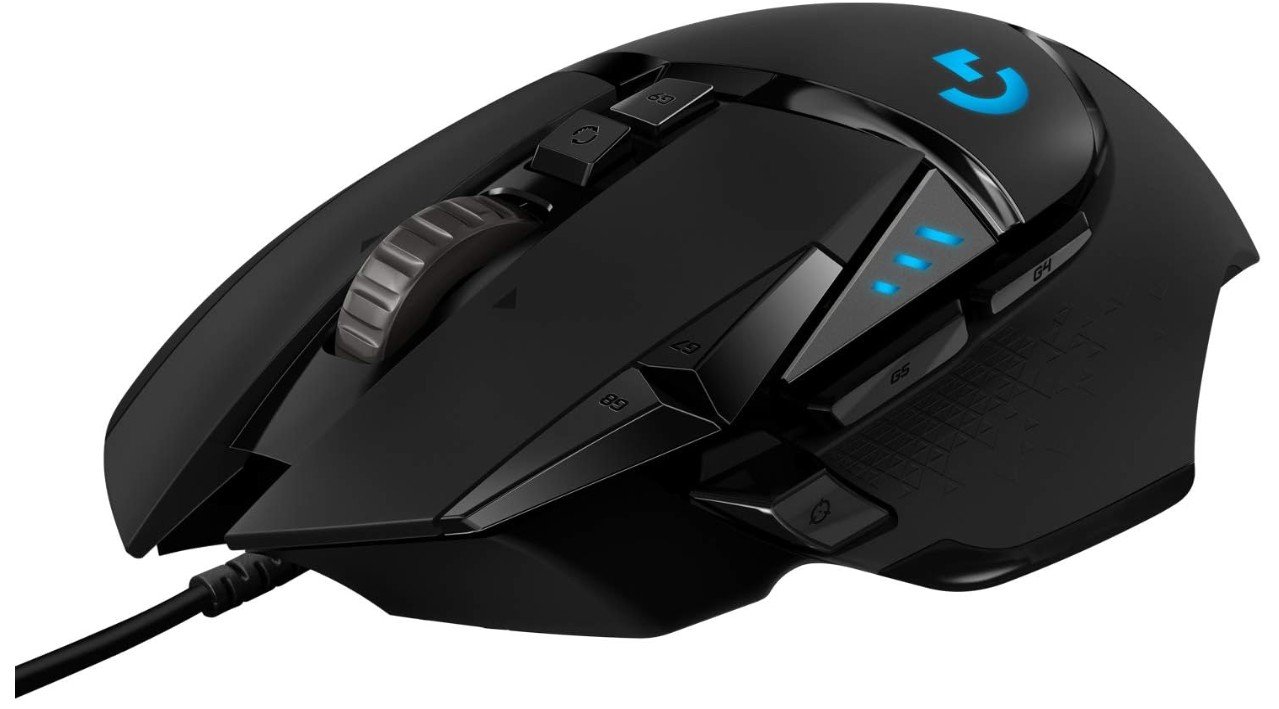
The Logitech G502 HERO is an excellent wired gaming mouse for players who prioritize aim accuracy and precise control. Its HERO 25K sensor delivers extremely accurate tracking with up to 25,600 DPI, offering smooth and responsive performance in FPS games. The ergonomic design and textured thumb rest provide a stable grip, helping improve control during long gaming sessions.
The adjustable weight system allows players to customize the mouse feel for better aiming precision, while the 11 programmable buttons add flexibility for gaming shortcuts. Although heavier than modern ultralight mice, many gamers prefer its controlled and stable movement.
Overall, the G502 HERO delivers outstanding precision, comfort, and customizable performance for aim-focused gamers.
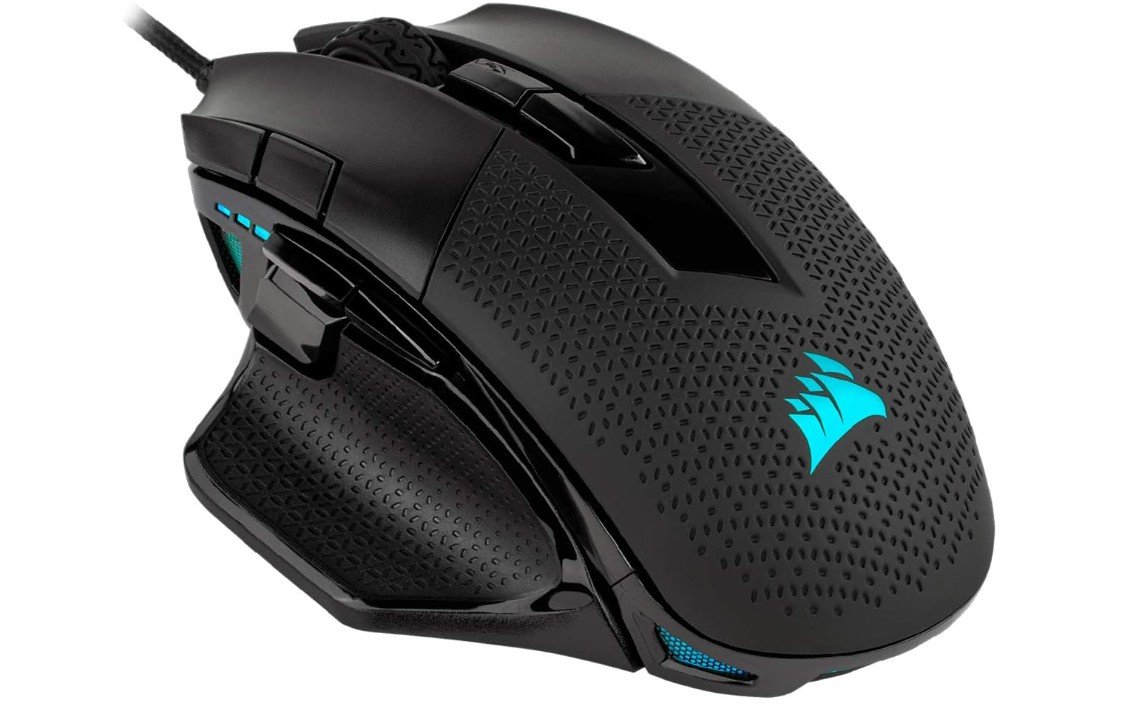
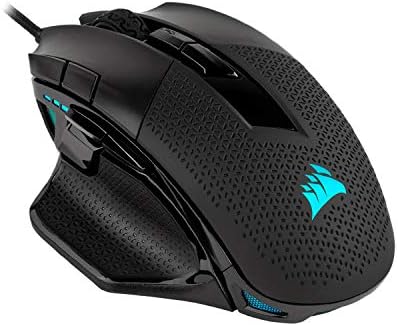
The Corsair NIGHTSWORD RGB is a strong gaming mouse for players who focus on aim accuracy and controlled movement in FPS games. Its custom PixArt 18,000 DPI optical sensor delivers smooth and precise tracking, while the adjustable weight system helps users fine-tune balance and control for better aiming performance.
The ergonomic shape and textured grips feel comfortable during long gaming sessions, especially for palm and claw grip users. With 10 programmable buttons and iCUE software support, customization is excellent for both gaming and productivity. Although it is heavier than ultralight mice, many players prefer its stable feel for precise aiming.
Overall, it offers comfort, accuracy, and reliable performance for competitive gamers.
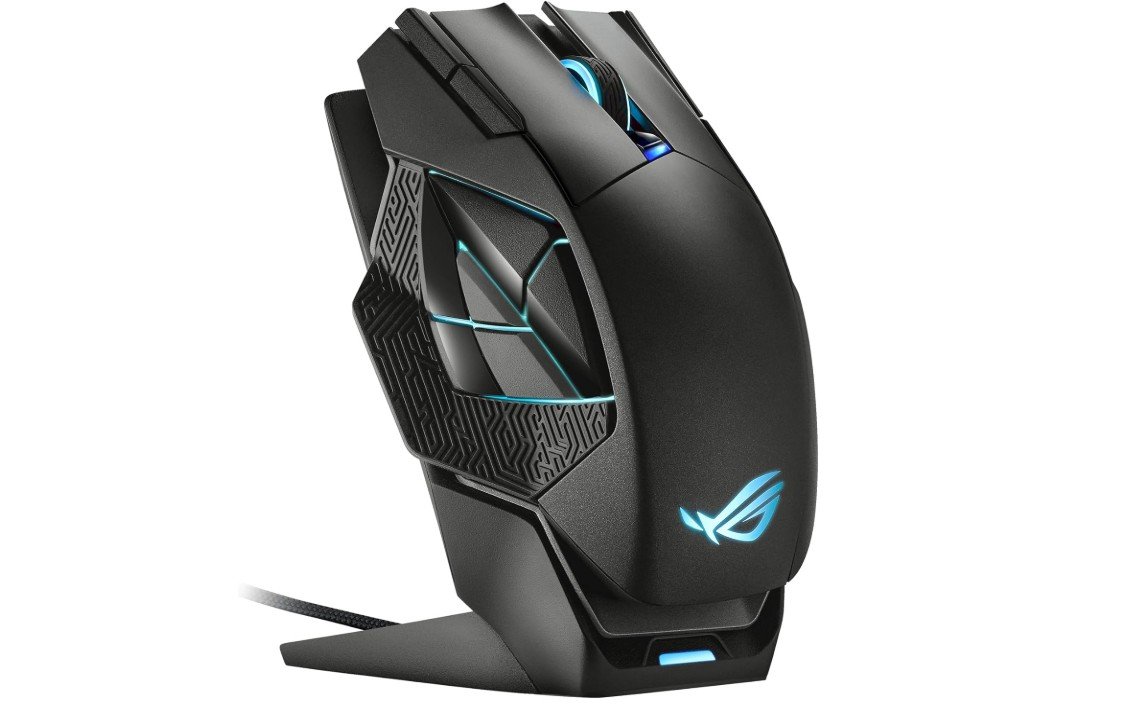
The ASUS ROG Spatha X is a premium gaming mouse that offers excellent aim accuracy for players who prefer larger and heavier mice. Its highly precise 19,000 DPI optical sensor delivers smooth tracking and reliable responsiveness, making it suitable for FPS, MMO, and MOBA gaming. The large ergonomic design provides excellent palm support for users with bigger hands, while the textured grips improve control during intense gameplay.
Although the 168g weight is much heavier than modern lightweight FPS mice, many users enjoy the stable and controlled feel for precise aiming. The programmable buttons, low click latency, and dual wireless/wired connectivity make it a powerful and feature-rich gaming mouse overall.
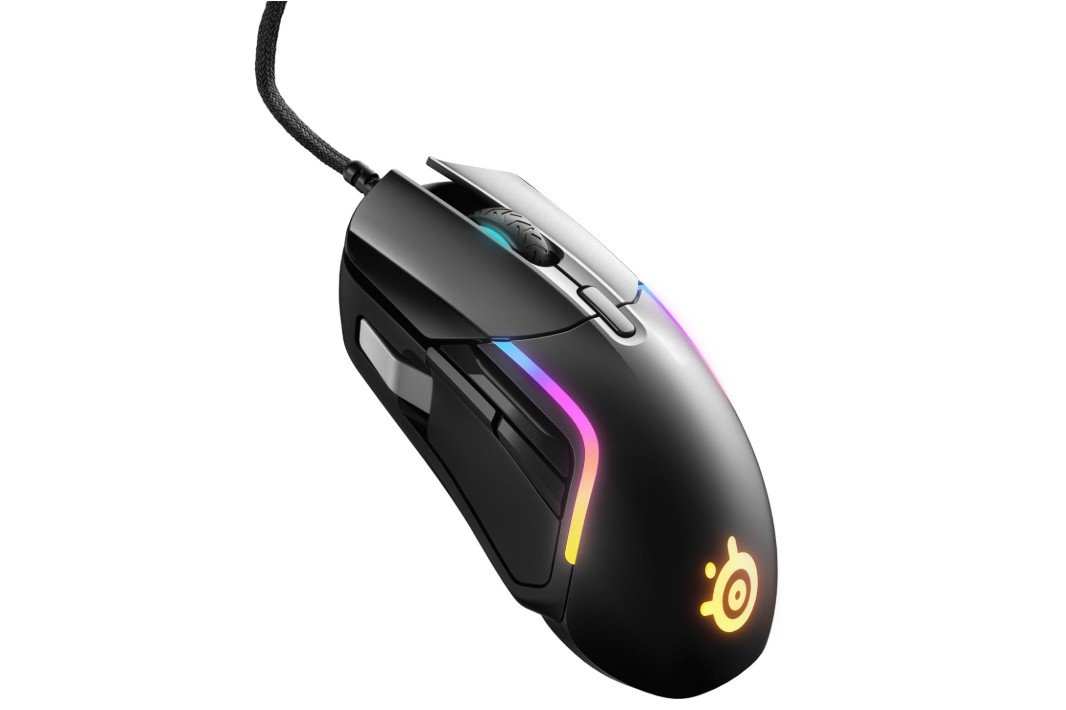
The SteelSeries Rival 5 is a versatile gaming mouse that performs very well for aim accuracy across FPS, MOBA, and battle royale games. Its TrueMove Air optical sensor delivers highly accurate tracking with up to 18,000 CPI, providing smooth and responsive aiming during fast gameplay. The ergonomic shape feels comfortable for long sessions, while the lightweight design helps improve movement control and precision.
The split-trigger buttons feel fast and satisfying, and the nine programmable buttons add useful customization without feeling overcrowded. PrismSync RGB lighting gives the mouse a premium gaming appearance.
Overall, the Rival 5 offers a strong balance of comfort, precision, speed, and versatility for aim-focused gamers.
Buying guide — FPS gaming mice for aim accuracy
A good FPS gaming mouse can significantly improve your aim, reaction time, and overall gameplay. In fast-paced shooter games, even the smallest delay or tracking issue can cause missed shots. The right mouse provides precise tracking, smooth movement, and comfort so your hand movements translate accurately on screen. This buying guide explains what really matters for aim accuracy, how different features affect performance, and how to choose the best FPS mouse for your playstyle and budget.
Why a Good FPS Mouse Matters
In FPS games, aiming relies on muscle memory and consistency. A poor mouse can introduce jitter, acceleration, or inconsistent tracking, making it harder to build reliable aim. A quality FPS mouse ensures predictable movement, fast response, and stable control. Over time, this helps you develop better flick shots, smoother tracking, and improved confidence in gunfights.
Sensor Quality and Tracking Accuracy
The sensor is the most important part of any FPS gaming mouse. A high-quality optical sensor provides accurate tracking without skipping, jitter, or unwanted acceleration. While many mice advertise very high DPI numbers, raw DPI is less important than sensor consistency. What you should look for is stable tracking at both slow and fast speeds, no angle snapping, and minimal smoothing. Modern top-tier sensors easily handle fast flicks and quick swipes without losing accuracy.
DPI and Sensitivity Explained
DPI (dots per inch) or CPI (counts per inch) controls how fast your cursor moves. For FPS games, most players use relatively low DPI combined with in-game sensitivity. This allows for better control and precision. Extremely high DPI values are not necessary for better aim. What matters is choosing a DPI that feels comfortable and keeping it consistent. Many players prefer settings between 400 and 1600 DPI.
Polling Rate and Input Latency
Polling rate refers to how often the mouse reports its position to the computer. A standard 1000Hz polling rate is already very responsive and suitable for competitive FPS gaming. Some newer mice offer higher polling rates such as 4000Hz or 8000Hz, which can reduce input delay even further. However, higher polling rates may increase CPU usage on some systems. The best option is a mouse that allows you to adjust polling rate so you can find what works best for your setup.
Weight and Mouse Balance
Mouse weight has a direct impact on aim. Lightweight mice make it easier to perform quick flicks and fast movements, which is why many FPS players prefer mice under 80 grams. Lighter mice reduce hand fatigue and make micro-adjustments easier. Heavier mice can feel more stable for tracking, especially for players who use low sensitivity. The best weight is subjective and depends on your playstyle and comfort.
Mouse Shape and Grip Style
Shape is just as important as weight. The mouse should fit your hand comfortably and support your grip style. Fingertip and claw grip users usually prefer smaller, lighter mice with low profiles. Palm grip users often prefer larger mice with more hand support. A mouse that feels uncomfortable will affect your aim and cause fatigue over long sessions, no matter how good the sensor is.
Lift-Off Distance and Mouse Feet
Lift-off distance (LOD) is the height at which the mouse sensor stops tracking when you lift it off the pad. A low lift-off distance is important for FPS games, especially for low-sensitivity players who frequently reposition their mouse. Good mouse feet also matter. Smooth PTFE feet allow consistent glide and help maintain predictable movement across the mousepad.
Wired vs Wireless FPS Mice
Modern wireless gaming mice have improved greatly. High-end wireless FPS mice now offer very low latency and stable connections that rival wired mice. This gives players the freedom of no cable drag while maintaining competitive performance. Wired mice are still reliable and simple, with no need to charge. Choosing between wired and wireless mostly comes down to preference and budget rather than performance alone.
Buttons and Design Simplicity
For FPS games, simplicity is often better. Most players only need the main clicks, a scroll wheel, and one or two side buttons. Too many buttons can increase the chance of accidental presses and interfere with grip. Extra buttons are useful if you also play MMOs or MOBAs, but they do not improve raw aim accuracy.
Software and On-Board Memory
Good mouse software allows you to adjust DPI levels, polling rate, button mapping, and sometimes lift-off distance. On-board memory is a useful feature because it saves your settings directly on the mouse. This is helpful if you switch computers or play at gaming events. Simple and reliable software is better than overly complex tools.
Budget Levels and What to Expect
In the budget range, you can find solid wired FPS mice with good sensors and basic features. These are great for beginners and casual players. Mid-range mice usually offer better build quality, lighter weight, and more refined tracking. Premium mice provide the best sensors, ultra-light designs, and advanced wireless technology. Competitive players often choose mid-range or premium options for the best consistency.
How to Choose the Right FPS Mouse
When buying an FPS gaming mouse, focus on sensor quality, comfortable shape, suitable weight, and reliable performance. Avoid choosing a mouse only based on looks or RGB lighting. Reading real user reviews and testing the mouse if possible can help you make a better decision.
FAQs
A good FPS gaming mouse has a high-precision sensor, consistent tracking, low latency, and a shape that fits your grip style to help you aim accurately without jitter or slip.
Look for a true optical sensor with accurate tracking, adjustable DPI (400–1600+ for FPS), and minimal acceleration or prediction.
Yes — adjustable DPI lets you set sensitivity to your playstyle, but most pros use moderate DPI with fine mouse control rather than extremely high settings.
Both can be excellent. Modern wireless mice have very low latency comparable to wired, while wired mice avoid battery and interference concerns.
Yes — lighter mice are often easier to flick and track quickly, while heavier ones provide stability. Choose based on comfort and playstyle.
Higher polling rates (500 Hz or 1000 Hz) can improve responsiveness, but the real difference is subtle; consistency is more important.
Final Thoughts
The best FPS gaming mouse for aim accuracy is one that feels natural in your hand and delivers consistent performance. A high-quality sensor, low latency, proper weight, and comfortable shape all work together to improve aim. While a mouse alone won’t instantly make you a better player, the right one removes limitations and allows your skill to develop naturally. Choosing carefully will give you better control, smoother aim, and a more enjoyable FPS gaming experience.