
Last Updated on September 14, 2026 by Jawad
Introduction
Budget Mini PCs have become a popular option for users who want affordable computing without sacrificing valuable desk space. These compact computers are designed to handle everyday tasks such as web browsing, office work, online classes, video conferencing, streaming, and light multitasking. Many modern budget Mini PCs feature capable Intel or AMD processors, 16GB or more of RAM, and fast SSD storage, providing smooth performance for common workloads.
Another major advantage is their compact and energy-efficient design. A Mini PC can easily fit on a small desk, behind a monitor, or in a home office setup. Some models also support multiple 4K displays, Wi-Fi 6 or Wi-Fi 6E, Bluetooth, and high-speed USB connectivity. While budget Mini PCs are not generally designed for demanding AAA gaming or professional graphics work, they can handle casual gaming and basic creative tasks. For students, home users, and office workers, a budget Mini PC can offer excellent value, flexibility, and convenience.
We also have a recommendation for the Best FPS gaming PC (Valorant/CS2/Apex), so make sure to check that out too!
How We Choose Products
- We evaluate products based on the factors that matter most to shoppers, including specifications, features, design, materials, performance, functionality, ease of use, intended use, durability, and overall value.
- Our recommendations are based on information available from manufacturers, retailers, product listings, customer feedback, and other publicly available sources, combined with our own independent editorial analysis.
- We aim to provide accurate, useful, and easy-to-understand product information. We distinguish manufacturer or retailer claims from our own assessment and avoid presenting marketing claims as independently verified facts.
- We do not claim to have personally tested a product unless we have hands-on experience with it. When we have not personally tested a product, our evaluation is based on available product information and careful editorial research.
- Our goal is to help readers compare their options and make more informed purchasing decisions based on their needs, preferences, and budget.
Top Budget Mini PCs 0f 2026


Comparison
| Mini PC | Image | Rating | Processor | RAM / Storage | Graphics | Best For | Buy |
|---|---|---|---|---|---|---|---|
|
GMKtec M6 Ultra Gaming Mini PC 🏆 Best Overall |
 | ★★★★★ | AMD Ryzen 5 7640HS | 32GB DDR5 / 512GB SSD | AMD Radeon 760M Graphics | 1080p Gaming & Heavy Multitasking | Check Price |
|
GEEKOM A7 MAX Mini PC ⭐ Best Value |
 | ★★★★★ | AMD Ryzen 9 7940HS | 16GB DDR5 / 1TB SSD | AMD Radeon 780M Graphics | Gaming, Creation & Office | Check Price |
| KAMRUI AM06PRO Mini PC |
 | ★★★★☆ | AMD Ryzen 5 5500U | 16GB DDR4 / 512GB M.2 SSD | AMD Radeon Graphics | Home & Office Computing | Check Price |
| BOSGAME P6 Mini PC |
 | ★★★★☆ | AMD Ryzen 9 6900HX | 24GB DDR5 / 1TB PCIe 4.0 SSD | AMD Radeon 680M Graphics | Light Gaming, Home & Business | Check Price |
|
KAMRUI Pinova P2 Mini PC 💰 Best Budget |
 | ★★★★☆ | Intel Core i5-12600H | 32GB DDR4 / 1TB SSD | Intel Iris Xe Graphics | Home, Office & Business | Check Price |
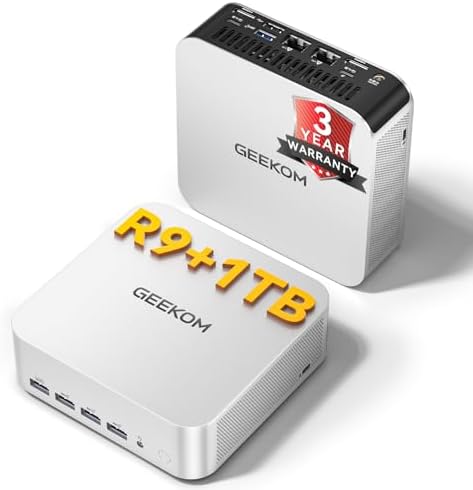
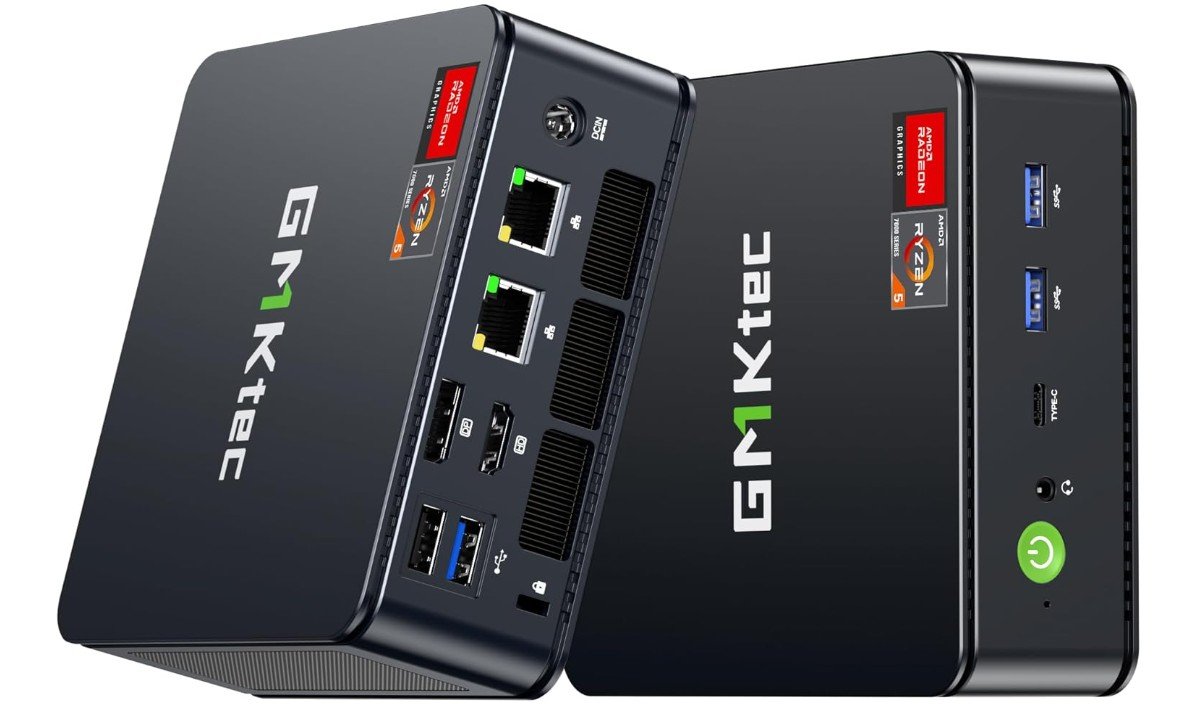
The GMKtec M6 Ultra is a compact yet surprisingly powerful mini gaming PC that delivers excellent performance for productivity, multitasking, and light gaming. Powered by the AMD Ryzen 5 7640HS with Radeon 760M graphics, it handles office work, media streaming, emulation, and competitive gaming smoothly while maintaining low power consumption.
The 32GB DDR5 RAM and 512GB NVMe SSD provide fast responsiveness and quick load times, while dual 2.5GbE LAN ports, USB4, Wi-Fi 6, and triple 4K display support make it highly versatile for both home and office setups. Its small form factor saves desk space without sacrificing connectivity or upgrade potential, making it an excellent value mini PC overall.
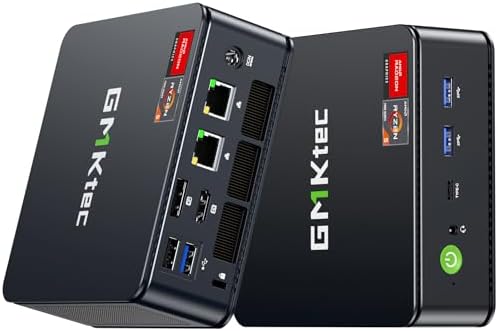
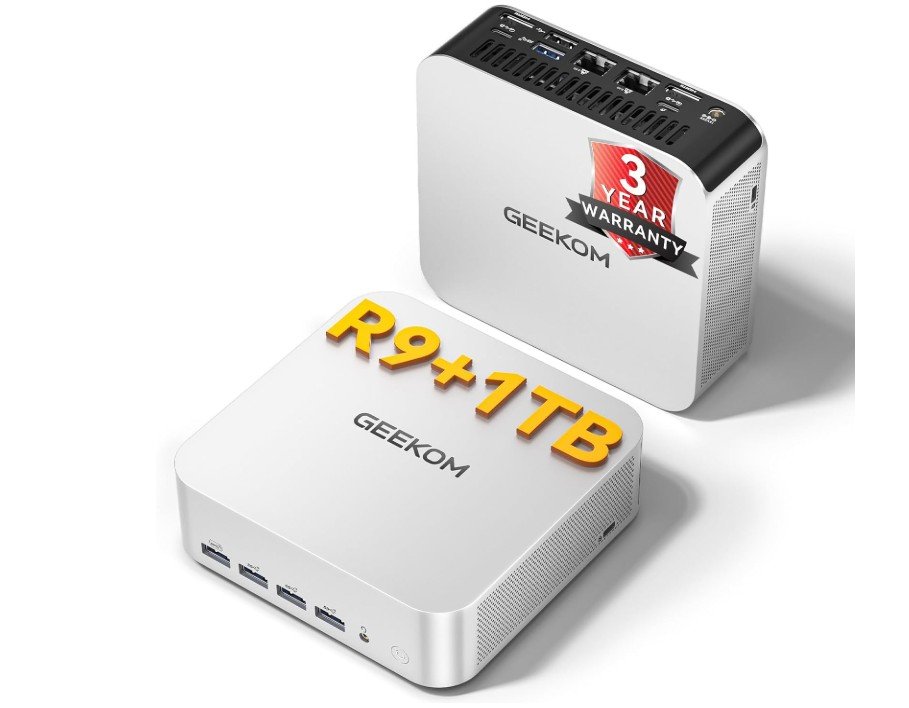
The GEEKOM A7 MAX is a powerful compact mini PC designed for users who need strong performance without a bulky desktop tower. Its AMD Ryzen 9 7940HS processor and 16GB DDR5 RAM handle multitasking, office applications, browsing, and demanding productivity workloads smoothly. The Radeon 780M integrated graphics also make it suitable for light gaming and creative tasks. The 1TB SSD provides plenty of fast storage, while the expandable design offers room for future upgrades. Its compact size makes it easy to fit into a home office or workspace.
Overall, it is a capable choice for creators, professionals, and multitasking users seeking desktop-class performance in a small package.
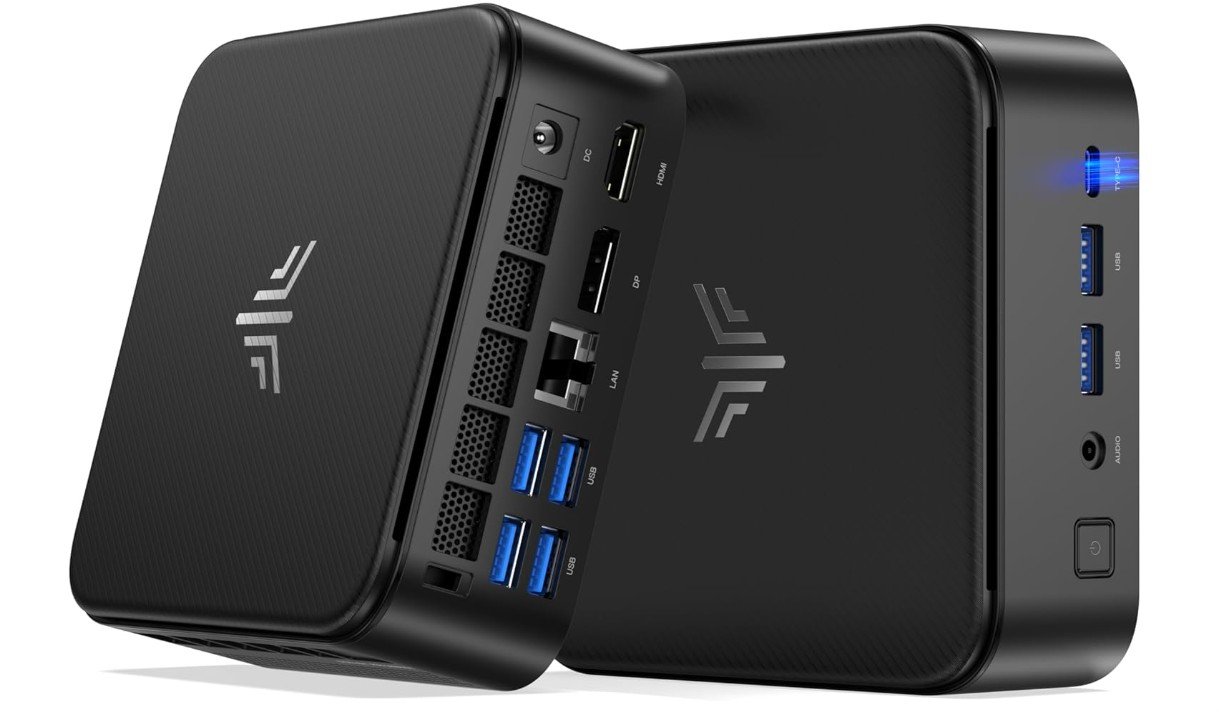
The KAMRUI E3B is a compact mini PC that offers strong everyday performance in a small, space-saving design. Its AMD Ryzen 7 7730U processor with 8 cores and 16 threads handles office work, web browsing, multitasking, and productivity applications smoothly. With 16GB RAM and a 1TB SSD, it provides responsive performance and plenty of storage for documents and media. Wi-Fi 6 and Bluetooth 5.2 provide reliable wireless connectivity, while triple 4K display support is useful for multitasking across multiple screens.
The integrated graphics are suitable for casual gaming rather than demanding AAA titles. Overall, it is a capable choice for home, office, and everyday computing.
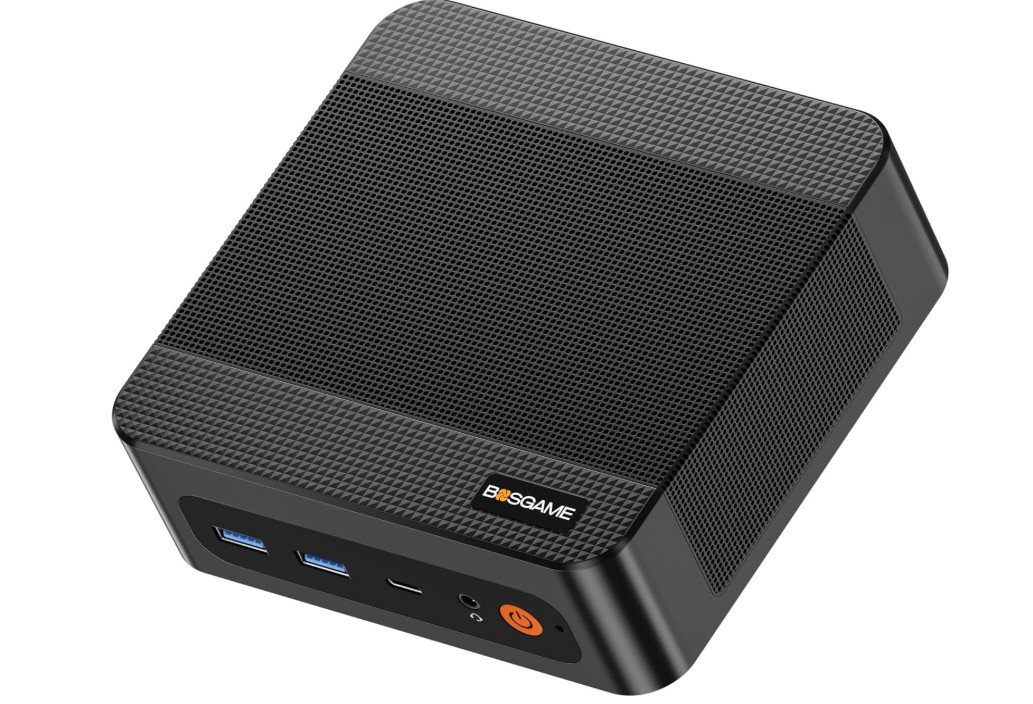
The BOSGAME P6 is a powerful mini PC that delivers excellent performance for home, office, and business use. Its AMD Ryzen 9 6900HX processor and generous 24GB DDR5 RAM provide smooth multitasking, making it suitable for productivity apps, browsing, video calls, and demanding workloads. The 1TB PCIe 4.0 SSD offers fast storage and quick system responsiveness. Its Radeon 680M integrated graphics can handle casual gaming and everyday creative tasks, while triple 4K display support is useful for multi-monitor setups.
Wi-Fi 6E, Bluetooth 5.3, and dual LAN ports provide versatile connectivity. Overall, it is a strong value option for users wanting desktop-like performance in a compact package.
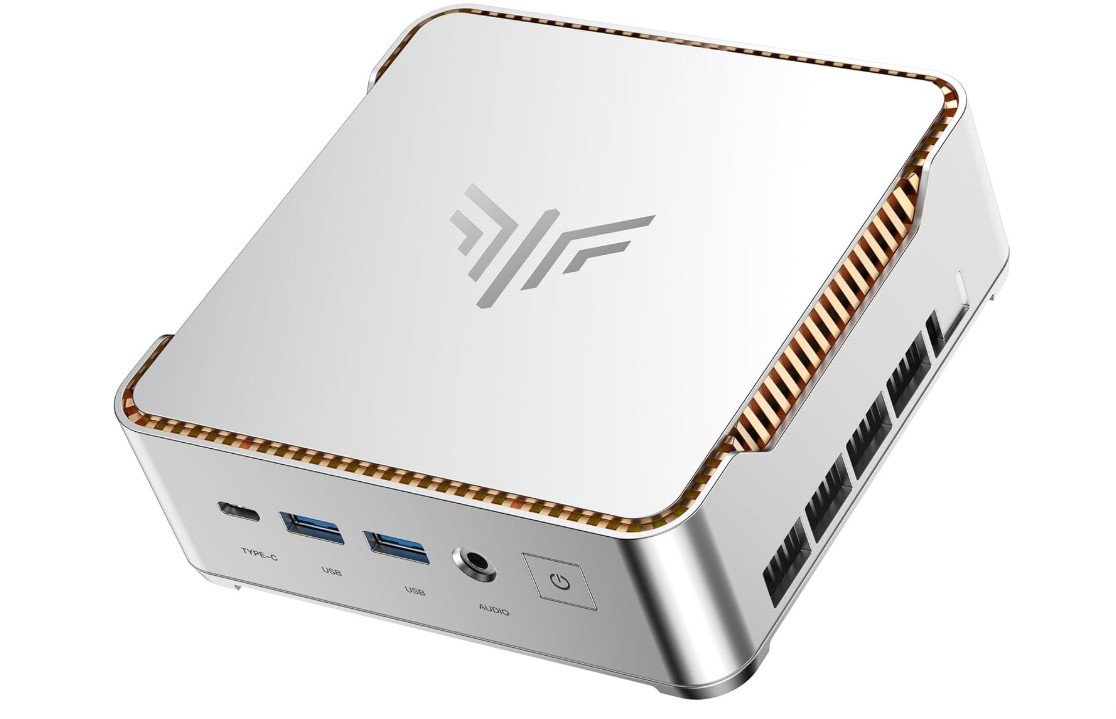
The KAMRUI Pinova P2 is a capable mini PC designed for users who need strong multitasking performance in a compact package. Its Intel Core i5-12600H processor with 12 cores and 16 threads handles office applications, web browsing, video calls, and productivity workloads smoothly. The 32GB DDR4 RAM provides plenty of memory for running multiple applications, while the 1TB SSD delivers fast storage and quick system responsiveness. Triple 4K display support makes it useful for professional multi-monitor setups.
Wi-Fi 6 and Bluetooth 5.2 provide reliable wireless connectivity. Overall, it is a versatile choice for home, office, and business users seeking solid performance and upgrade flexibility.
Budget Mini PC: A Complete Buying Guide
Choosing the right budget Mini PC depends on how you plan to use it. While these compact computers are affordable and space-saving, their processors, graphics, memory, storage, and connectivity can vary considerably. Before buying, consider the following factors.
1. Processor Performance
The processor is one of the most important components. For basic browsing, office work, and streaming, an entry-level Intel Core or AMD Ryzen processor is usually sufficient. For multitasking, content creation, and light gaming, consider models with higher-performance Ryzen 5, Ryzen 7, Core i5, or Core i7 processors.
2. RAM
For a budget Mini PC, 16GB of RAM is a good starting point. It provides enough memory for browsing, office applications, video calls, and multitasking. If you regularly use demanding applications, 24GB or 32GB RAM can provide more headroom.
3. Storage
Look for an SSD rather than a traditional hard drive for faster boot times and better responsiveness. A 512GB SSD is suitable for most users, while a 1TB SSD is better if you store many applications, documents, photos, or videos.
4. Graphics Performance
Most budget Mini PCs use integrated graphics. They are suitable for everyday computing, media playback, and casual gaming. If you want to play demanding AAA games, a Mini PC with integrated graphics may not provide the performance you need.
5. Display Support
If you work with multiple screens, check the available HDMI, DisplayPort, USB-C, or other video outputs. Some Mini PCs support dual or triple 4K displays, making them excellent for productivity and multitasking.
6. Connectivity
Modern connectivity can make a big difference. Look for Wi-Fi 6 or Wi-Fi 6E, Bluetooth 5.x, Gigabit or 2.5GbE Ethernet, USB 3.0, and USB-C ports. Gamers and power users should pay particular attention to high-speed networking and USB4 support.
7. Upgradeability
Some Mini PCs allow you to upgrade the RAM and storage, while others have limited upgrade options. If you want to keep your computer for several years, choose a model with accessible RAM slots and an additional SSD or 2.5-inch drive bay when possible.
8. Cooling and Noise
A compact computer has less room for cooling than a traditional desktop. Check reviews for information about temperatures, fan noise, and sustained performance. A good cooling system helps the Mini PC maintain performance during longer workloads.
9. Operating System
Most budget Mini PCs come with Windows 11, while some are sold without an operating system. Make sure the included version meets your needs, particularly if you require Windows 11 Pro for business features.
10. Choose According to Your Needs
For basic home and office work, prioritize affordability, 16GB RAM, and a fast SSD. For multitasking, choose a stronger processor and at least 16GB–32GB RAM. For light gaming, look for a Mini PC with stronger Radeon integrated graphics. For professional workloads, prioritize a powerful CPU, 32GB RAM, expandable storage, and multiple display outputs.
FAQs
Yes. Budget Mini PCs can provide excellent value for everyday tasks such as web browsing, office work, streaming, online classes, and multitasking while taking up much less space than a traditional desktop.
16GB RAM is a good choice for most users. If you frequently multitask, edit content, or run demanding applications, choosing 24GB or 32GB RAM can provide better performance.
Some budget Mini PCs are suitable for casual and light gaming. Models with stronger AMD Radeon integrated graphics can handle many less-demanding games, but they generally cannot match a desktop with a dedicated graphics card for demanding AAA games.
Yes. Many modern Mini PCs support two or even three 4K displays, depending on their available HDMI, DisplayPort, and USB-C outputs.
Absolutely. A Mini PC with a modern processor, 16GB RAM, and an SSD is more than capable of handling Microsoft Office, email, video conferencing, web browsing, and other typical office applications.
Final Thoughts
The best budget Mini PC is not necessarily the one with the fastest processor. Instead, choose a model that offers the right balance of CPU performance, RAM, SSD storage, graphics capability, connectivity, upgradeability, and price for your specific needs. This approach helps you avoid paying for features you do not need while ensuring your Mini PC remains useful for years.