
Last Updated on September 14, 2026 by Jawad
When it comes to upgrading your gaming setup, choosing the best Logitech gaming keyboard can make a world of difference. Known for combining precision, durability, and innovative features, Logitech has earned its reputation as a leader in the world of mechanical gaming keyboards. Whether you are a casual gamer or a professional eSports player, these keyboards are designed to deliver lightning-fast responsiveness, customizable performance, and ultimate comfort.
We also have a recommendation for the Best Low-Profile Mechanical Keyboards, so make sure to check that out too!
How We Choose Products
- We evaluate products based on the factors that matter most to shoppers, including specifications, features, design, materials, performance, functionality, ease of use, intended use, durability, and overall value.
- Our recommendations are based on information available from manufacturers, retailers, product listings, customer feedback, and other publicly available sources, combined with our own independent editorial analysis.
- We aim to provide accurate, useful, and easy-to-understand product information. We distinguish manufacturer or retailer claims from our own assessment and avoid presenting marketing claims as independently verified facts.
- We do not claim to have personally tested a product unless we have hands-on experience with it. When we have not personally tested a product, our evaluation is based on available product information and careful editorial research.
- Our goal is to help readers compare their options and make more informed purchasing decisions based on their needs, preferences, and budget.
Top Logitech Gaming Keyboard


Comparison
| Product | Image | Rating | Switches | Lighting | Connectivity | Layout | Best For | Buy |
|---|---|---|---|---|---|---|---|---|
|
Logitech G915 LIGHTSPEED 🏆 Best Premium 🔥 Top Pick |
 | ★★★★★ | Low-Profile GL Clicky | LIGHTSYNC RGB | LIGHTSPEED Wireless + Bluetooth | Full-Size | Premium Wireless Gaming | Check Price |
|
Logitech G PRO Mechanical TKL 💰 Best for Esports |
 | ★★★★☆ | GX Mechanical Clicky | LIGHTSYNC RGB | Wired USB | Tenkeyless | Competitive Gaming & Esports | Check Price |
| Logitech G413 TKL SE |
 | ★★★★☆ | Tactile Mechanical | White Backlight | Wired USB | Tenkeyless | Compact Mechanical Gaming | Check Price |
| Logitech G316 X 98 |
 | ★★★★☆ | Tactile Mechanical | RGB LIGHTSYNC | Wireless + Wired | 98% Compact | Gaming & Productivity | Check Price |
| Logitech G213 Prodigy |
 | ★★★☆☆ | Mech-Dome Tactile | RGB Backlit (Zones) | Wired USB-A | Full-Size | Budget & Casual Gaming | Check Price |
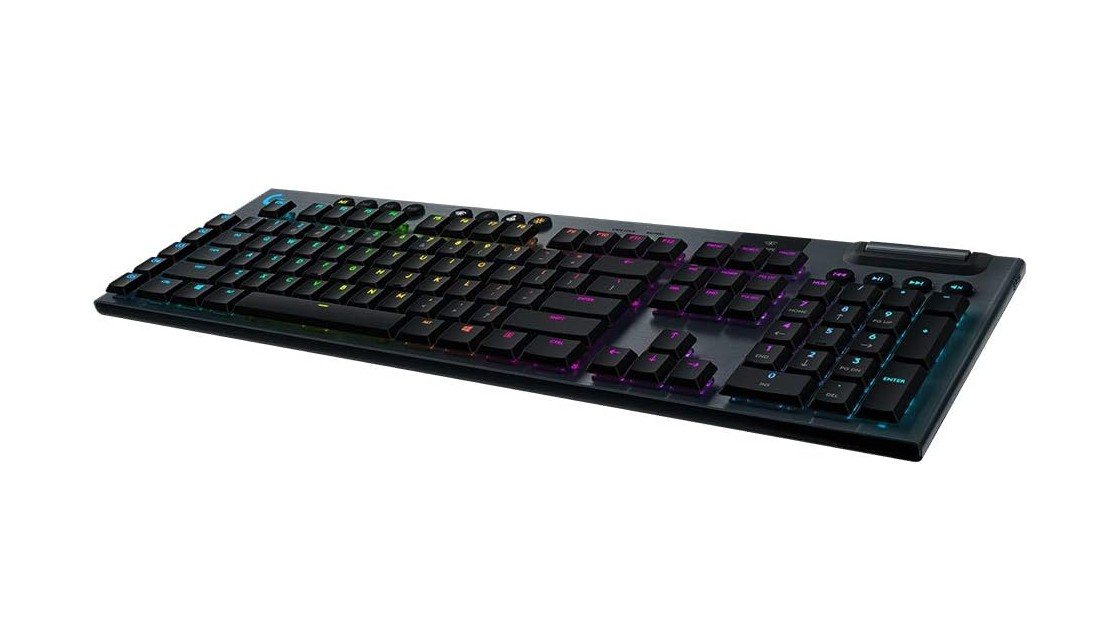
The Logitech G915 Lightspeed is a premium low-profile gaming keyboard that also works exceptionally well for fast typing and everyday productivity. Its GL Clicky switches feel crisp, tactile, and highly responsive, delivering satisfying feedback with every key press. The ultra-thin aluminum design looks sleek and premium while still feeling sturdy and durable.
Lightspeed wireless technology provides extremely low latency for gaming, and Bluetooth support makes switching between devices seamless. LIGHTSYNC RGB lighting is vibrant and fully customizable through Logitech G Hub software. Dedicated media controls and macro keys add extra convenience for work and gaming.
Overall, it’s a stylish, fast, and feature-packed keyboard for gamers and power users.
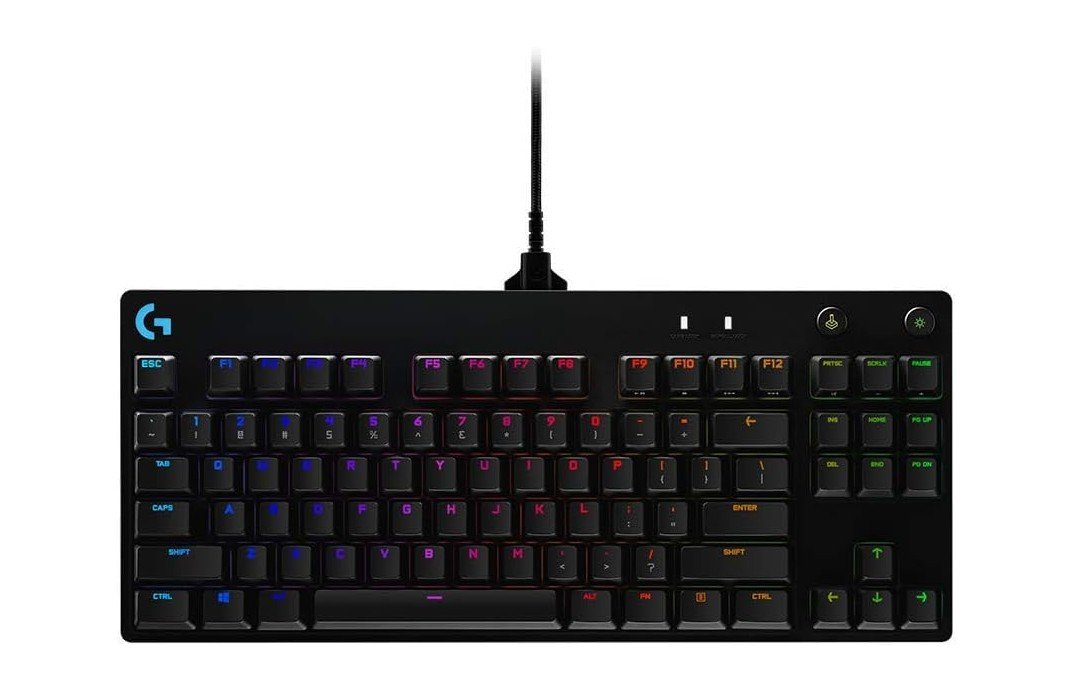
The Logitech G PRO Mechanical Gaming Keyboard is a solid choice for competitive gaming and fast typing thanks to its compact tenkeyless design and responsive mechanical switches. Its detachable Micro USB cable makes it highly portable for tournaments and travel, while the sturdy build keeps it stable during intense gaming sessions.
LIGHTSYNC RGB lighting looks vibrant and can be customized through Logitech G HUB software. The keyboard feels fast and accurate for FPS and esports games, with satisfying tactile feedback from the GX switches. Dedicated programmable macros also add flexibility for gaming and productivity.
Overall, it’s a durable, reliable, and performance-focused keyboard built for serious gamers.
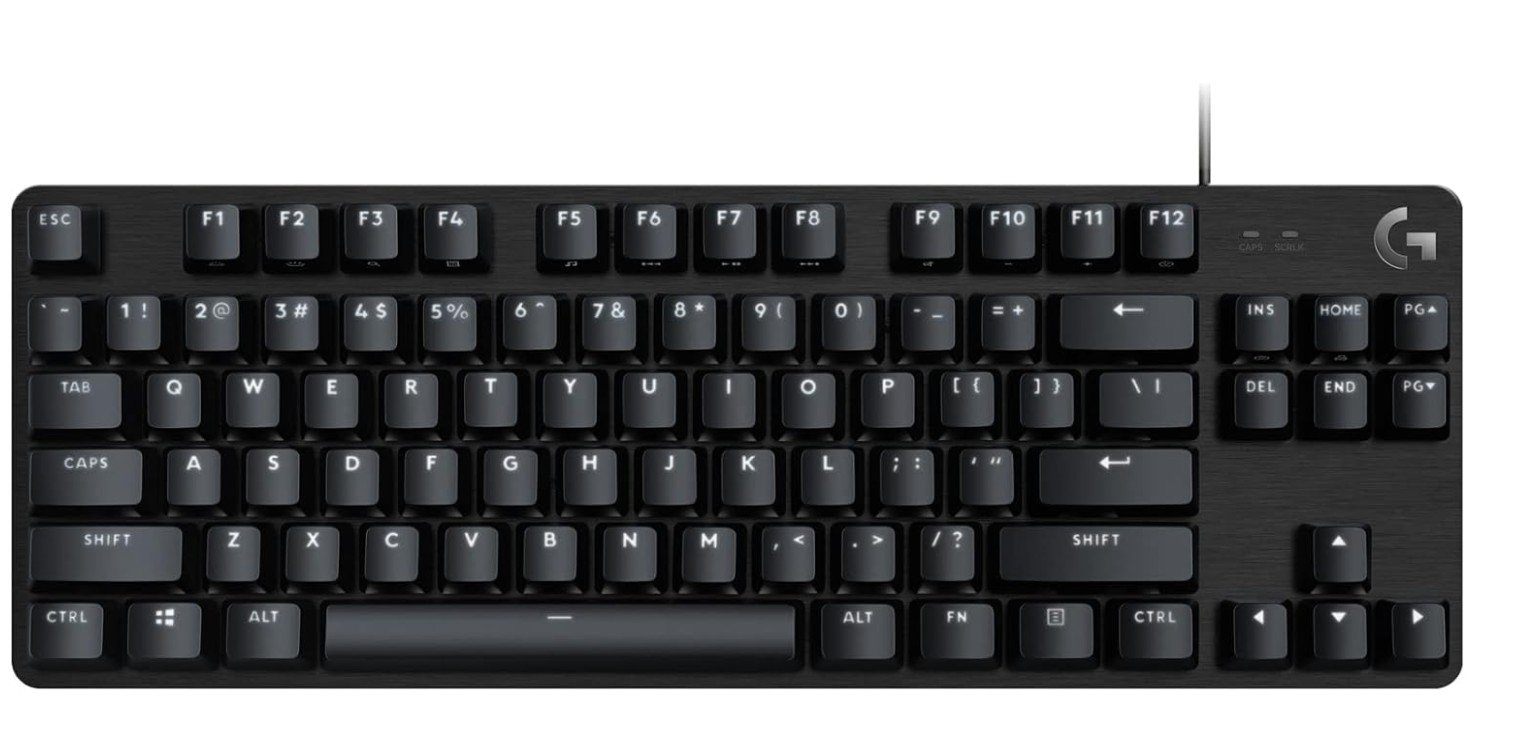
The Logitech G413 TKL SE is a solid compact mechanical keyboard designed for gaming, typing, and everyday productivity. Its tactile mechanical switches feel responsive and satisfying, offering good feedback for fast typing and competitive gaming. The tenkeyless layout saves desk space while still keeping essential keys easily accessible. White LED backlighting looks clean and professional without being overly flashy, and the black aluminum top plate gives the keyboard a sturdy premium feel.
Anti-ghosting support ensures accurate key registration during intense gaming sessions. Although it lacks advanced RGB customization and wireless features, it delivers reliable performance and durable build quality.
Overall, it’s an excellent value-focused mechanical keyboard for gamers and typists alike.
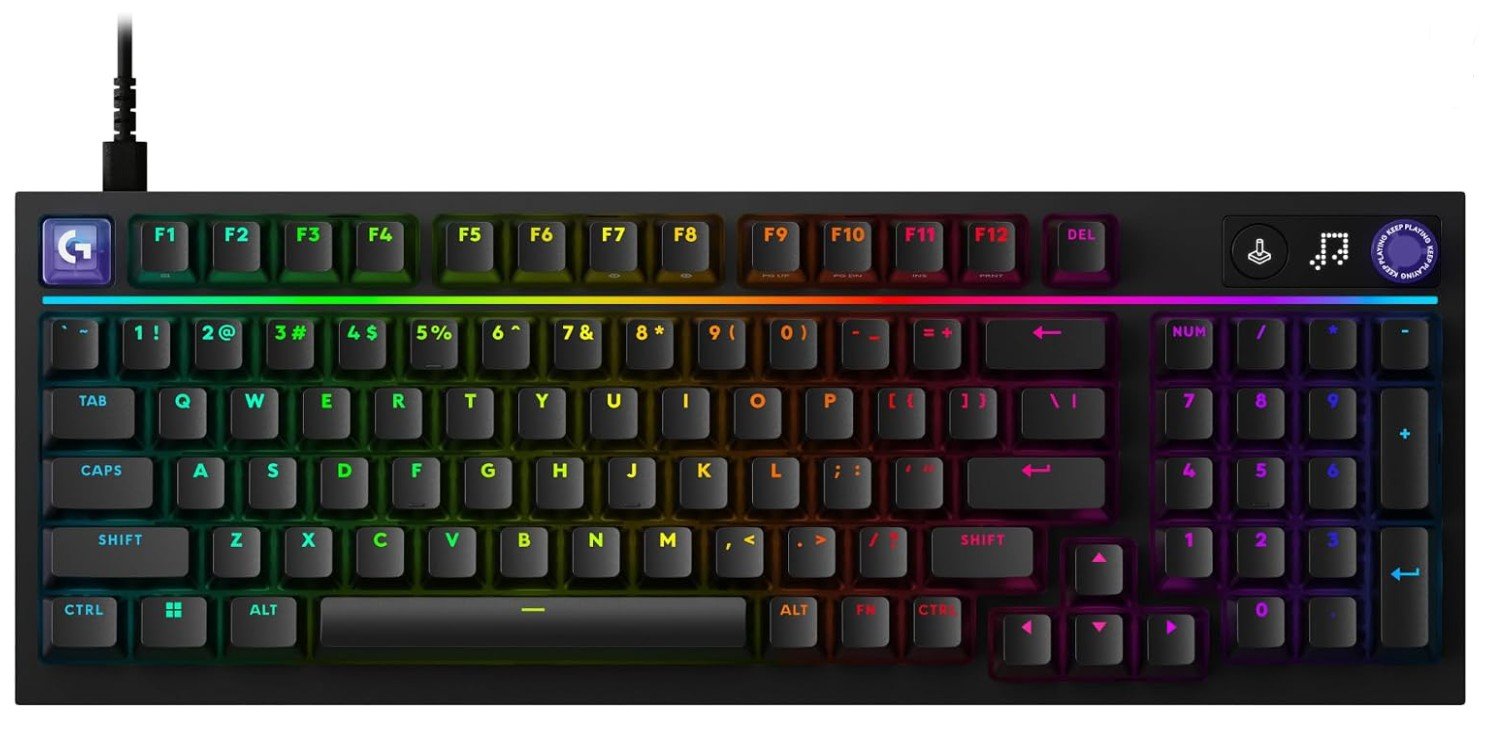
The Logitech G316 X 98 is a versatile mechanical gaming keyboard that combines a compact 98% layout with a comfortable tactile typing experience. Its layout keeps essential navigation keys and a number pad while saving more desk space than a traditional full-size keyboard. The tactile switches provide responsive feedback that works well for gaming and everyday typing. RGB LIGHTSYNC backlighting adds a customizable gaming aesthetic, while programmable controls offer additional flexibility. Its combination of wired and wireless connectivity makes it convenient for different setups.
The keyboard is also suitable for productivity, making it useful beyond gaming. Overall, the G316 X 98 is a strong choice for gamers who want compact functionality.
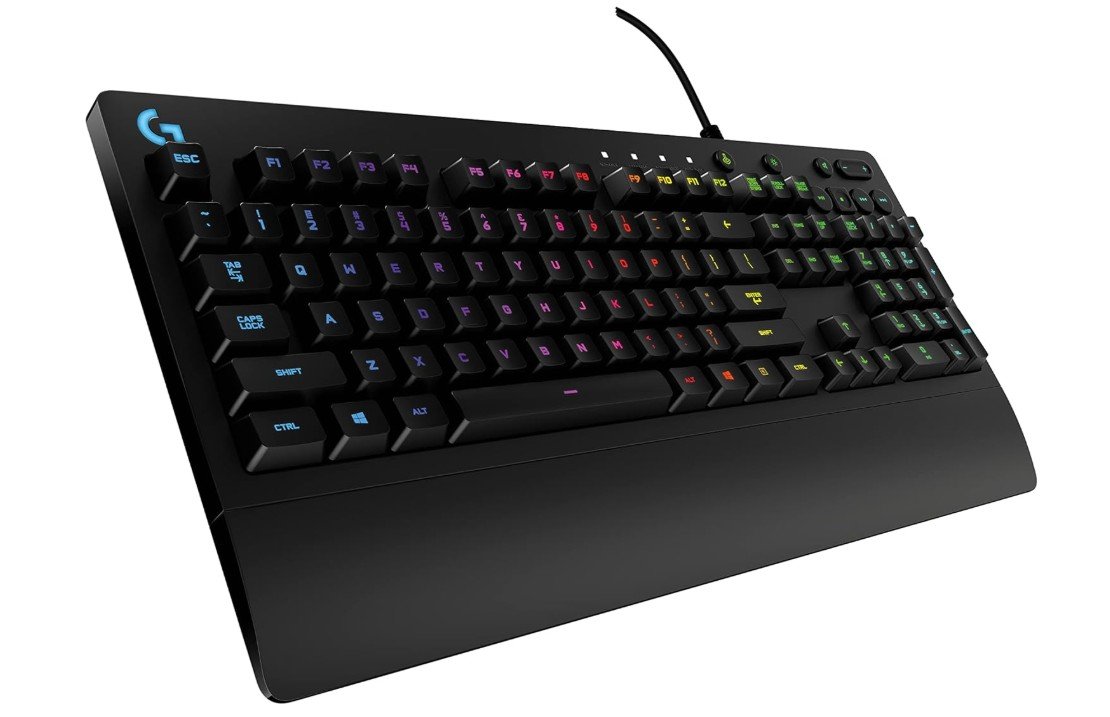
The Logitech G213 Prodigy is a solid entry-level gaming keyboard that offers good comfort and useful features at an affordable price. Its Mech-Dome keys feel softer than real mechanical switches but still provide satisfying tactile feedback for gaming and typing. The built-in palm rest and adjustable feet make long gaming sessions more comfortable, while the RGB lighting adds a vibrant gaming look.
Dedicated media controls are convenient for quick volume and playback adjustments. The keyboard is also spill-resistant, adding extra durability for everyday use. Although the membrane switches feel slightly mushy compared to mechanical keyboards, overall performance remains reliable.
It’s a great budget-friendly option for casual gamers and everyday users.
Logitech Gaming Keyboard Buying Guide
Logitech is one of the most trusted gaming brands in the world, known for producing high-quality gaming keyboards with excellent durability, responsive switches, stylish RGB lighting, and reliable software support. Whether you are a casual gamer, competitive esports player, streamer, or someone who also uses a keyboard for work and productivity, Logitech offers keyboards for every type of user. Their keyboards range from affordable membrane models to premium wireless mechanical keyboards with advanced gaming features.
Choosing the right Logitech gaming keyboard depends on your budget, gaming style, preferred switch type, keyboard size, and whether you want wired or wireless connectivity. Understanding these features can help you pick the perfect keyboard for your setup.
Why Choose a Logitech Gaming Keyboard?
Logitech gaming keyboards are popular because they combine gaming performance with strong build quality and comfortable typing experiences. Most Logitech keyboards are designed with gamers in mind, offering low input latency, anti-ghosting, programmable keys, and customizable RGB lighting.
Another major advantage is Logitech G HUB software, which allows users to customize RGB effects, create macros, remap keys, and save gaming profiles for different games. Logitech keyboards also work well alongside Logitech gaming mice and headsets, making them ideal for complete gaming setups.
Mechanical vs Membrane Keyboards
One of the first things to consider when buying a Logitech gaming keyboard is whether you want a mechanical or membrane keyboard.
Mechanical keyboards use individual switches under each key. They usually feel faster, more responsive, and more satisfying for gaming and typing. Mechanical keyboards are also more durable and often last much longer than membrane keyboards.
Membrane keyboards use softer rubber dome switches. They are quieter, more affordable, and often lighter than mechanical keyboards. Casual gamers and office users may prefer membrane keyboards because of their quieter typing experience.
If you mainly play competitive games like Valorant, CS2, Apex Legends, or Call of Duty, a mechanical keyboard is usually the better option because of its faster response times and improved accuracy.
Understanding Logitech Switch Types
Logitech offers several switch types designed for different preferences and gaming styles.
Clicky Switches
Clicky switches provide loud audible feedback and a strong tactile bump. They are enjoyable for typing but may be too noisy for shared rooms or offices.
Tactile Switches
Tactile switches offer noticeable feedback without being extremely loud. They are balanced for both gaming and typing.
Linear Switches
Linear switches feel smooth and consistent with no tactile bump. They are often preferred by competitive gamers because key presses feel faster and lighter.
Low-Profile Switches
Low-profile switches are shorter and slimmer than traditional mechanical switches. They provide faster actuation and a more laptop-like typing experience while still maintaining mechanical responsiveness.
Choosing the Right Keyboard Size
Keyboard layout is another important factor when buying a gaming keyboard.
Full-Size Keyboards
Full-size keyboards include a numpad, function keys, arrow keys, and media controls. These keyboards are best for users who also use their setup for work, spreadsheets, or productivity tasks.
Tenkeyless (TKL) Keyboards
TKL keyboards remove the numpad to save desk space and allow more room for mouse movement. They are especially popular among FPS gamers.
Compact 65% and 75% Layouts
Compact keyboards remove extra keys while keeping essential controls. These keyboards are portable, modern-looking, and ideal for smaller gaming setups.
Low-Profile Keyboards
Low-profile keyboards are thinner and lighter. They are excellent for users who prefer sleek setups and more comfortable wrist positioning.
Wired vs Wireless Gaming Keyboards
Modern wireless Logitech gaming keyboards are much better than older wireless models. Logitech LIGHTSPEED wireless technology offers extremely low latency, making wireless performance almost identical to wired keyboards.
Wireless keyboards provide cleaner desk setups, easier portability, and flexibility for multi-device use. However, they require charging and are usually more expensive.
Wired keyboards remain popular because they never need charging and usually cost less. Competitive gamers who want the simplest and most reliable setup may still prefer wired keyboards.
RGB Lighting and Customization
Most Logitech gaming keyboards include RGB lighting with customizable effects. RGB lighting is not only for aesthetics but can also improve visibility during nighttime gaming.
Through Logitech G HUB software, users can:
- Customize per-key RGB lighting
- Create animated lighting effects
- Sync lighting with games
- Program macros
- Remap keys
- Save multiple profiles
Gamers who enjoy personalizing their setup will appreciate Logitech’s software flexibility.
Build Quality and Durability
Gaming keyboards experience heavy daily use, so durability matters. Logitech keyboards are known for strong build quality, especially in their premium models that use aluminum top plates and high-quality keycaps.
Mechanical switches are also rated for millions of keystrokes, meaning they can last for many years of gaming and typing. Spill resistance is another useful feature found in several Logitech keyboards, helping protect against accidental liquid spills.
Comfort and Ergonomics
Comfort is extremely important if you spend long hours gaming or typing. Some Logitech keyboards include built-in wrist rests or adjustable feet for improved ergonomics.
Low-profile keyboards can reduce wrist strain because of their thinner design, while compact layouts allow more natural mouse positioning. Choosing the right keyboard height and switch type can greatly improve comfort during long sessions.
Best Logitech Gaming Keyboard for FPS Games
FPS gamers usually prefer compact TKL or 65% keyboards because they create more room for mouse movement. Linear switches are also popular for FPS games because they feel smooth and fast during quick movements and repeated key presses.
Wireless low-latency keyboards are now widely accepted even in competitive gaming thanks to Logitech’s LIGHTSPEED technology.
Best Logitech Gaming Keyboard for Typing and Productivity
If you use your keyboard for both gaming and work, tactile switches are often the best choice because they provide better typing feedback. Full-size layouts are also useful for productivity tasks involving spreadsheets, editing, or multitasking.
Low-profile keyboards are becoming increasingly popular among professionals because they combine gaming performance with a cleaner and more comfortable typing experience.
Battery Life Considerations
Wireless RGB keyboards can consume battery quickly when lighting is enabled. Logitech premium keyboards usually provide excellent battery optimization, but battery life still varies depending on brightness settings and usage patterns.
Users who prefer maximum battery life often reduce RGB brightness or disable lighting completely during normal use.
Is Logitech Worth Buying?
Logitech gaming keyboards are absolutely worth considering if you want reliable gaming performance, strong software support, durable build quality, and modern features. Their lineup includes options for beginners, competitive gamers, streamers, programmers, and office users.
Budget users can find affordable membrane models with RGB lighting and gaming features, while enthusiasts can invest in premium low-profile wireless mechanical keyboards with advanced customization and ultra-fast wireless connectivity.
FAQs
Logitech gaming keyboards are known for strong build quality, responsive key switches, customizable RGB lighting, and reliable performance. Many models use mechanical switches that offer precise input, fast response, and longer lifespan than standard membrane keyboards. Logitech’s LIGHTSYNC RGB also adds immersive lighting effects that can sync with games, audio, and screen content.
Yes. Many Logitech models like the G915 LIGHTSPEED and G PRO series are designed for competitive play. They offer fast actuation, anti‑ghosting, low latency (especially with LIGHTSPEED wireless), and compact layouts like tenkeyless options that help improve mouse movement and speed during play.
Most Logitech gaming keyboards are compatible with macOS, but advanced features like macro programming and RGB customization may require Logitech G HUB software, which has limited support on macOS.
Conslusion
Choosing the best Logitech gaming keyboard depends on your personal needs and gaming habits. Mechanical keyboards are generally the best choice for serious gamers because of their speed and responsiveness, while membrane keyboards remain good budget-friendly alternatives.
Think carefully about the keyboard size, switch type, connectivity, comfort, and customization features before buying. Competitive gamers may prefer compact wireless keyboards with linear switches, while productivity users may enjoy full-size tactile keyboards with quieter typing experiences.
Logitech continues to remain one of the strongest gaming keyboard brands because it successfully balances performance, comfort, durability, and software features across different price ranges.