
Last Updated on September 14, 2026 by Jawad
Introduction
High-end mechanical gaming keyboards are made for gamers who want the best possible experience in every game. These keyboards are not like cheap, normal office keyboards. They are designed with premium mechanical switches that give fast response, great feedback, and long durability. Every key press feels sharp, accurate, and smooth.
Many high-end mechanical gaming keyboards are built with aluminum frames, PBT keycaps, advanced stabilizers, and high-quality PCBs to make the typing and gaming feel solid and premium. You do not have to press hard; you get instant input, and the keyboard stays accurate even when you press multiple keys at the same time.
We also have a recommendation for the Best Gaming Keyboard Under $100, so make sure to check that out too!
How We Choose Products
- We evaluate products based on the factors that matter most to shoppers, including specifications, features, design, materials, performance, functionality, ease of use, intended use, durability, and overall value.
- Our recommendations are based on information available from manufacturers, retailers, product listings, customer feedback, and other publicly available sources, combined with our own independent editorial analysis.
- We aim to provide accurate, useful, and easy-to-understand product information. We distinguish manufacturer or retailer claims from our own assessment and avoid presenting marketing claims as independently verified facts.
- We do not claim to have personally tested a product unless we have hands-on experience with it. When we have not personally tested a product, our evaluation is based on available product information and careful editorial research.
- Our goal is to help readers compare their options and make more informed purchasing decisions based on their needs, preferences, and budget.
Top High End Mechanical Gaming Keyboard



Comparison
| Product | Image | Rating | Switches | Layout | Connectivity | Keycaps | Special | Buy |
|---|---|---|---|---|---|---|---|---|
|
ASUS ROG Strix Scope II 96 Wireless 🏆 Best Overall | 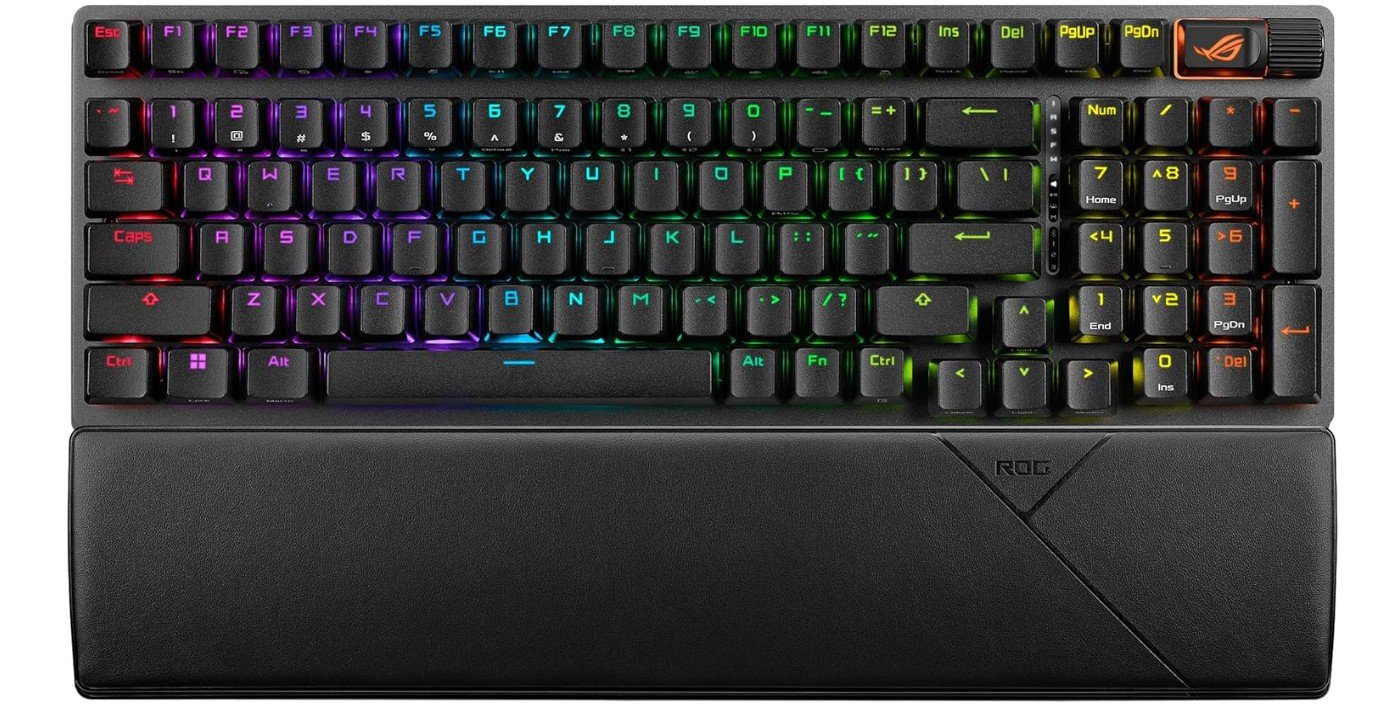 | ★★★★★ | ROG NX Snow Linear | 96% | Tri-Mode | PBT Doubleshot | Hot-Swappable, RGB | Check Price |
|
Corsair K70 PRO TKL RGB ⭐ Best Value | 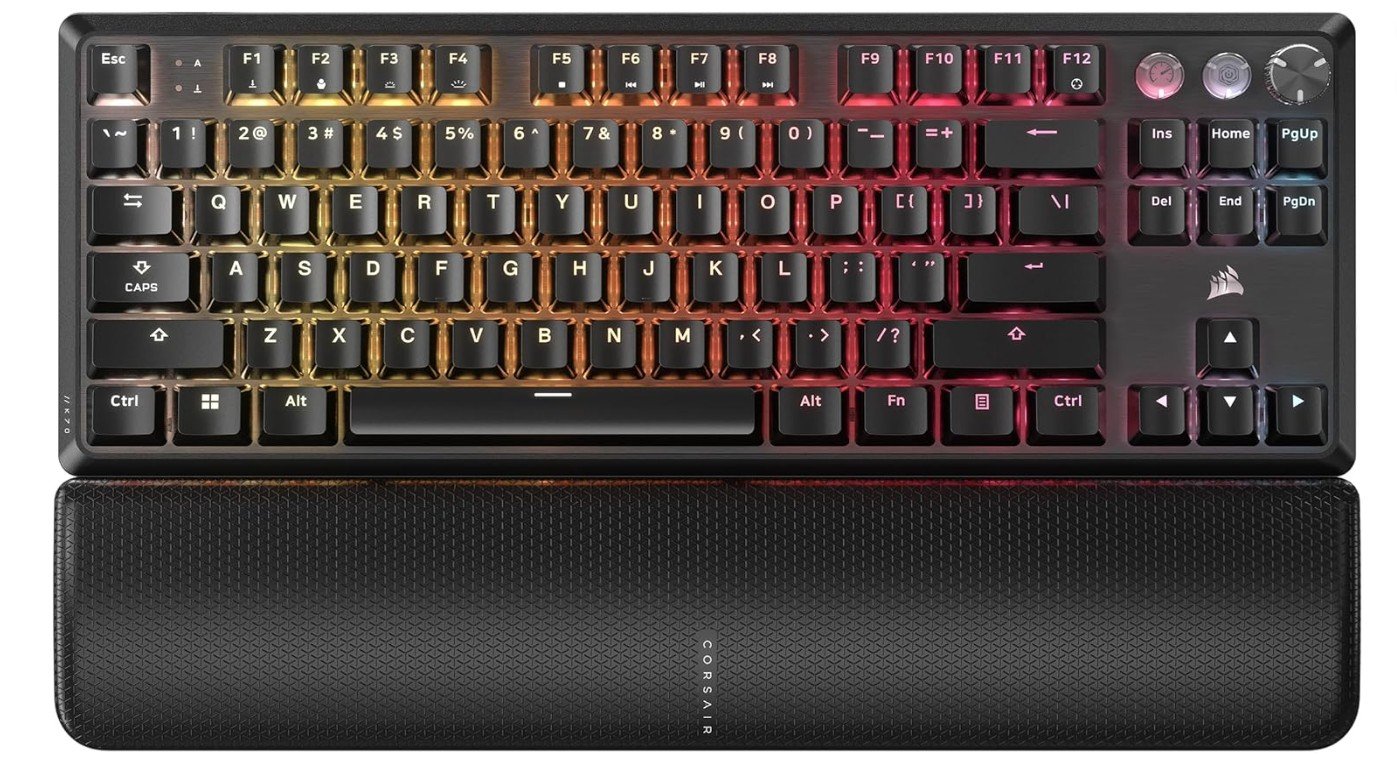 | ★★★★★ | MGX Hall Effect | TKL | Wired USB | ABS Double-Shot | Rapid Trigger, SOCD | Check Price |
| Razer BlackWidow V3 Mini HyperSpeed | 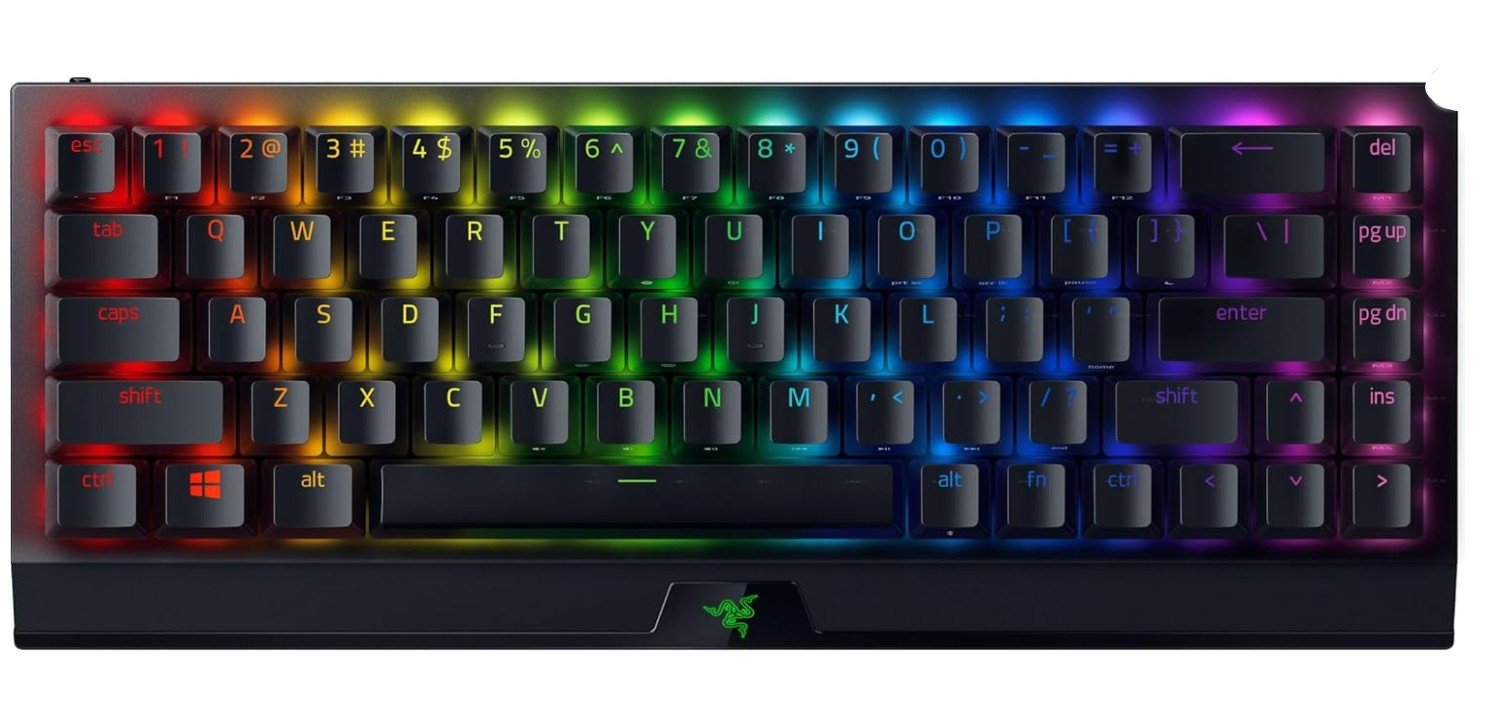 | ★★★★☆ | Yellow Linear | 65% | HyperSpeed Wireless | ABS Doubleshot | Snap Tap, RGB | Check Price |
| Turtle Beach Vulcan II Max | 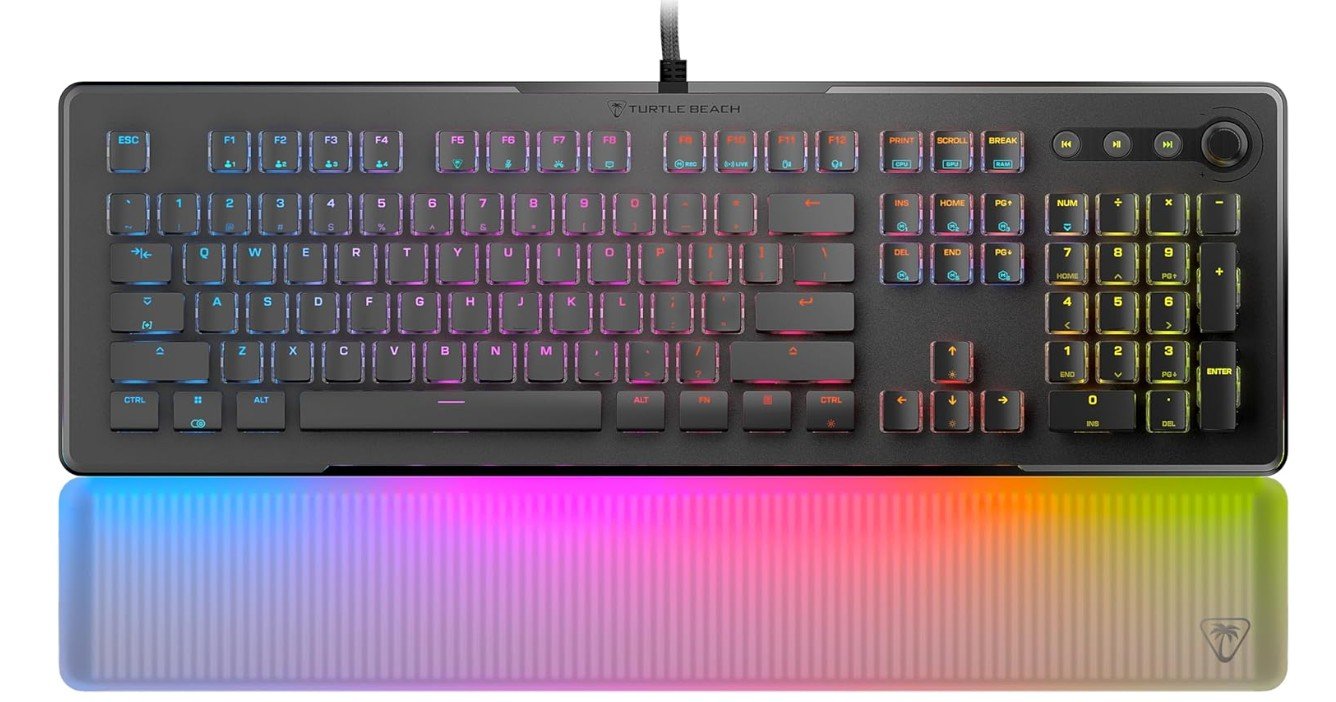 | ★★★★☆ | Titan II Optical | Full-Size | Wired USB | ABS | RGB Palm Rest | Check Price |
| Logitech G915 X Wired | 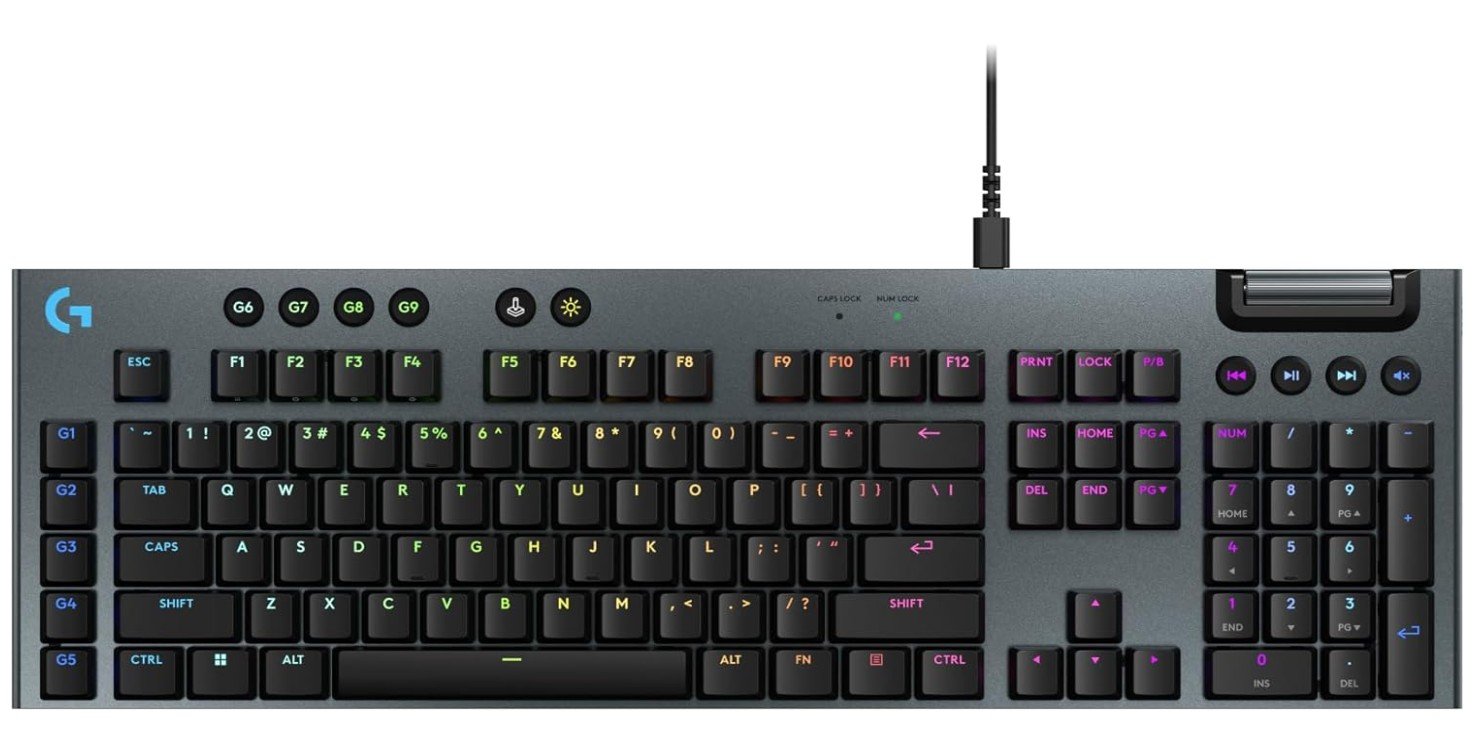 | ★★★★☆ | GL Linear | Full-Size | Wired USB | PBT | Low-Profile RGB | Check Price |
|
GravaStar Mercury K1 Pro 💰 Best Budget | 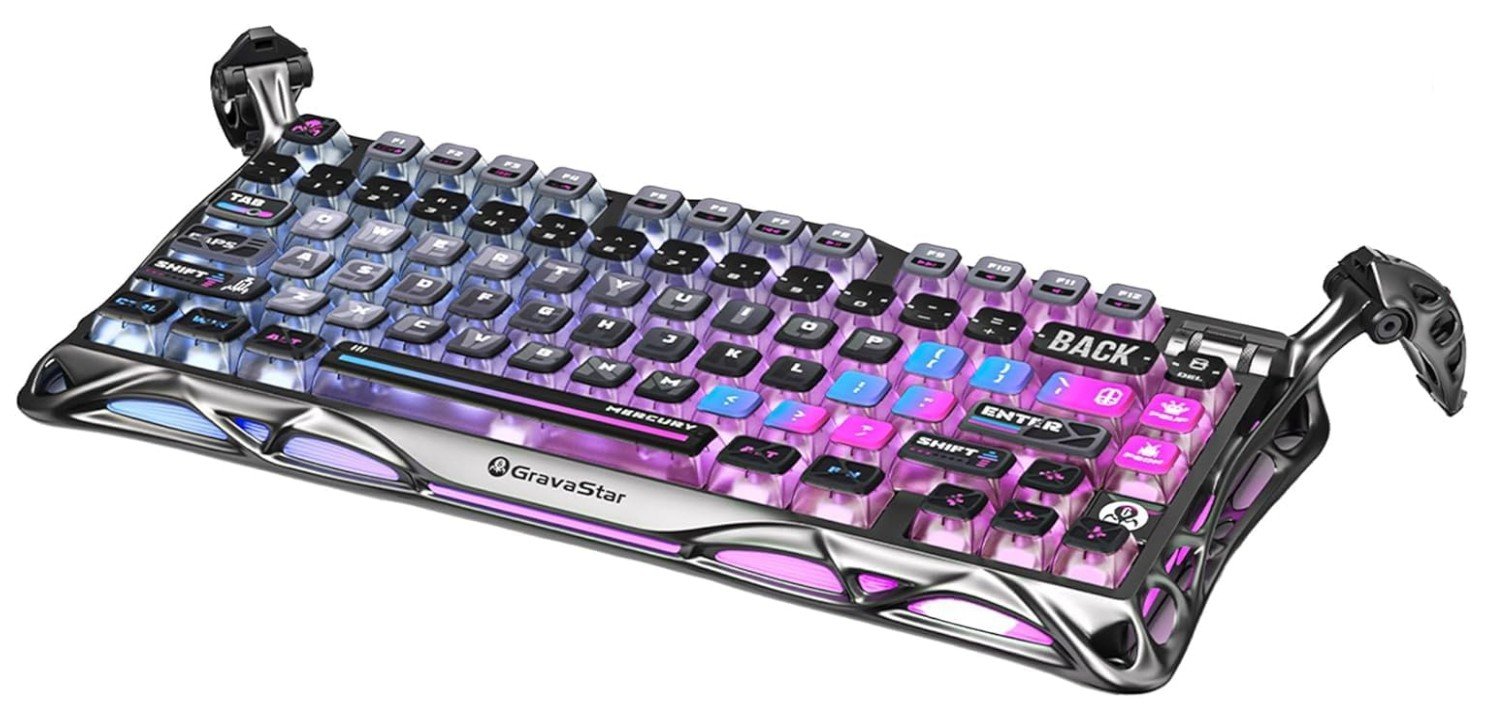 | ★★★★☆ | Linear Hot-Swappable | 75% | Wireless/Wired | PBT | Cyberpunk RGB | Check Price |
The ASUS ROG Strix Scope II 96 Wireless is a premium mechanical gaming keyboard that combines the functionality of a full-size keyboard with a compact 96% layout, saving desk space without sacrificing important keys. Its pre-lubed ROG NX Snow linear switches feel extremely smooth and responsive, making both gaming and typing enjoyable.
Tri-mode connectivity allows seamless use through Bluetooth, 2.4GHz wireless, or wired USB, while hot-swappable switches provide easy customization for enthusiasts. The PBT keycaps, sound-dampening foam, and solid build quality create a premium typing experience with satisfying acoustics.
RGB lighting looks vibrant and customizable, making this keyboard an excellent choice for serious gamers and productivity users alike.
The Corsair K70 PRO TKL RGB is a premium mechanical gaming keyboard built for competitive gamers who demand speed and precision. Its pre-lubed Hall Effect MGX Hyperdrive switches provide smooth keystrokes with customizable actuation, while Rapid Trigger and Simultaneous SOCD deliver faster, more responsive inputs in esports titles. The compact tenkeyless layout saves desk space without sacrificing essential functionality. Per-key RGB lighting and iCUE software offer extensive customization, and the durable ABS double-shot keycaps are designed for long-term use.
Overall, the K70 PRO TKL is an excellent choice for FPS enthusiasts and competitive players seeking top-tier gaming performance and responsiveness.
The Razer BlackWidow V3 Mini HyperSpeed is a premium compact gaming keyboard that delivers excellent wireless performance in a space-saving 65% layout. Its Yellow linear mechanical switches feel smooth, fast, and quiet, making it ideal for competitive gaming and everyday typing. HyperSpeed wireless technology provides low-latency connectivity, while Bluetooth and USB-C modes add extra flexibility.
The doubleshot ABS keycaps feel durable, and Razer Chroma RGB lighting looks vibrant with deep customization options. Battery life is impressive, lasting up to 200 hours depending on usage. Snap Tap support improves fast directional inputs during gaming.
Overall, this keyboard offers strong performance, portability, and premium build quality for serious gamers.
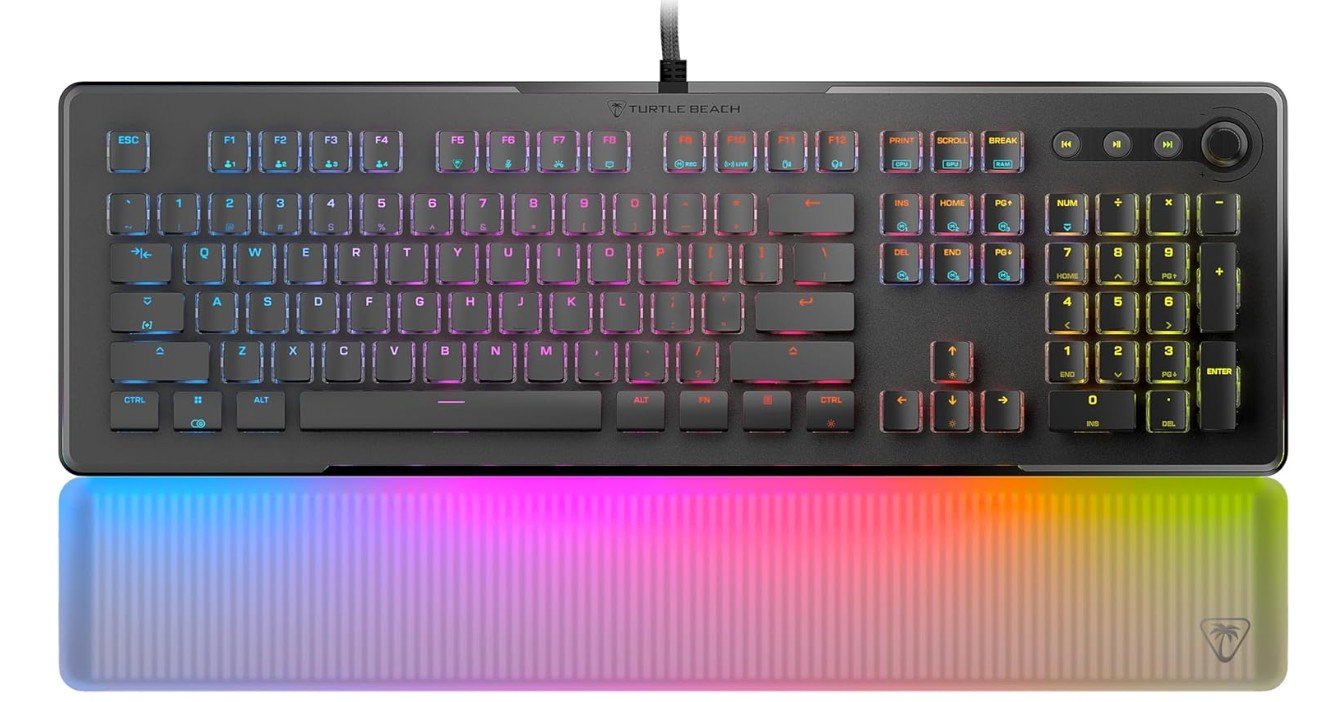
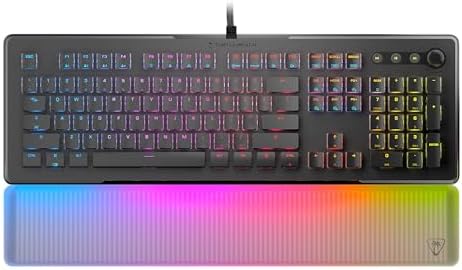
The Turtle Beach Vulcan II Max is a premium gaming keyboard that combines smooth optical-mechanical performance with eye-catching RGB lighting. Its Titan II Smooth Linear switches feel fast, responsive, and comfortable for both gaming and typing sessions. The keyboard features a sturdy aluminum top plate, customizable Smart Keys, and full anti-ghosting support for reliable gameplay.
One standout feature is the RGB-illuminated palm rest, which adds a unique and stylish look to any gaming setup. The typing experience feels smooth and quiet, while the software offers useful customization options for lighting and macros.
Overall, the Vulcan II Max delivers strong performance, premium design, and immersive RGB effects for gamers.
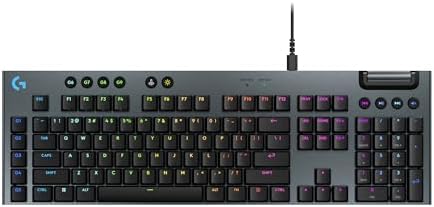
The Logitech G915 X Low-Profile Wired Mechanical Gaming Keyboard is a premium gaming keyboard designed for speed, comfort, and customization. Its GL Red linear switches feel smooth and fast with a short actuation distance, making it excellent for competitive gaming and quick typing. The ultra-thin aluminum design gives the keyboard a sleek and durable premium look, while double-shot PBT keycaps improve durability and typing feel.
RGB LIGHTSYNC lighting looks vibrant and highly customizable through Logitech G HUB software. Fully programmable keys and dedicated media controls add convenience for productivity and gaming.
Overall, the G915 X delivers outstanding performance, premium build quality, and a refined low-profile typing experience.
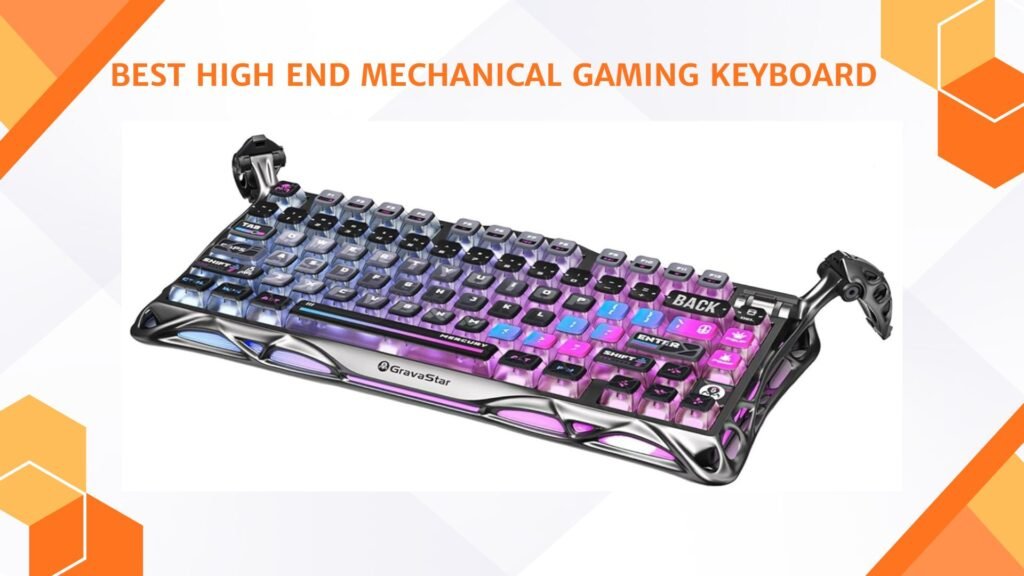
The GravaStar Mercury K1 Pro Wireless Mechanical Gaming Keyboard is a unique premium keyboard that stands out with its futuristic cyberpunk-inspired design and solid aluminum alloy frame. Its 75% compact layout saves desk space while still offering excellent functionality for gaming and productivity. The hot-swappable linear switches feel smooth and responsive, providing fast performance and satisfying typing feedback.
RGB lighting looks vibrant with customizable effects that perfectly match the keyboard’s sci-fi appearance. Wireless connectivity works reliably through Bluetooth and 2.4GHz modes, while the gasket-mounted structure and sound dampening create a smooth “thocky” typing experience.
Overall, the Mercury K1 Pro combines eye-catching aesthetics, premium build quality, and excellent gaming performance.
Buying Guide: High End Mechanical Gaming Keyboard
Buying a high end mechanical gaming keyboard can feel confusing. There are many terms, features, and price tags. This guide will explain everything in simple English so you can choose the best keyboard for your needs. I will cover important things like switches, layout, build quality, connectivity, features, and what to look for in 2025. By the end you’ll have a clear checklist to shop with confidence.
What “high end” means
A high end mechanical gaming keyboard usually costs more because it uses better parts and more careful design. It often has a strong metal or thick plastic frame, premium keycaps, high-quality switches, excellent stabilizers, and extra features like per-key RGB, onboard memory, hot-swap sockets, and advanced firmware. These keyboards are built to last and to give a better typing and gaming experience than cheap models.
Who should buy a high end keyboard?
Buy one if you: play competitively or for many hours, type a lot and want a nicer feel, like customizing switches or keycaps, want long-term reliability, or care about looks and build quality. If you only play casually or have a tight budget, a mid-range keyboard may be enough.
Keyboard layout and size
Full-size (100%): includes number pad, function row, arrows, and nav cluster. Good for work and data entry.
96%: nearly full-size but more compact. Keeps number pad while saving some desk space.
Tenkeyless (TKL, 87%): drops the numpad, saves desk space — very popular for gaming.
75%: compact with arrows and some function keys — good balance between size and function.
65% / 60%: very compact, best for minimal desks and portability. Make sure you are okay with missing keys or using layers for functions.
Switch types — the heart of the keyboard
Mechanical switches are the main factor in feel and sound. High end keyboards use premium branded switches or high-quality house switches. Key switch types:
Linear: smooth, quiet, no tactile bump. Good for fast games and smooth typing for many users.
Tactile: small bump on actuation. Gives feedback without loud click. Good for typing and gaming balance.
Clicky: tactile bump plus audible click. Satisfying for some typists, but noisy for shared spaces.
Also consider actuation force (how hard to press) and travel distance (how far key moves). Low-actuation switches are good for fast games; heavier switches may be better for accuracy or to avoid accidental presses.
Hot-swap vs soldered
Hot-swap sockets let you change switches without soldering. This is a big plus in high end keyboards because you can test different switches or replace worn ones. If you plan to customize or try many switches, choose hot-swap. Soldered PCBs are fine if you don’t plan to change switches.
Switch quality and lubrication
Premium keyboards often come with pre-lubed switches or factory lubed stabilizers. Lubing reduces scratchy feel and noise. Some users like to lube switches themselves for a smoother sound and feel — but factory lubing is a convenience.
Keycaps: material and profile
Keycaps change feel and durability. Main materials:
ABS: common, can get shiny over time. Doubleshot ABS uses molded legends and can be more durable.
PBT: more durable, textured, resists shine. Preferred in high end keyboards.
Keycap profile (shape) affects typing. Popular profiles: Cherry, OEM, SA, and low-profile. Try to pick a profile you find comfortable.
Stabilizers and typing sound
Large keys (space, shift, enter) use stabilizers. Good stabilizers are well-mounted and often pre-lubed. Quality stabilizers reduce rattle and make big keys feel solid. Many high end keyboards include sound-dampening foam inside the case to lower hollow sounds.
Build quality and materials
Look for an aluminum top plate or a thick steel/plastic mix. Metal top plates feel stiffer and more premium. A heavier keyboard can feel more solid but is less portable. Check the case design for flex — low flex gives a more premium feel when typing.
Connectivity: wired, wireless, or tri-mode
Wired (USB-C): best for lowest latency and no batteries.
Bluetooth: good for multi-device use, less power, more latency.
2.4GHz wireless (dongle): best wireless for gaming — low latency and stable connection.
Tri-mode keyboards support wired, Bluetooth, and 2.4GHz. If you want wireless freedom plus gaming performance, choose tri-mode.
Polling rate and latency
Polling rate (Hz) tells how often the keyboard reports to the PC. High end gaming keyboards can have 1000Hz, 4000Hz, or 8000Hz modes. Higher polling can reduce input delay, but real-world gains after 1000Hz are small for most users. For competitive esports, higher polling and low-latency wireless tech can be useful.
NKRO and anti-ghosting
NKRO (N-key rollover) means the keyboard can register many simultaneous key presses. This matters in games and fast typing. Most high end keyboards support NKRO or at least 6KRO on USB.
Onboard memory and profiles
Onboard memory saves lighting and macro profiles on the keyboard itself. This is handy if you move between computers or want the same setup without software. If you use multiple profiles for games, choose a keyboard with onboard storage.
Macros and programmability
High end keyboards allow remapping, macros, and layers. Good software or firmware makes this simple. Look for keyboards with straightforward software or open firmware support (QMK/VIA) if you want advanced customization.
RGB and lighting
Per-key RGB allows full customization. Consider whether you want elaborate lighting or simple effects. RGB affects battery life on wireless models — check battery performance with lighting on.
Software and driver ecosystem
Software should be stable and easy. Popular ecosystems: Corsair iCUE, Logitech G Hub, Razer Synapse. Some users prefer open-source options like QMK or VIA for full control without vendor lock-in. Read reviews about software usability before buying.
Sound profile and acoustics
Each keyboard has a distinct sound. Some users want a deep “thock,” others a crisp “clack.” Factors affecting sound: switch type, keycap material, stabilizer quality, case foam. Reviews and sound tests are helpful. If sound matters, look for keyboards advertised with sound-tuning or with included foam.
Warranty and service
High end keyboards often come with a longer warranty. Check warranty length, what is covered, and how easy support is. Some brands are better at RMA and customer service.
Accessories and extras
Magnetic wrist rest: adds comfort for long sessions.
Detachable cable: helpful for transport.
Extra keycaps and switch puller: useful for customization.
Carrying case: useful for portable setups.
Price vs value
High end keyboards cost more, but value depends on how you use them. If you play long sessions, customize often, or care about build and sound, the cost can be justified. If you only game casually, mid-range options can be a better value.
FAQs
High-end mechanical gaming keyboards typically feature premium materials, customizable RGB lighting, advanced software, high-quality mechanical switches, and extra features (like dedicated media controls, OLED screens, or wireless modes).
They can — with faster switches, better actuation, and N-key rollover, these keyboards offer more responsive, reliable input. But the biggest gains are in feel, durability, and customization rather than raw performance numbers.
High-end boards often use premium switches such as:
🔹 Optical switches – very fast and durable
🔹 Top-tier mechanical switches (e.g., Cherry MX, Kailh, or boutique switches)
Your choice depends on whether you prefer linear (smooth), tactile (bump feedback), or clicky (audible click) feel.
High-end keyboards come in:
• Full-size – number pad included
• TKL (Tenkeyless) – more desk space for mouse movement
• 75%, 65%, 60% – compact layouts without extra keys
Pick based on your workflow and space.
Yes — high-end keyboards often use double-shot or dye-sublimated PBT keycaps, which are more durable and comfortable than standard ABS caps.
Absolutely — premium switches and build materials usually mean higher lifespan, often rated for tens of millions of keystrokes.
Yes — many gamers also enjoy them for typing thanks to better switches, sound dampening, and ergonomic layouts.
Final thoughts
A high end mechanical gaming keyboard is more than a tool — it can change how your games feel and how comfortable your long sessions are. Focus on parts that affect daily use: switches, keycaps, stabilizers, connectivity, and build. Use the checklist and recommendations to narrow choices, try switches when possible, and read multiple real-user reviews. Investing in a good keyboard is often worth it if you want better feel, durability, and performance.