
Last Updated on September 14, 2026 by Jawad
Introduction
WiFi 6 routers for gaming are designed to deliver faster wireless speeds, lower latency, and more stable connections for online gaming. Compared to older WiFi standards, WiFi 6 improves network efficiency and handles multiple connected devices more effectively, making it ideal for modern gaming setups and busy households. Many gaming-focused WiFi 6 routers include advanced features like Quality of Service (QoS), dedicated gaming ports, beamforming, and low-latency optimization to reduce lag during competitive gameplay. They also support faster downloads, smoother streaming, and improved overall network performance.
Whether you play on PC, PlayStation, Xbox, or mobile devices, a quality WiFi 6 gaming router can significantly improve your online gaming experience.
We also have a recommendation for the Best WiFi 7 Routers: Top Recommendations, so make sure to check that out too!
How We Choose Products
- We evaluate products based on the factors that matter most to shoppers, including specifications, features, design, materials, performance, functionality, ease of use, intended use, durability, and overall value.
- Our recommendations are based on information available from manufacturers, retailers, product listings, customer feedback, and other publicly available sources, combined with our own independent editorial analysis.
- We aim to provide accurate, useful, and easy-to-understand product information. We distinguish manufacturer or retailer claims from our own assessment and avoid presenting marketing claims as independently verified facts.
- We do not claim to have personally tested a product unless we have hands-on experience with it. When we have not personally tested a product, our evaluation is based on available product information and careful editorial research.
- Our goal is to help readers compare their options and make more informed purchasing decisions based on their needs, preferences, and budget.
Top WiFi 6 Routers for Gaming


Comparison
| Wi-Fi 6 Gaming Router | Image | Rating | Wi-Fi Standard | Key Feature | Best For | Buy |
|---|---|---|---|---|---|---|
|
TP-LINK Archer AX11000 Wi-Fi 6 Tri-Band Gaming Router 🏆 Best Overall |
 | ★★★★★ | Wi-Fi 6 (802.11ax) | Tri-Band + Gaming Optimization | High-End Gaming & Multi-Device Homes | Check Price |
|
GL.iNet GL-MT6000 Flint 2 Wi-Fi 6 Gaming Router ⭐ Best Value |
 | ★★★★☆ | Wi-Fi 6 (802.11ax) | Dual-Band + Dual 2.5G Ports | Gaming & Advanced Networking | Check Price |
| TP-Link AX6000 Wi-Fi 6 Dual-Band Router (Archer AX80) |
 | ★★★★☆ | Wi-Fi 6 (802.11ax) | AX6000 + 2.5Gbps Ethernet | Gaming, 4K Streaming & Multiple Devices | Check Price |
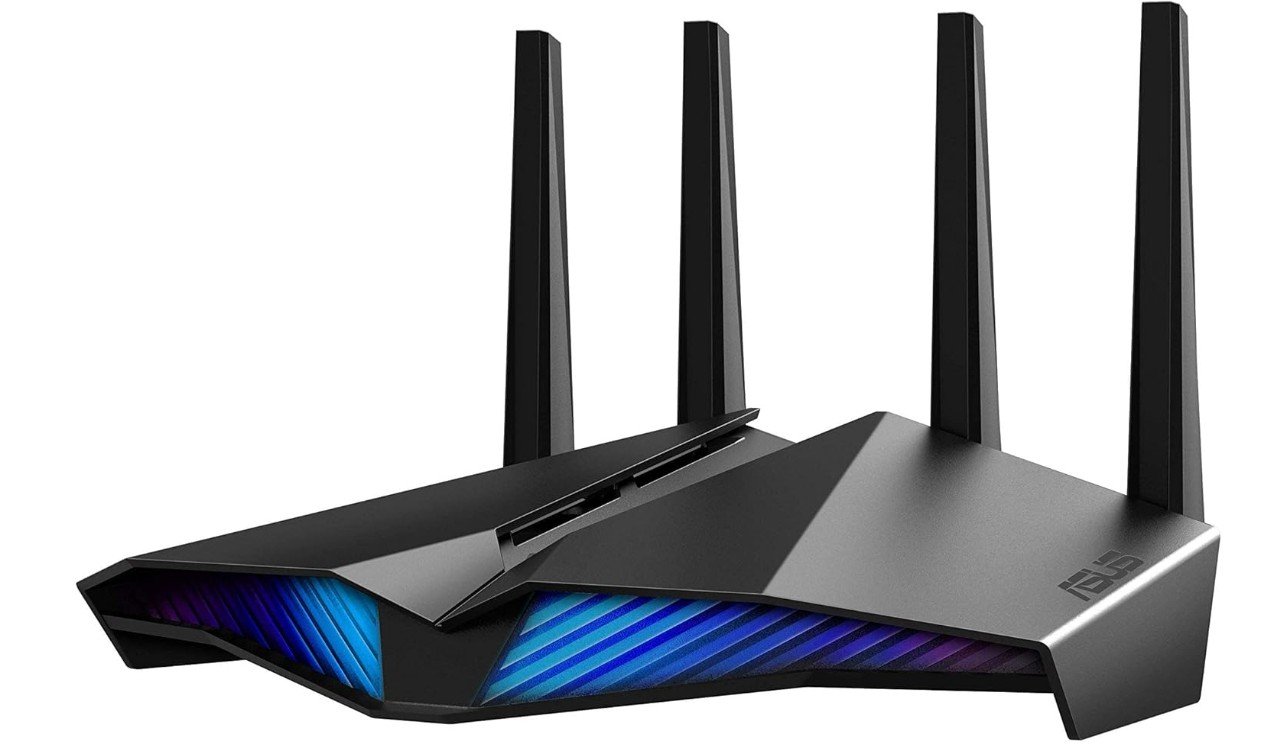
| ASUS RT-AX82U AX5400 Dual-Band Wi-Fi 6 Gaming Router |
 | ★★★★☆ | Wi-Fi 6 (AX5400) | Game Acceleration + AiMesh | Gaming & Everyday Use | Check Price |
|
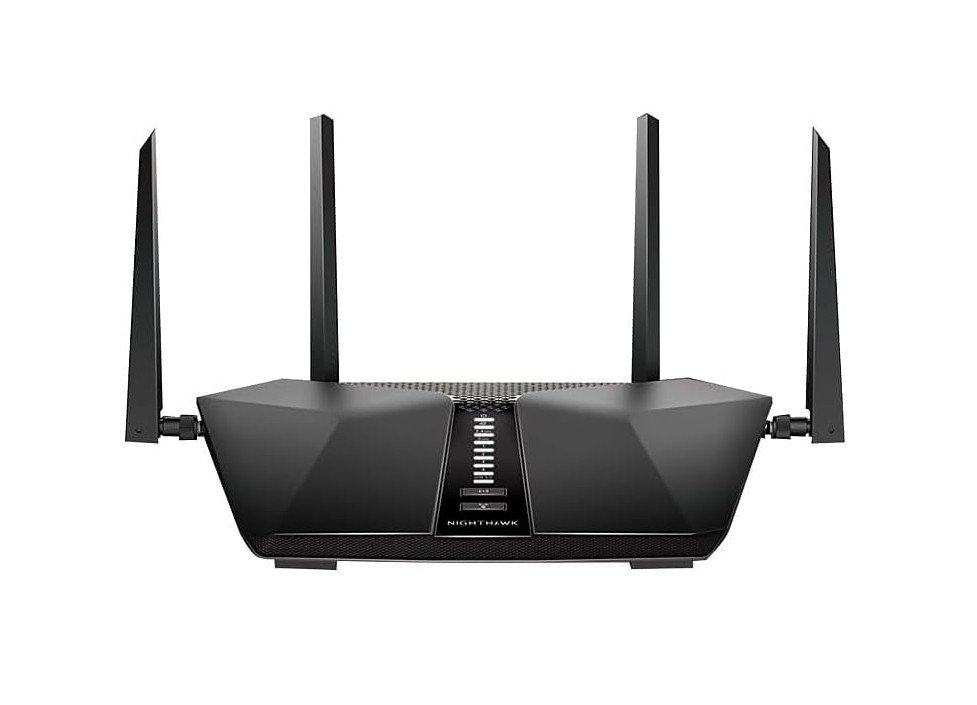
NETGEAR Nighthawk RAX50 AX5400 Wi-Fi 6 Router 💰 Best Budget |
 | ★★★★☆ | Wi-Fi 6 (AX5400) | 6-Stream + 2,500 sq. ft. Coverage | Gaming & Home Networks | Check Price |
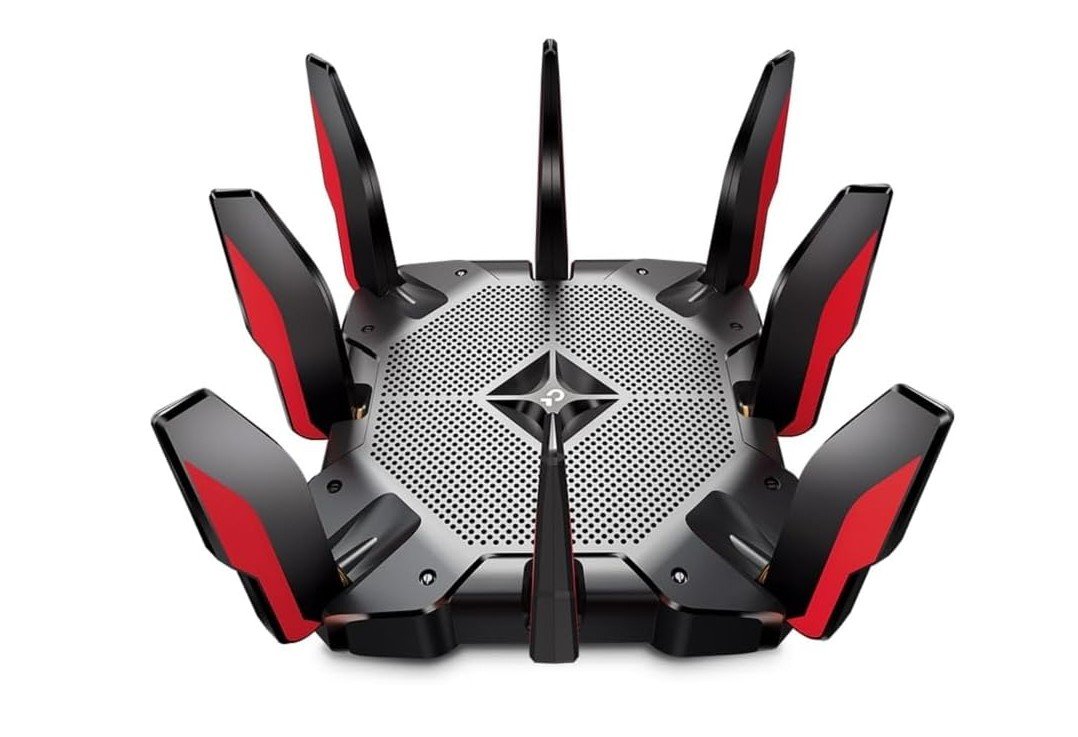
The TP-Link Archer AX11000 is a powerful tri-band Wi-Fi 6 gaming router designed for demanding home networks. Its high combined wireless speed provides excellent performance for online gaming, 4K streaming, large downloads, and multiple connected devices. The dedicated 5GHz bands help reduce congestion, making it especially useful for busy gaming households. With eight Gigabit LAN ports and a 2.5Gbps WAN port, it offers plenty of wired connectivity for gaming PCs and consoles. Gaming-focused features help prioritize network traffic for smoother gameplay, while HomeCare adds security and parental controls.
Overall, the Archer AX11000 is an excellent choice for serious gamers who need fast, stable, and reliable network performance.
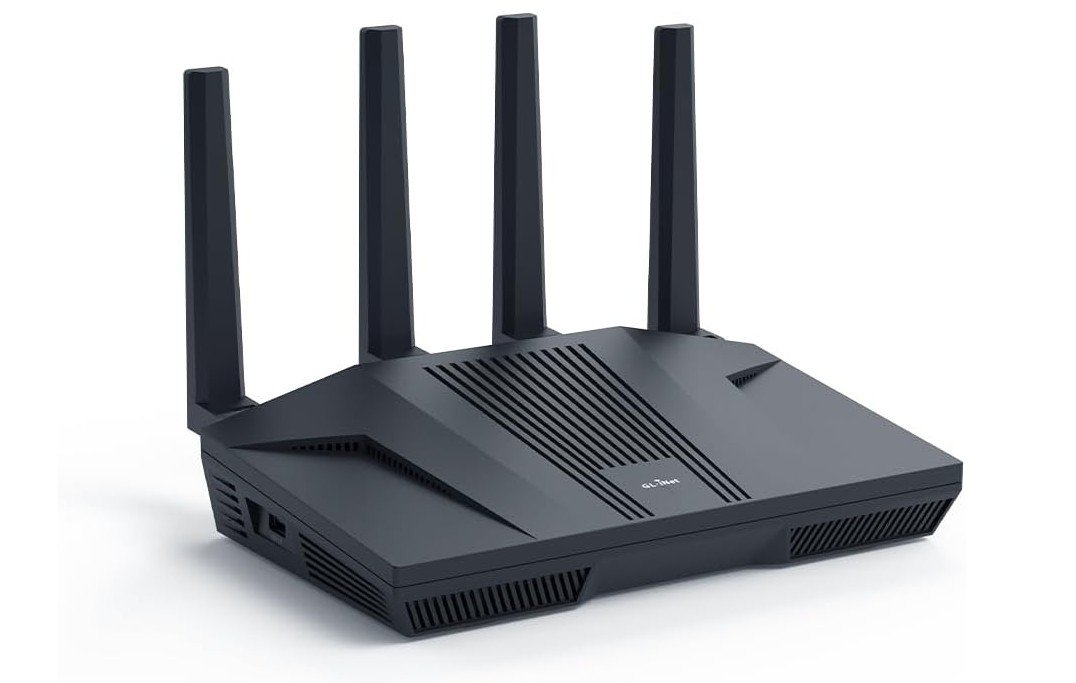
The GL.iNet Flint 2 is a powerful Wi-Fi 6 gaming router designed for users who want fast networking and advanced customization. Its dual 2.5Gbps Ethernet ports provide excellent wired performance for gaming PCs, consoles, and high-speed internet connections. Wi-Fi 6 delivers strong wireless speeds and handles multiple connected devices efficiently. One of its biggest advantages is its OpenWrt-based firmware, which provides extensive control over network settings, VPN configurations, and security features. Built-in support for WireGuard and OpenVPN makes it particularly appealing for privacy-focused users.
AdGuard Home adds useful network-level ad blocking. Overall, the Flint 2 is an excellent choice for gamers, power users, and advanced home networks.
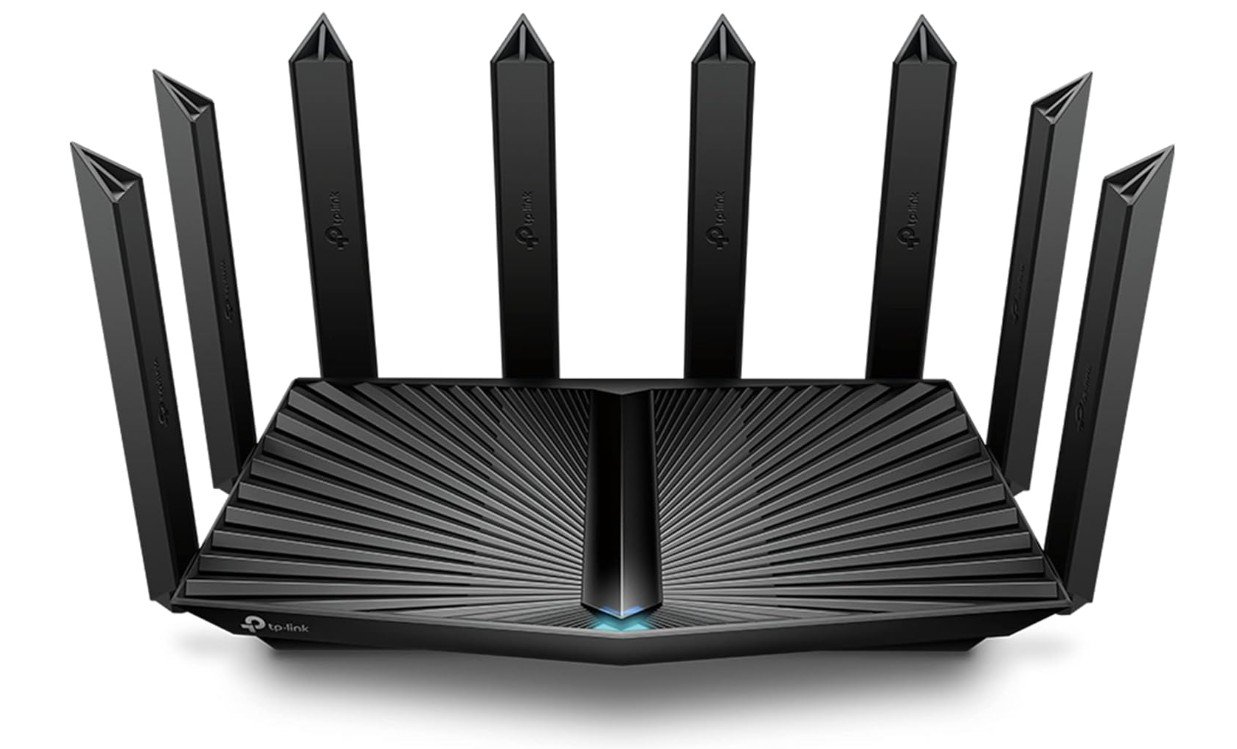
The TP-Link Archer AX80 is a powerful dual-band Wi-Fi 6 router designed for fast and reliable home networking. Its AX6000-class performance provides plenty of bandwidth for online gaming, 4K streaming, video calls, and multiple connected devices. The 2.5Gbps Ethernet port is particularly useful for high-speed internet connections and gaming systems, while OFDMA and MU-MIMO help manage busy networks efficiently. Beamforming improves wireless coverage and connection stability throughout the home. TP-Link HomeShield provides additional security and parental control features for connected devices.
Overall, the Archer AX80 is an excellent choice for households that need strong Wi-Fi performance, fast wired connectivity, and dependable performance for gaming and everyday use.
The ASUS RT-AX82U is a capable Wi-Fi 6 gaming router designed to deliver fast and stable performance for gaming, streaming, and everyday networking. Its AX5400 dual-band wireless speeds provide plenty of bandwidth for multiple connected devices, while Game Acceleration helps prioritize gaming traffic for smoother online gameplay. Mobile Game Mode is useful for gamers who play on smartphones and tablets. AiMesh support allows the router to work with compatible ASUS routers for expanded coverage. MU-MIMO, OFDMA, and beamforming help improve network efficiency and wireless stability.
Aura RGB lighting gives it a distinctive gaming appearance. Overall, the RT-AX82U is an excellent choice for gamers seeking strong performance and useful gaming features.
The NETGEAR Nighthawk RAX50 is an excellent Wi-Fi 6 gaming router that delivers fast AX5400 dual-band performance with low latency and strong coverage for competitive gaming, streaming, and heavy multi-device usage. Its powerful processor, OFDMA, MU-MIMO, and Beamforming technologies help maintain smooth gameplay and stable connections even when the network is busy. Coverage up to 2,500 sq. ft. makes it ideal for medium to large homes, while Gigabit Ethernet ports and USB 3.0 add flexibility for wired gaming setups and storage sharing.
Setup through the Nighthawk app is simple, and gaming performance is consistently reliable. Overall, the RAX50 offers excellent speed, strong range, and great value for gamers and streamers.
Buying Guide: Wi-Fi 6 Routers for Gaming
Choosing the right Wi-Fi 6 router for gaming is very important if you want smooth gameplay, low ping, and a stable internet connection. Online games are sensitive to lag, packet loss, and connection drops, so your router plays a big role in overall gaming performance. This detailed buying guide explains everything you need to know in simple English, so you can confidently choose the best Wi-Fi 6 router for your gaming setup.
What Is Wi-Fi 6 and Why It Matters for Gaming
Wi-Fi 6, also known as 802.11ax, is the latest widely adopted Wi-Fi standard. Compared to older Wi-Fi 5 routers, Wi-Fi 6 is designed to be faster, more efficient, and better at handling many connected devices at the same time. For gaming, this means lower latency, fewer lag spikes, and more stable connections, even when your home network is busy.
Wi-Fi 6 improves how data is shared between devices. Instead of sending data to one device at a time, it can communicate with multiple devices more efficiently. This is especially helpful in homes where people are gaming, streaming videos, using smart TVs, and browsing the internet all at once.
Wi-Fi 6 vs Wi-Fi 6E for Gaming
Wi-Fi 6E is an extension of Wi-Fi 6 that adds access to the 6 GHz band. This new band is much less crowded than the 2.4 GHz and 5 GHz bands. For gamers, this can mean faster speeds and lower interference, especially in apartments or crowded areas with many nearby Wi-Fi networks.
However, Wi-Fi 6E only helps if your gaming devices support the 6 GHz band. Many newer laptops and phones do, but some consoles and older PCs do not. If your devices do not support 6 GHz, a strong Wi-Fi 6 router is often a better value and still excellent for gaming.
Understanding Speed Ratings (AX3000, AX5400, AXE16000)
Router speed ratings like AX3000, AX5400, or AXE16000 show the combined maximum theoretical speed across all bands. These numbers look impressive, but they do not represent real-world gaming speeds. Games use very little bandwidth, usually under 10 Mbps, but they are very sensitive to latency and stability.
For gaming, higher speed ratings mainly help when multiple devices are active or when downloading large game updates. An AX3000 or AX5400 router is usually more than enough for gaming, while higher-end models are useful for large homes or very fast internet plans.
Latency and Ping: The Most Important Factors
For gaming, low latency is more important than high speed. Latency, often called ping, is how long it takes data to travel from your device to the game server and back. A good gaming router helps keep latency consistent and prevents sudden spikes.
Look for routers with gaming features such as Quality of Service (QoS), game acceleration, or device prioritization. These features allow you to tell the router that your gaming PC or console is the most important device on the network, so it gets priority over downloads, video streaming, or cloud backups.
Quality of Service (QoS) and Gaming Features
QoS is one of the most valuable features in a gaming router. It manages how bandwidth is shared between devices. With QoS enabled, your router can reduce lag during gaming sessions even if someone else is watching 4K videos or downloading files.
Some routers offer simple gaming modes that automatically prioritize gaming traffic. Others allow manual control, where you choose specific devices or applications to prioritize. Advanced users may prefer manual controls, while casual gamers may like automatic gaming modes.
Bands and Frequencies: 2.4 GHz, 5 GHz, and 6 GHz
Most Wi-Fi 6 routers are dual-band, offering 2.4 GHz and 5 GHz. The 2.4 GHz band has longer range but lower speed and more interference. The 5 GHz band is faster and better for gaming, but it has a shorter range.
Tri-band or Wi-Fi 6E routers add a 6 GHz band, which is ideal for gaming if your device supports it. For best results, gamers should use 5 GHz or 6 GHz whenever possible.
Wired vs Wireless Gaming
Even with the best Wi-Fi 6 router, a wired Ethernet connection is still the most stable option for gaming. If possible, connect your gaming PC or console directly to the router using an Ethernet cable. This gives you the lowest latency and eliminates wireless interference.
If you must use Wi-Fi, choose a router with strong antennas, modern Wi-Fi 6 features, and good range. Keep your gaming device as close to the router as possible for best performance.
Ethernet Ports and Multi-Gig Support
Most gaming routers come with Gigabit Ethernet ports, which are enough for most players. However, if you have very fast fiber internet or a high-end gaming PC, routers with 2.5G or 10G ports offer extra future-proofing.
A dedicated gaming port can also be useful. Some routers allow one Ethernet port to be prioritized automatically for gaming, which simplifies setup and improves reliability.
Processor and RAM: Why Router Hardware Matters
The internal hardware of a router affects how well it handles heavy loads. Routers with stronger processors and more RAM can manage multiple devices, QoS, VPNs, and security features without slowing down.
For gaming households with many connected devices, a router with a quad-core processor is recommended. Budget routers with weaker CPUs may struggle under load, leading to lag spikes during gaming.
Coverage and Home Size
Router range is important, especially if your gaming setup is far from the router. Small apartments usually need only a single router, while larger homes may require stronger antennas or mesh support.
If your home has multiple floors or thick walls, consider a router that supports mesh systems. Mesh allows you to add extra nodes for better coverage without sacrificing stability.
Mesh Systems for Gaming
Mesh Wi-Fi systems are useful for large homes where a single router cannot cover every room. Modern Wi-Fi 6 mesh systems can provide stable connections for gaming, especially when nodes are placed correctly.
For best gaming performance with mesh, connect your gaming device to the nearest mesh node using Ethernet if possible. This reduces wireless hops and keeps latency low.
Security Features and Firmware Updates
A good gaming router should include modern security features such as WPA3 encryption, firewall protection, and regular firmware updates. Security helps protect your network from attacks that could slow down your connection or cause instability.
Some routers include free or paid security services that block malicious websites and monitor network threats. While not required for gaming, these features add extra peace of mind.
VPN Support and Gaming
Some gamers use VPNs for privacy or to access different regions. If you plan to use a VPN on your router, make sure it has enough processing power to handle encrypted traffic without slowing down your connection.
Keep in mind that VPNs can increase latency, so they are not always ideal for competitive gaming. A router with hardware-accelerated VPN support helps reduce this impact.
Ease of Setup and Software
A user-friendly app or web interface makes setup much easier. Look for routers with simple setup processes, clear menus, and useful monitoring tools. Being able to see connected devices, bandwidth usage, and ping times helps you manage your network better.
Gamers who like customization should look for advanced settings, while beginners may prefer routers with automatic gaming modes.
Budget Considerations
Budget Wi-Fi 6 routers are suitable for casual gaming and small homes. They offer good performance but fewer advanced features.
Mid-range routers provide better hardware, stronger coverage, and advanced QoS, making them ideal for serious gamers.
High-end routers are designed for large homes, multi-gig internet, and heavy usage. They are expensive but offer the best performance and future-proofing.
Final Tips Before Buying
Always match the router to your internet plan, home size, and gaming habits. A powerful router cannot fix slow internet, but it can make your connection more stable and responsive. Read real-world reviews, check compatibility with your devices, and prioritize low latency over marketing speed numbers.
FAQs
A Wi-Fi 6 router uses the newest wireless technology (802.11ax) that delivers faster speeds, better capacity, and improved stability compared to older Wi-Fi standards. For gaming, this means lower lag, fewer connection drops, and smoother online play — especially in homes with many connected devices.
Wired connections (Ethernet) are still the most stable and lowest-latency way to game. A Wi-Fi 6 router will help your wireless experience, but for the best gaming performance, plug your PC or console into the router with an Ethernet cable whenever possible.
Wi-Fi 6E is an upgrade to Wi-Fi 6 that adds the 6 GHz band. This extra band often has less interference and can give faster speeds in crowded environments. It is helpful if your devices support 6 GHz, but if your gaming devices do not support it yet, a regular Wi-Fi 6 router is still very effective.
These ratings show theoretical maximum speeds across all bands. Gaming itself doesn’t need huge bandwidth — it needs stable connections and low lag. Higher ratings help with multiple devices and downloads, but don’t always mean better gaming performance by themselves.
Yes. Wi-Fi 6 handles many devices better than older standards. This means if multiple people are gaming, streaming, and browsing in your home, a Wi-Fi 6 router can keep everyone connected smoothly.
Conclusion
A Wi-Fi 6 router is a smart upgrade for gamers who want smoother gameplay, lower lag, and better performance in busy home networks. By focusing on latency, QoS, coverage, and hardware quality, you can choose a router that fits your needs and budget. Whether you play casually or competitively, the right Wi-Fi 6 router can greatly improve your gaming experience and keep your connection fast, stable, and reliable.