
Last Updated on September 14, 2026 by Jawad
Introduction
Tri-band WiFi routers are an excellent choice for busy homes with numerous connected devices, demanding online activities, and multiple users sharing the same network. Unlike dual-band routers, tri-band models typically use one 2.4GHz band and two 5GHz bands, helping distribute devices more efficiently and reduce network congestion. This can be particularly beneficial for gaming, 4K and 8K streaming, video conferencing, smart home devices, and large file transfers.
A tri-band router can also provide smoother performance when several devices are active simultaneously. Many modern models include useful features such as MU-MIMO, beamforming, Quality of Service (QoS), OFDMA, advanced security, and mesh compatibility. When choosing a tri-band WiFi router, consider its wireless speed, coverage area, Ethernet ports, processor performance, security features, and compatibility with your internet plan. A well-chosen tri-band router can provide faster, more stable, and more consistent connectivity throughout your home.
How We Choose Products
- We evaluate products based on the factors that matter most to shoppers, including specifications, features, design, materials, performance, functionality, ease of use, intended use, durability, and overall value.
- Our recommendations are based on information available from manufacturers, retailers, product listings, customer feedback, and other publicly available sources, combined with our own independent editorial analysis.
- We aim to provide accurate, useful, and easy-to-understand product information. We distinguish manufacturer or retailer claims from our own assessment and avoid presenting marketing claims as independently verified facts.
- We do not claim to have personally tested a product unless we have hands-on experience with it. When we have not personally tested a product, our evaluation is based on available product information and careful editorial research.
- Our goal is to help readers compare their options and make more informed purchasing decisions based on their needs, preferences, and budget.
Top Tri-Band WiFi Routers


Comparison
| Router | Image | Rating | Wi-Fi Standard | Bands | Max Speed | Key Features | Best For | Buy |
|---|---|---|---|---|---|---|---|---|
|
TP-Link Archer BE770 BE18000 🏆 Best Overall 🔥 Top Pick |
 | ★★★★★ | Wi-Fi 7 | Tri-Band | Up to 18Gbps | MLO, 320MHz, 4K-QAM, EasyMesh, HomeShield | Gaming, 4K/8K Streaming & Large Homes | Check Price |
|
TP-Link Archer AXE75 AXE5400 💰 Best Value |
 | ★★★★☆ | Wi-Fi 6E | Tri-Band | Up to 5.4Gbps | 6GHz Band, 160MHz, OneMesh, VPN, WPA3 | Gaming, Streaming & Large Households | Check Price |
| GL.iNet Flint 3 GL-BE9300 |
 | ★★★★★ | Wi-Fi 7 | Tri-Band | Up to 9.3Gbps | 5× 2.5GbE, VPN, Dual-WAN, AdGuard Home, EasyMesh | Power Users, Gaming & Advanced Networking | Check Price |
| MSI RadiX AXE6600 |
 | ★★★★☆ | Wi-Fi 6E | Tri-Band | Up to 6.6Gbps | AI QoS, Game Accelerator, MU-MIMO, OFDMA, 2.5GbE | Gaming & Streaming | Check Price |
| NETGEAR Nighthawk RS300 |
 | ★★★★☆ | Wi-Fi 7 | Tri-Band | Up to 9.3Gbps | 320MHz, 4K-QAM, Beamforming, WPA3, VPN | Gaming, Streaming & Multi-Gig Internet | Check Price |
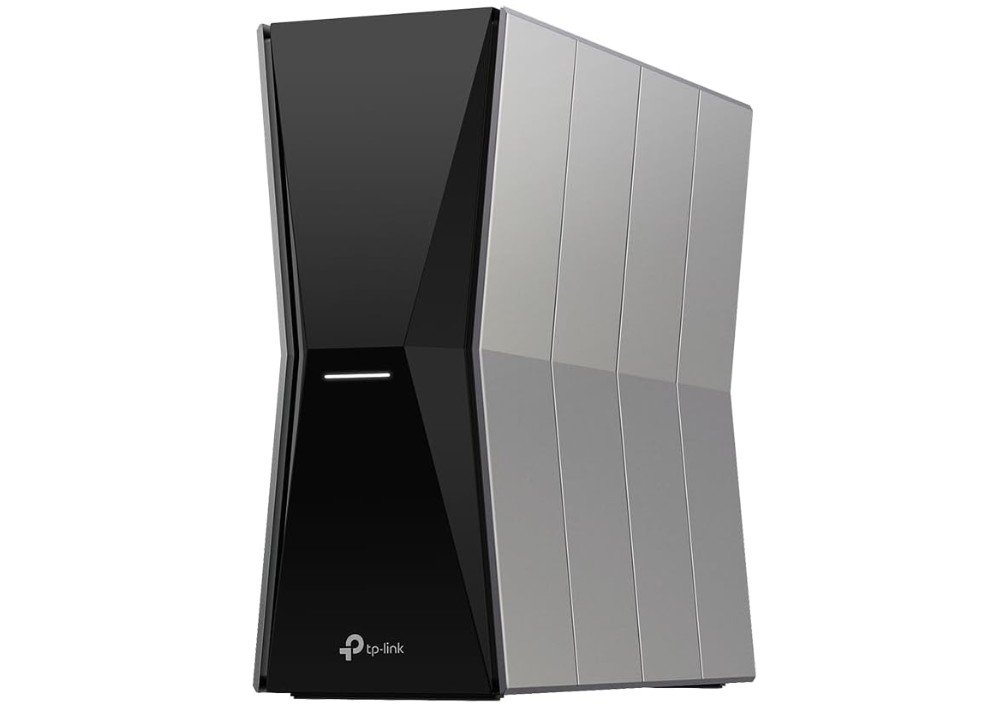
The TP-Link Archer BE770 is a powerful tri-band Wi-Fi 7 router designed for homes with demanding connectivity needs. Its BE18000 class provides excellent combined wireless speeds, while the dedicated 6GHz band helps reduce congestion on busy networks. Support for 320MHz channels, Multi-Link Operation, and 4K-QAM enables compatible devices to achieve faster and more responsive wireless performance. The router also offers multi-gigabit Ethernet, making it a strong choice for high-speed internet plans.
Features such as EasyMesh and HomeShield add flexibility and security for larger households. Overall, the Archer BE770 is an excellent option for gaming, 4K/8K streaming, smart homes, and heavy multi-device usage.
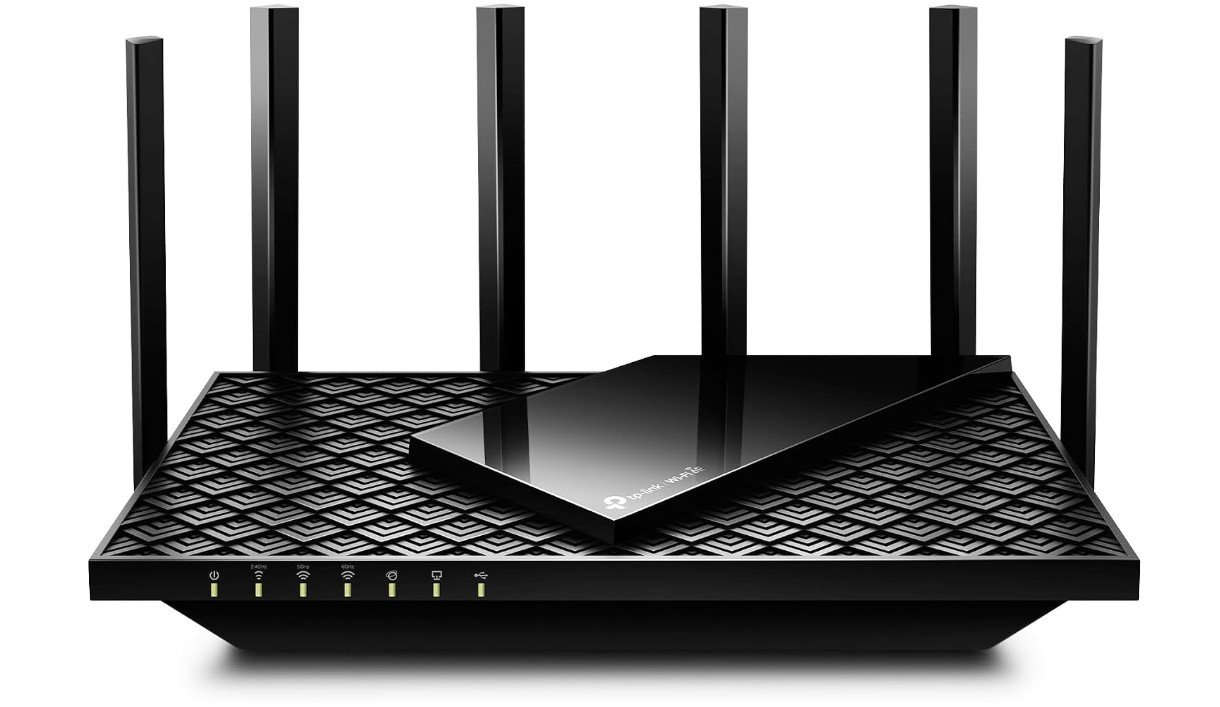
The TP-Link Archer AXE75 is a strong tri-band Wi-Fi 6E router for homes that need fast and reliable wireless performance. Its dedicated 6GHz band helps reduce congestion and provides cleaner connections for compatible devices. With combined speeds up to 5.4Gbps, the router is well suited for 4K streaming, online gaming, video calls, and multiple connected devices. Its 160MHz channels can deliver faster wireless performance when supported by compatible hardware. The 2.5Gbps port is useful for high-speed internet connections and local networking.
Features such as OneMesh, HomeShield security, VPN support, and WPA3 add flexibility and protection. Overall, it is a great choice for modern homes and demanding everyday use.
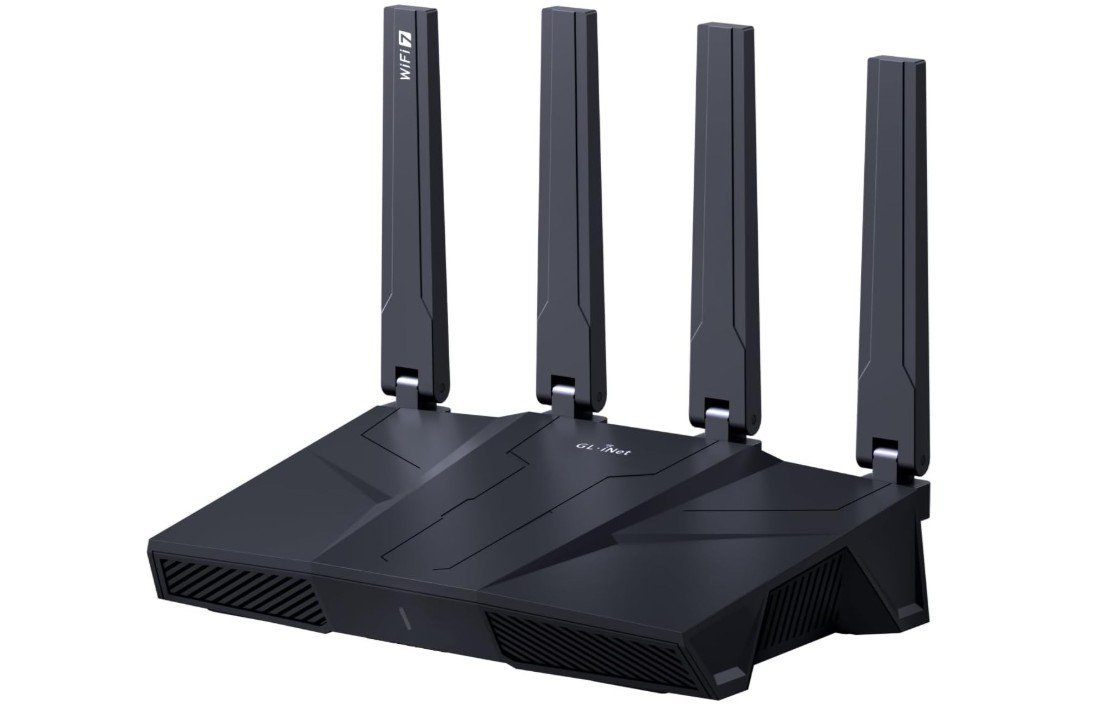
The GL.iNet Flint 3 (GL-BE9300) is a powerful tri-band Wi-Fi 7 router for users who want fast wireless performance and advanced networking controls. Its BE9300-class speeds and dedicated 6GHz band make it well suited for gaming, 4K streaming, video calls, and multiple connected devices. The five 2.5Gbps Ethernet ports are particularly useful for high-speed wired networking and multi-gig internet connections. It also offers advanced VPN features, AdGuard Home, dual-WAN support, and EasyMesh compatibility, giving experienced users plenty of customization options.
With 1GB RAM and 8GB eMMC storage, it can handle demanding networking tasks. Overall, it is an excellent choice for power users and modern home networks.
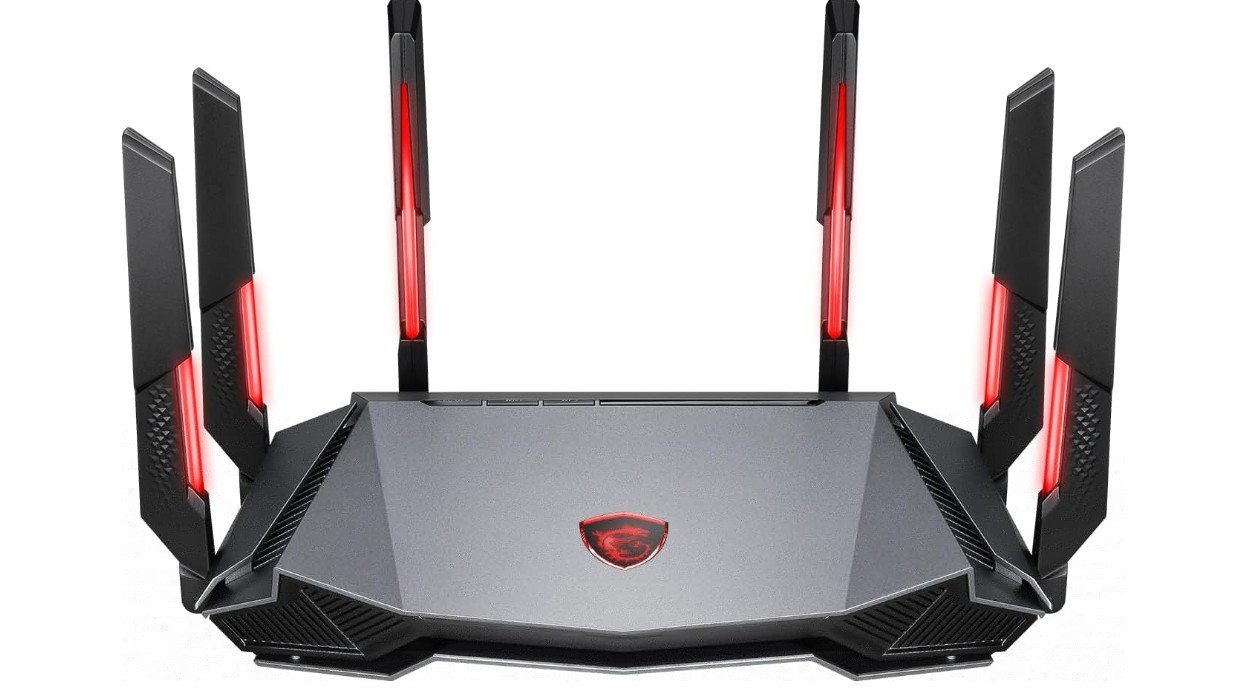
The MSI RadiX AXE6600 is a strong tri-band Wi-Fi 6E router designed with gamers and multi-device households in mind. Its AXE6600-class performance and dedicated 6GHz band provide fast, responsive connections for gaming, streaming, video calls, and other demanding activities. The 2.5Gbps WAN/LAN port is useful for high-speed internet plans, while MSI Game Accelerator and AI QoS help prioritize gaming traffic. A quad-core processor provides solid networking performance, and the additional Gigabit Ethernet ports are useful for wired devices.
With WPA3 security, MU-MIMO, OFDMA, and beamforming, it offers a well-rounded feature set. Overall, the RadiX AXE6600 is a capable choice for gaming-focused home networks.
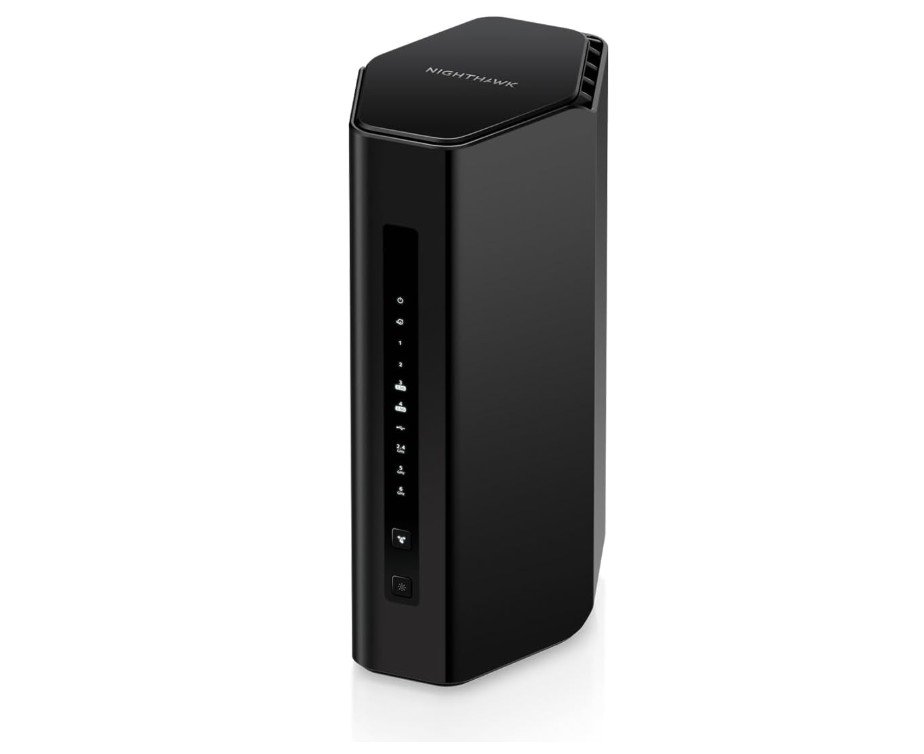
The NETGEAR Nighthawk RS300 is a capable tri-band Wi-Fi 7 router for modern homes with multiple connected devices. Its BE9300-class performance provides fast wireless speeds across the 2.4GHz, 5GHz, and 6GHz bands, making it well suited for gaming, 4K streaming, video calls, and large downloads. Support for 320MHz channels and 4K-QAM can improve performance with compatible Wi-Fi 7 devices. The router also includes multiple 2.5Gbps Ethernet ports for fast wired connections.
With coverage for up to 2,500 square feet and support for up to 100 devices, it is suitable for many households. Overall, the RS300 offers excellent Wi-Fi 7 performance and useful connectivity for everyday and demanding networking.
Tri-Band WiFi Routers Buying Guide
Choosing the right tri-band WiFi router can make a noticeable difference in network speed, stability, and performance, especially in busy homes with many connected devices. Tri-band routers typically use one 2.4GHz band and two additional higher-frequency bands, such as 5GHz and 6GHz, allowing devices to spread across the network and reducing congestion.
WiFi Standard
Start by choosing the WiFi generation that fits your needs. WiFi 6 offers excellent performance for most homes, while WiFi 6E adds access to the 6GHz band. WiFi 7 is the newest option and introduces technologies such as Multi-Link Operation, wider 320MHz channels, and improved efficiency with compatible devices.
Speed
Router speed ratings can look impressive, but the advertised number represents combined theoretical throughput across all bands. Consider your internet plan and the capabilities of your devices rather than choosing a router based only on the largest speed number.
For gaming, streaming, and multi-device households, a higher-class router can provide more capacity and better overall performance.
6GHz Band
A 6GHz band is particularly useful when you have newer WiFi 6E or WiFi 7 devices. It offers additional spectrum and can reduce congestion compared with heavily used 2.4GHz and 5GHz networks.
However, 6GHz signals generally have shorter range and can be more affected by walls. For larger homes, router placement or a mesh system may be necessary.
Coverage
Check the manufacturer’s stated coverage, but treat it as an estimate rather than a guarantee. Building materials, floor plans, interference, and router placement all affect real-world coverage.
Homes with concrete or brick walls may require multiple access points or a mesh WiFi system for consistent coverage.
Ethernet Ports
Wired connections are important for gaming PCs, desktop computers, smart TVs, NAS devices, and other high-bandwidth equipment. Look for at least one multi-gigabit Ethernet port if you have a high-speed internet plan.
A 2.5Gbps port is useful for many modern setups, while 10Gbps Ethernet can be valuable for very fast internet plans and high-speed local networking.
Processor and Memory
A router with a capable processor and sufficient memory can handle multiple devices, security features, VPN connections, and demanding traffic more effectively. This becomes increasingly important in large households with dozens of connected devices.
Gaming Features
Gamers should look for features such as Quality of Service (QoS), gaming traffic prioritization, low-latency optimization, and dedicated gaming modes. These features can help prioritize important traffic when multiple devices are using the network.
However, a gaming-focused router does not automatically guarantee lower ping. Your internet connection, ISP routing, server distance, and network congestion also affect latency.
Streaming and Multiple Devices
For homes with several people streaming, gaming, attending video meetings, and using smart devices simultaneously, tri-band routers provide additional wireless capacity compared with many dual-band models.
A tri-band router is especially useful when many devices need high-speed connections at the same time.
Security Features
Look for modern security features such as WPA3 encryption, automatic firmware updates, guest networks, parental controls, and network monitoring. Some routers include subscription-based security services, while others provide more features without requiring recurring payments.
Mesh Compatibility
Mesh compatibility can be valuable when a single router cannot provide reliable coverage throughout your home. Some routers support proprietary mesh technologies that allow compatible nodes to create one expandable network.
Consider a mesh-capable router when you live in a large house, have multiple floors, or experience dead zones.
VPN Support
Built-in VPN support can be useful for remote work, privacy, and accessing a secure connection. Advanced users may also want VPN client and server capabilities, WireGuard support, or more configurable networking options.
USB Ports
USB ports can be useful for connecting external storage or printers, depending on the router’s software features. Some advanced routers allow network file sharing through connected USB storage.
Router Placement
Even the best tri-band router will struggle if placed in a poor location. Position it in a central, elevated, and relatively open area rather than inside a cabinet or behind large objects.
For homes with thick walls, placing the router closer to the center of the living space can improve overall coverage.
WiFi 6E vs. WiFi 7
WiFi 6E is still a capable choice and can provide excellent performance with compatible 6GHz devices. WiFi 7 is preferable for buyers who want the newest wireless technology and plan to keep their router for several years.
WiFi 7 is most beneficial when your phones, laptops, gaming PCs, and other devices also support WiFi 7 features.
How Much Should You Spend?
Budget tri-band routers can provide excellent performance for everyday browsing, streaming, and gaming. Mid-range models are better suited to larger homes and multiple users, while premium routers are designed for multi-gigabit internet, large device counts, advanced networking, and high-performance gaming.
You should match the router to your actual internet speed and household requirements rather than paying for features you will not use.
FAQs About Tri-Band WiFi Routers
A tri-band WiFi router uses three wireless frequency bands, commonly 2.4GHz, 5GHz, and another 5GHz or 6GHz band. This provides more wireless capacity and can reduce congestion when many devices are connected.
Tri-band WiFi can provide better performance in busy households because devices can be distributed across three bands. It is particularly useful for gaming, streaming, video calls, and homes with many connected devices.
A tri-band router can help reduce wireless congestion and provide more capacity for gaming devices. However, actual gaming latency also depends on your internet connection, ISP routing, and the game server.
The 6GHz band provides additional spectrum and can offer faster, less congested connections with compatible devices. However, it generally has shorter range and may perform less effectively through walls than lower-frequency bands.
Yes, tri-band routers can work well in larger homes, but coverage depends on the building layout and materials. A mesh system may be a better option when one router cannot provide reliable coverage throughout the entire house.
Tri-band routers can help with network capacity, but additional bands do not automatically overcome thick walls. For homes with concrete or brick walls, proper router placement or a mesh WiFi system may provide better coverage.
Final Buying Advice
For most modern households, a tri-band WiFi 6E or WiFi 7 router with a 2.5Gbps Ethernet port is a strong long-term choice. Look for enough coverage, reliable security, sufficient wired ports, and support for the devices you already own.
For gaming and streaming, prioritize capacity, low-latency features, and wired Ethernet. For large homes or homes with thick walls, consider a mesh-compatible system or multiple access points. The best tri-band router is ultimately the one that matches your internet plan, home layout, connected devices, and future networking needs.