
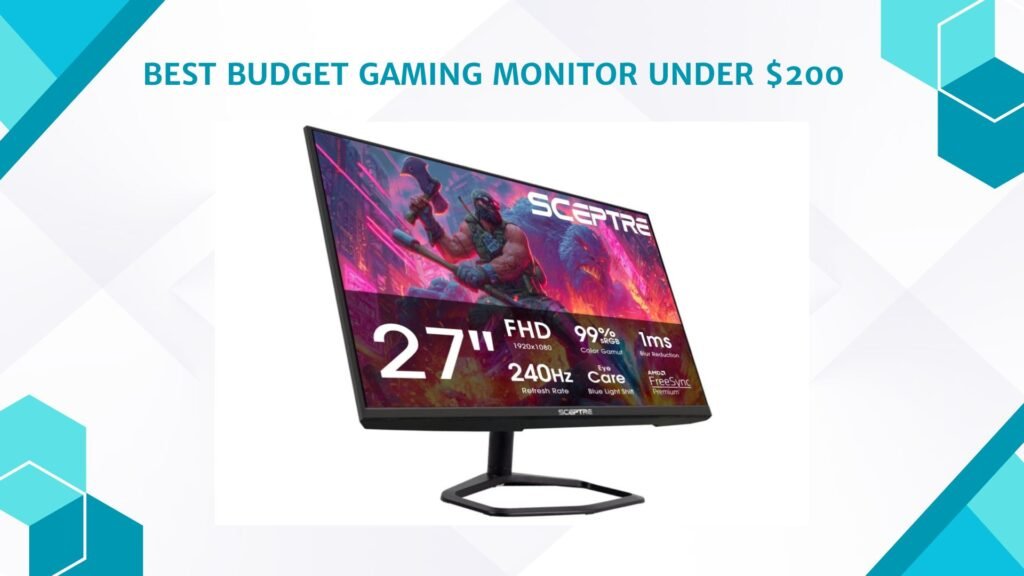
Last Updated on September 14, 2026 by Jawad
Introduction
A budget gaming monitor under $200 offers an excellent balance of affordability, smooth performance, and modern gaming features for casual and competitive gamers. Many monitors in this price range include Full HD or QHD resolution, fast refresh rates like 144Hz, and low response times for fluid gameplay and reduced motion blur. Features such as AMD FreeSync or NVIDIA G-SYNC compatibility help minimize screen tearing and stuttering during intense gaming sessions. These affordable monitors are ideal for PC and console gamers who want responsive performance without overspending.
With improving display technology, budget gaming monitors under $200 now deliver impressive visuals, reliable performance, and strong overall value for everyday gaming setups.
We also have a recommendation for the Best Cheap Gaming Monitor Under $100, so make sure to check that out too!
How We Choose Products
- We evaluate products based on the factors that matter most to shoppers, including specifications, features, design, materials, performance, functionality, ease of use, intended use, durability, and overall value.
- Our recommendations are based on information available from manufacturers, retailers, product listings, customer feedback, and other publicly available sources, combined with our own independent editorial analysis.
- We aim to provide accurate, useful, and easy-to-understand product information. We distinguish manufacturer or retailer claims from our own assessment and avoid presenting marketing claims as independently verified facts.
- We do not claim to have personally tested a product unless we have hands-on experience with it. When we have not personally tested a product, our evaluation is based on available product information and careful editorial research.
- Our goal is to help readers compare their options and make more informed purchasing decisions based on their needs, preferences, and budget.
Top Gaming Monitor Under $200



Comparsion
| Product | Image | Rating | Resolution | Refresh Rate | Panel | Response Time | Special | Buy |
|---|---|---|---|---|---|---|---|---|
|
Acer Nitro 27″ WQHD Gaming Monitor 🏆 Best Overall | 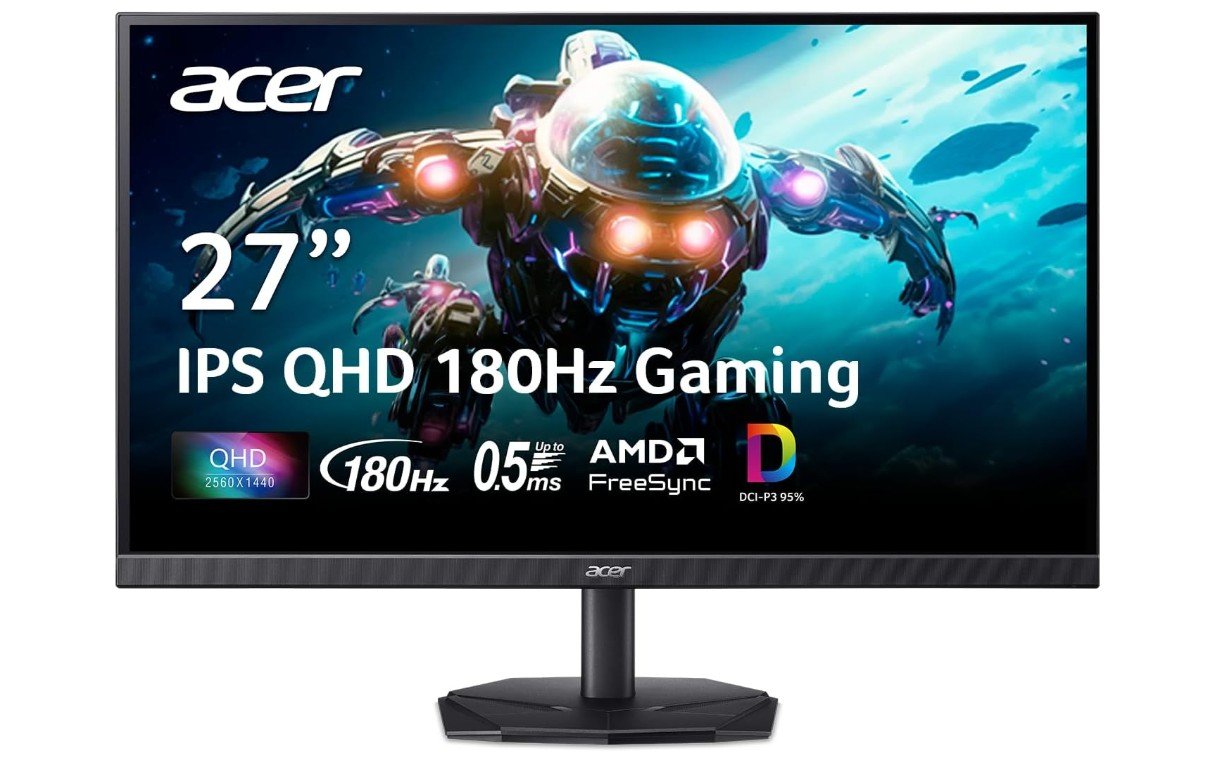 | ★★★★★ | 2560×1440 (QHD) | Up to 180Hz | IPS | 0.5ms | FreeSync, HDR10 | Check Price |
|
KOORUI 27″ QHD Gaming Monitor ⭐ Best Value | 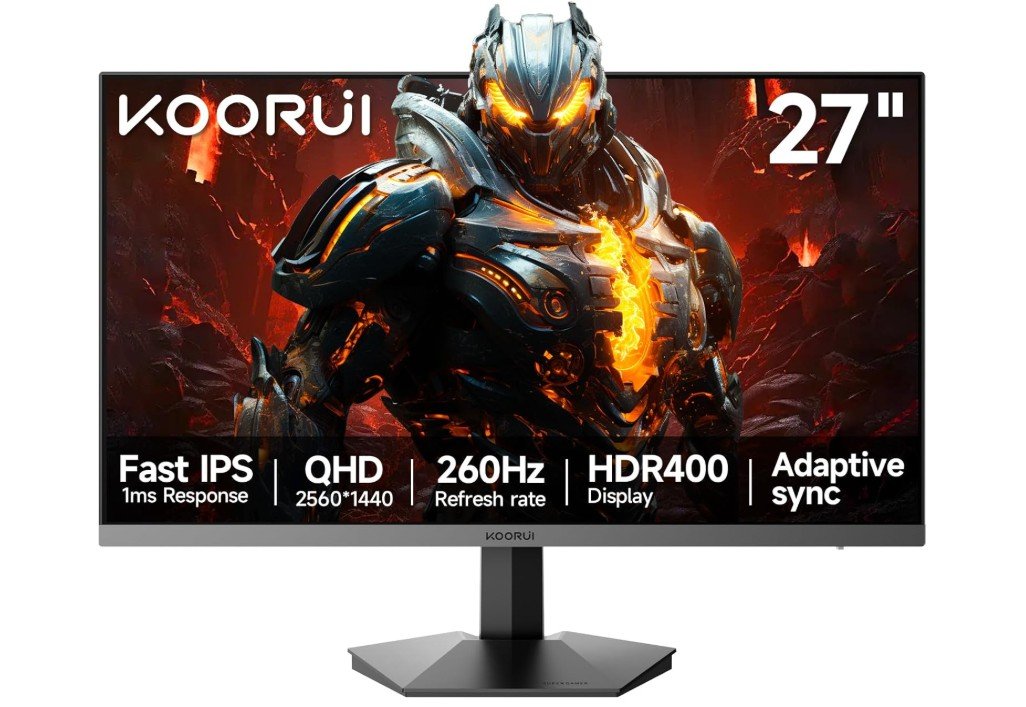 | ★★★★★ | 2560×1440 (QHD) | 240Hz / 260Hz OC | Fast IPS | 1ms | HDR400, Adaptive Sync | Check Price |
|
Sceptre 27″ Curved Gaming Monitor 💰 Best Budget | 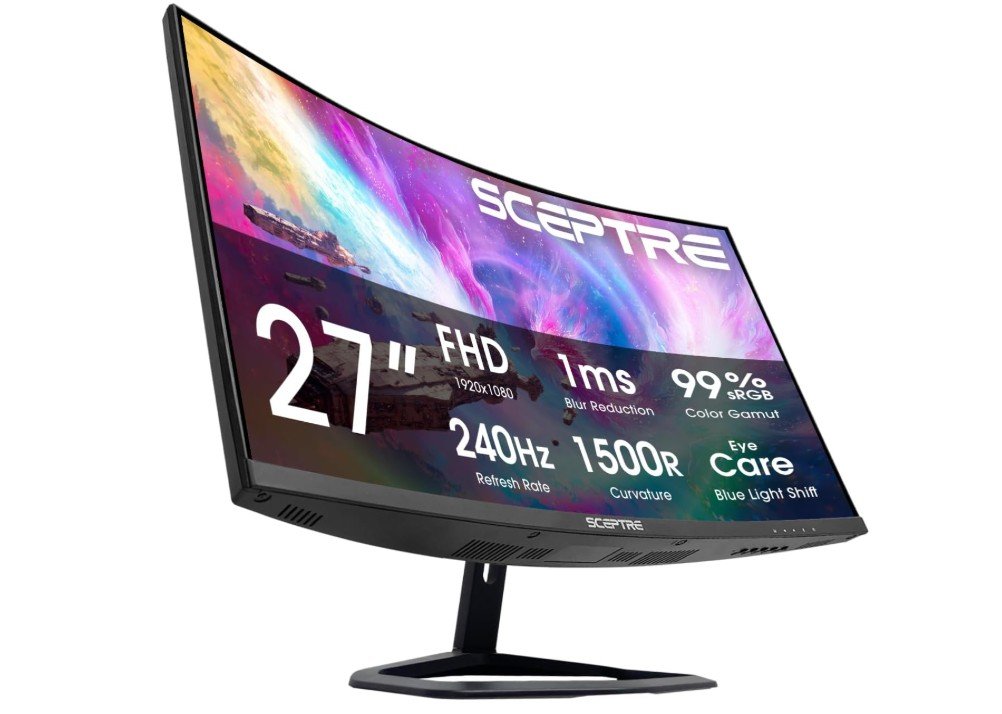 | ★★★★☆ | 1920×1080 (FHD) | 240Hz | VA | 1ms | 1500R Curved, FreeSync | Check Price |
| AOC Q27G41ZE Gaming Monitor | 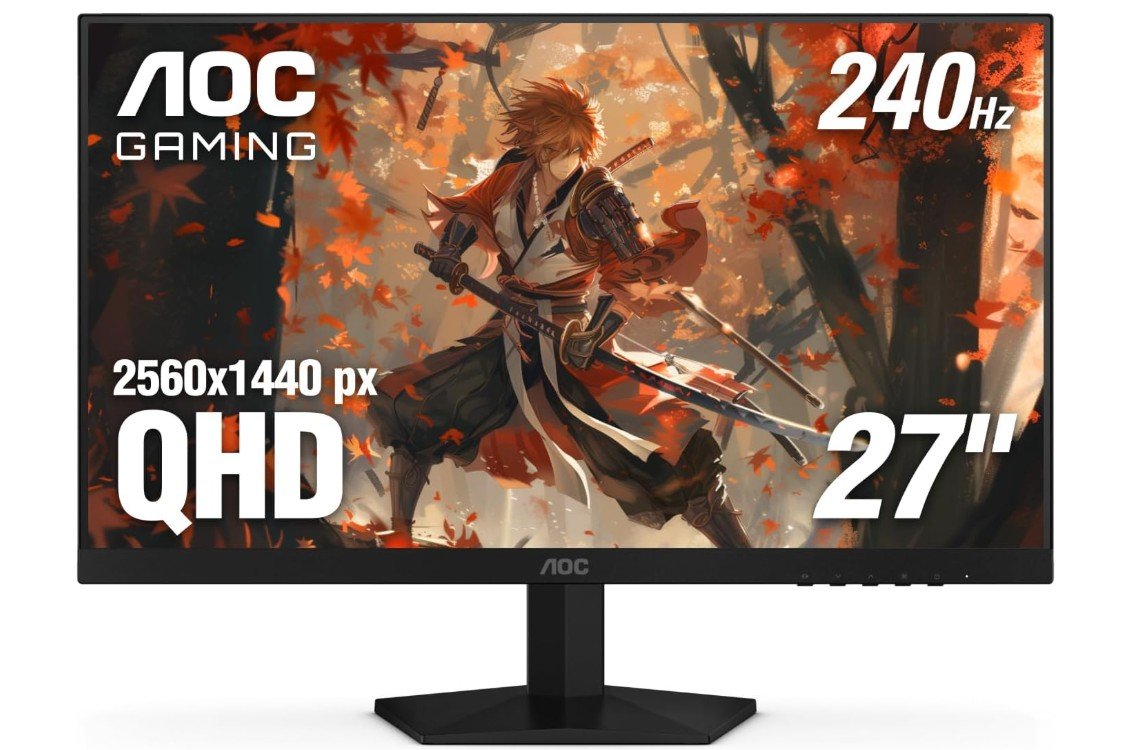 | ★★★★★ | 2560×1440 (QHD) | 240Hz / 260Hz OC | IPS | 0.3ms | HDR, G-SYNC Compatible | Check Price |
| KTC H27T22C-3 Gaming Monitor | 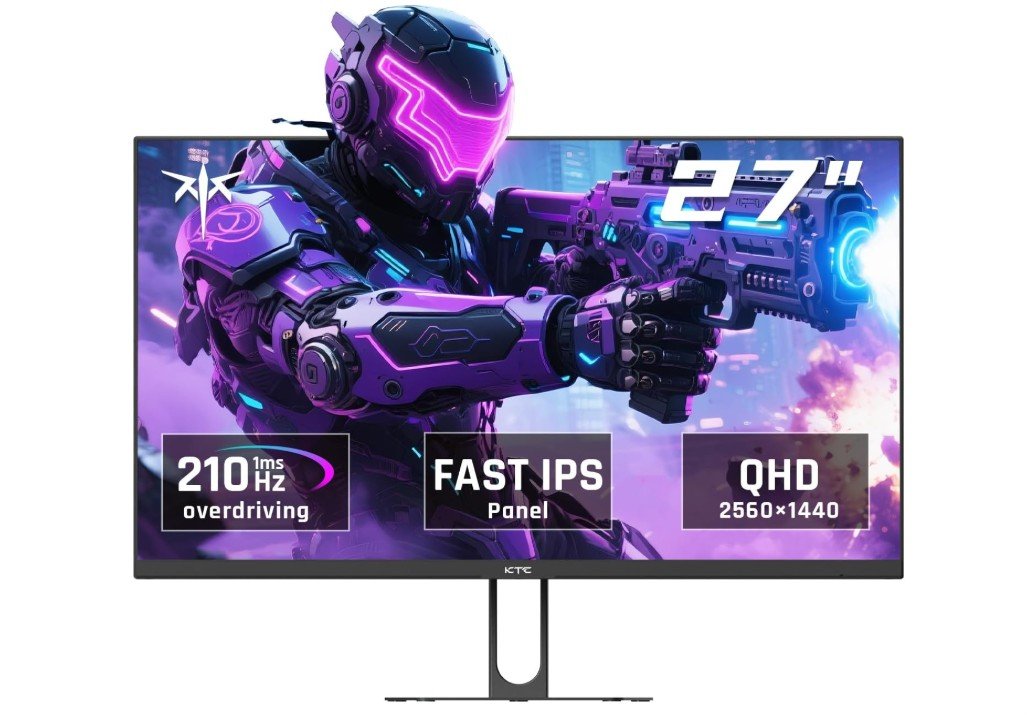 | ★★★★☆ | 2560×1440 (QHD) | 200Hz / 220Hz OC | Fast IPS | 1ms | HDR400, Built-in Speakers | Check Price |
The Acer Nitro KG271U N3bmiipx is an excellent mid-range gaming monitor that delivers a smooth and responsive 1440p gaming experience. Its 27-inch IPS panel offers sharp visuals, vibrant colors with 95% DCI-P3 coverage, and wide viewing angles. The 180Hz refresh rate combined with a 0.5ms response time minimizes motion blur, making it ideal for competitive gaming. AMD FreeSync support reduces screen tearing for smoother gameplay, while HDR10 enhances contrast in supported content. Multiple HDMI and DisplayPort inputs provide flexible connectivity.
Overall, it’s a great value for gamers seeking high refresh rates, accurate colors, and solid overall performance without overspending.
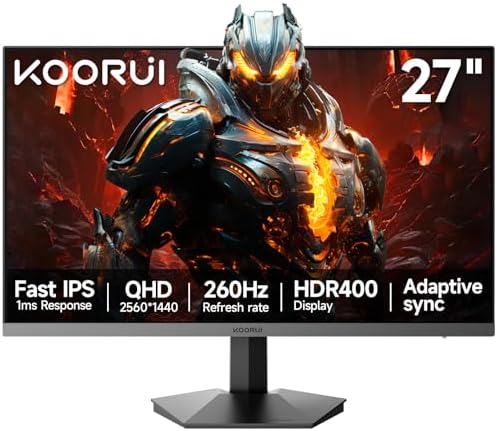
The KOORUI G2721X is an excellent budget-friendly 27-inch 1440p gaming monitor designed for gamers who want ultra-smooth performance without spending premium money. Its Fast IPS panel delivers sharp QHD visuals, vibrant colors, and wide viewing angles, while the 240Hz to 260Hz refresh rate provides incredibly fluid gameplay for competitive titles like Valorant, CS2, and Apex Legends.
The 1ms response time and Adaptive Sync support help reduce motion blur and screen tearing for a smoother experience. HDR400 and 120% sRGB coverage add more vibrant colors, though HDR performance is fairly basic.
Overall, it offers impressive speed, responsiveness, and value for competitive gamers on a budget.
Sceptre New 27 inch 240Hz Gaming Monitor
The Sceptre C275B-FWT240 is an excellent budget gaming monitor for players who prioritize speed over resolution. Its 240Hz refresh rate and 1ms response time deliver exceptionally smooth gameplay, making it ideal for fast-paced FPS and esports titles. The 1500R curved display enhances immersion, while AMD FreeSync helps eliminate screen tearing for a more fluid experience. Built-in speakers add convenience, and multiple HDMI ports plus DisplayPort provide flexible connectivity. Although the 1080p resolution isn’t as sharp as QHD alternatives, it helps maintain high frame rates.
Overall, this monitor offers outstanding value for competitive gamers seeking high refresh performance on a budget.
The AOC Q27G41ZE is an impressive 27-inch QHD gaming monitor that delivers excellent speed and value for competitive gamers. Its Fast IPS panel produces sharp 2560×1440 visuals, vibrant colors, and wide viewing angles, while the 240Hz refresh rate with optional 260Hz overclocking provides incredibly smooth gameplay.
The ultra-fast 0.3ms response time helps reduce motion blur for fast-paced esports titles like Valorant and CS2. G-SYNC compatibility and Adaptive Sync support help eliminate screen tearing for a smoother experience. HDR support adds better brightness and color depth, although HDR performance is fairly basic.
Overall, it offers fantastic gaming performance, responsiveness, and value for gamers wanting high refresh rate 1440p gaming.
The KTC H27T22C-3 is a fantastic 27-inch QHD gaming monitor that delivers impressive performance and value for gamers who want smooth gameplay and vibrant visuals. Its Fast IPS panel provides sharp 2560×1440 resolution, excellent color reproduction, and wide viewing angles, making games look detailed and lively. The 200Hz refresh rate, overclockable to 210Hz, combined with a fast 1ms response time ensures fluid motion and responsive gameplay in competitive titles.
HDR400 support and Adaptive Sync help improve visual quality and reduce screen tearing for a smoother experience. Built-in speakers and VESA compatibility add convenience, while the overall balance of speed, image quality, and affordability makes it an excellent gaming monitor choice.
Buying Guide: Best Budget Gaming Monitor Under $200
Finding the best budget gaming monitor under $200 can feel challenging because you want good performance without paying too much. Gaming monitors are different from normal computer monitors. They are designed to handle fast action, smooth movement, and vibrant visuals. Even with a tight budget, you can get a monitor that improves your gaming experience. This guide will help you understand what to look for and make the best choice.
Resolution and Screen Size
Resolution determines how sharp the image looks. Most budget gaming monitors under $200 come in Full HD (1920×1080), which is enough for most gamers. Full HD gives clear text, sharp images, and good detail for gaming. Some monitors may offer QHD or 2K (2560×1440) resolution even under $200, but these are rare. A 27-inch screen is common and gives a good balance between size and sharpness. Smaller screens like 24-inch monitors are fine for competitive gaming because they make it easier to see the entire screen without moving your head. Larger screens may give a more immersive experience but require more powerful hardware to run games smoothly.
Refresh Rate
Refresh rate is how many times the screen updates per second, measured in hertz (Hz). Higher refresh rates make motion look smoother. For budget gaming monitors, you usually find 60Hz, 75Hz, 120Hz, 144Hz, or even 165Hz. Competitive gamers prefer at least 120Hz or 144Hz because it makes fast games like shooters and racing titles smoother. A higher refresh rate also reduces motion blur. Some monitors advertise higher rates like 200Hz, but achieving this requires a powerful graphics card.
Response Time
Response time is how quickly a pixel changes from one color to another, measured in milliseconds (ms). Lower response times reduce ghosting and blurring in fast games. Most budget monitors have 1ms to 5ms response time. A 1ms or 2ms monitor is ideal for competitive gaming. Slower monitors may be okay for casual or story-based games, but fast shooters will feel less smooth.
Panel Type
The type of panel affects color, viewing angles, and speed. TN (Twisted Nematic) panels are fast and cheap, often with very low response times, but colors are weaker, and viewing angles are limited. IPS (In-Plane Switching) panels are slightly slower but offer better color accuracy and wider viewing angles, making them good for games with rich graphics and videos. VA (Vertical Alignment) panels have high contrast, better black levels, and decent colors, but response times can be slower. For under $200, TN and IPS are the most common choices, with IPS being more popular for a balanced experience.
Adaptive Sync Technology
Adaptive Sync helps reduce screen tearing and stuttering by syncing the monitor’s refresh rate with the graphics card’s frame rate. AMD FreeSync is common and works with most AMD GPUs. Some FreeSync monitors also support NVIDIA G-Sync, which makes them compatible with NVIDIA graphics cards. Even on a budget, getting a monitor with Adaptive Sync improves gameplay by making motion smoother and avoiding visual tearing.
Ports and Connectivity
Most gaming monitors under $200 come with HDMI and DisplayPort connections. HDMI is common for PCs, laptops, and consoles, while DisplayPort allows higher refresh rates and better performance on gaming PCs. Some monitors also include USB ports or audio output. Check your hardware to ensure compatibility. If you plan to connect multiple devices, make sure the monitor has enough ports.
HDR and Color Accuracy
High Dynamic Range (HDR) improves brightness and color range, making games look more realistic. Budget monitors may support basic HDR, like HDR400, which gives some improvement but not the full HDR effect of high-end monitors. Look for monitors with high sRGB or DCI-P3 coverage for better colors. IPS panels usually perform better for color accuracy than TN panels.
Design and Ergonomics
A monitor’s design matters for comfort and aesthetics. Slim bezels and frameless designs look modern and allow multi-monitor setups. Tilt, swivel, height adjustment, and VESA mount compatibility help you set the monitor at a comfortable angle. Built-in speakers can be useful but are usually not very powerful.
Brightness and Contrast
Brightness is measured in nits. Most budget monitors have 250–300 nits, enough for indoor gaming. Contrast affects how dark blacks and bright whites appear. VA panels usually have higher contrast, while IPS panels have better color but lower contrast. Proper brightness and contrast ensure you can see details in dark or bright scenes.
Gaming Features
Some monitors include extra gaming features, like crosshair overlays, FPS counters, or customizable color presets. While not essential, these features can enhance your experience, especially in competitive games.
Brand and Warranty
Choose reputable brands like Acer, AOC, Sceptre, KOORUI, or KTC, which often provide reliable performance and support. Check the warranty—at least 1–3 years is good, and some monitors offer zero bright dot or dead pixel guarantees.
Price vs Performance
With a budget of $200, compromises are inevitable. You may need to prioritize features like refresh rate over HDR, or color accuracy over extremely high refresh rates. Reading reviews and understanding your gaming style helps you make the best choice. For example, competitive gamers should focus on refresh rate and response time, while casual gamers might value resolution and colors more.
Tips for Buying
- Decide your priority: fast refresh rates for competitive gaming or better colors for immersive games.
- Make sure your GPU can handle the resolution and refresh rate.
- Check reviews for real-world performance, not just specs.
- Consider ergonomics for long gaming sessions.
- Look for adaptive sync support for smoother gameplay.
FAQs
Yes — you can get solid performance with decent refresh rates, good colors, and responsive gameplay at this price.
Most budget gaming monitors are between 24″ and 27″, which balances visibility and price.
Many offer 1080p (Full HD) resolution, which is ideal for esports and fast-paced gaming on mid-range PCs and consoles.
Look for 75 Hz, 100 Hz, 144 Hz — higher refresh rates make motion smoother and improve responsiveness in games.
They generally offer acceptable color and contrast, though not as rich as higher-end panels. That’s normal at this price.
Conclusion
Even under $200, you can find a gaming monitor that offers sharp visuals, smooth motion, and responsive performance. Understanding features like resolution, refresh rate, response time, panel type, and adaptive sync is crucial to making the right choice. By prioritizing what matters most for your gaming style and setup, you can enjoy a great experience without spending a lot. Whether you play fast shooters, racing games, or immersive story-driven titles, there is a budget monitor that meets your needs and enhances your gameplay. A smart choice will give you excellent value and long-lasting performance, making your gaming more enjoyable without breaking your budget.